
JDoodle Chrome 插件, crx 扩展下载
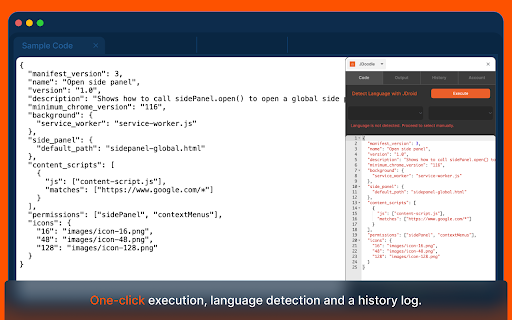
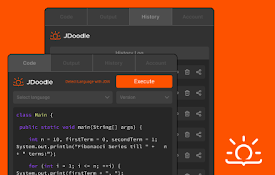
Use JDoodle's Chrome extension for a full-fledged IDE in your browser – instant, accessible, and subtly empowering!
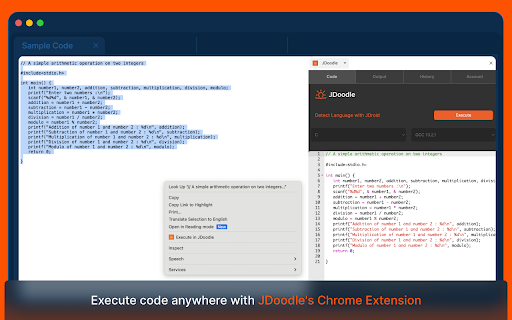
The JDoodle Chrome Extension is a revolutionary tool that lets users effortlessly execute programs from any webpage. It's designed for both convenience and efficiency, making coding more accessible than ever.
With JDoodle's Chrome Extension, coding becomes more integrated into your browsing experience. It's an indispensable tool for developers, learners, and coding enthusiasts who seek a seamless, productive, and elevated coding journey.
Key Features:
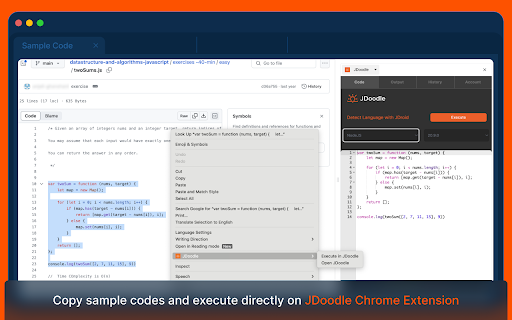
- Effortless Code Execution: Select code on a webpage, right-click, and execute directly with JDoodle. Alternatively, open code in the JDoodle extension with a simple right-click.
- Execution History Tracking: Easily access the history of executed codes, including website links and results.
- User Login Requirement: Users must log in to the extension for personalized and secure usage.
- Smart Language Detection: Utilize JDoodle AI for automatic programming language detection.
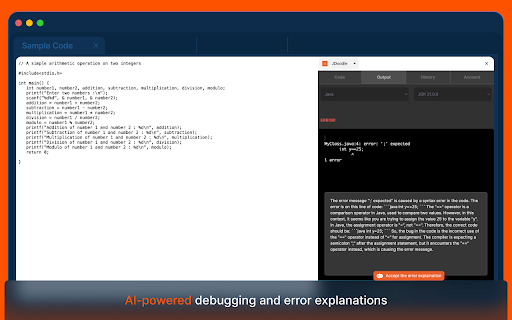
- Future AI Enhancements: Look forward to advanced AI features from JDoodle's main website in upcoming releases.
User Scenarios:
- New Users: Log in and open programs on JDoodle.com.
- Logged-in Users:
- Execute programs within the extension.
- Manage and view execution history.
- Access JDoodle.com for more features.
- Securely log out as needed.
Technical Insights:
- The extension maintains an independent login session from the browser.
- It uses a token-based system similar to mobile apps for user recognition.
- Compatible with both Chrome and Microsoft Edge, ensuring wide accessibility.
| 分类 | 🛠️工具 |
| 插件标识 | fbbdeoelagkhkjfihkigmhocpcigckek |
| 平台 | Chrome |
| 评分 |
☆☆☆☆☆
0
|
| 评分人数 | 1 |
| 插件主页 | https://chromewebstore.google.com/detail/jdoodle/fbbdeoelagkhkjfihkigmhocpcigckek |
| 版本号 | 1.2 |
| 大小 | 4.98MiB |
| 官网下载次数 | 301 |
| 下载地址 | |
| 更新时间 | 2024-06-17 00:00:00 |
CRX扩展文件安装方法
第1步: 打开Chrome浏览器的扩展程序
第2步:
在地址栏输入: chrome://extensions/
第3步: 开启右上角的【开发者模式】
第4步: 重启Chrome浏览器 (重要操作)
第5步: 重新打开扩展程序管理界面
第6步: 将下载的crx文件直接拖入页面完成安装
注意:请确保使用最新版本的Chrome浏览器
同类插件推荐
JDoodle
Use JDoodle's Chrome extension for a full-fled

Context Overlay
Context Overlay enables users to easily learn soft
Nogrunt - QA Automation
QA AutomationNogrunt is a turn key solution, that

Kloser
Close all tabs and open default tabSimple extensio

TranscribeIQ - AI Insights for Transcripts
Boost sales, product, & customer insights with

B2B Sunshine Coast
Boost your LinkedIn outreach with this tool. Initi

WorkStreamer Guide: Craft Screenshot Training Guides Incredibly Fast
Create beautiful training guides in minutes with t

ChatGPT Search Bar & Send With Command Enter
ChatGPT Search Bar & Send With Command Enter M

Agency Toolchest
The Agency Toolchest Chrome Extension is used to s

Suspend tabs
Free up your device's memory and speed up your

Trello Bug Feature Colors
Sets colors on Trello cardsColors Trello cards tha