
PHP Revival Chrome 插件, crx 扩展下载
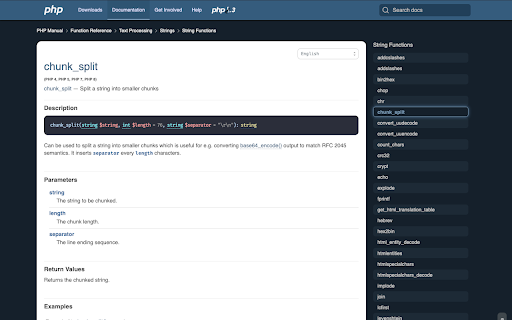
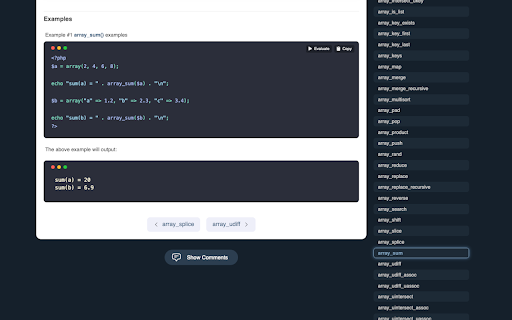
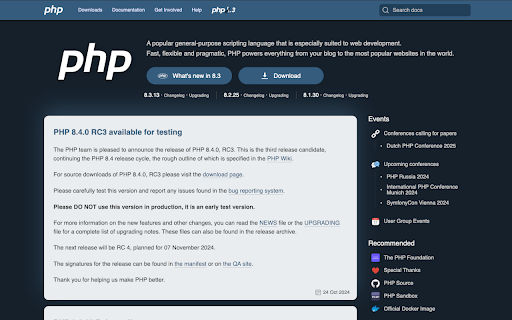
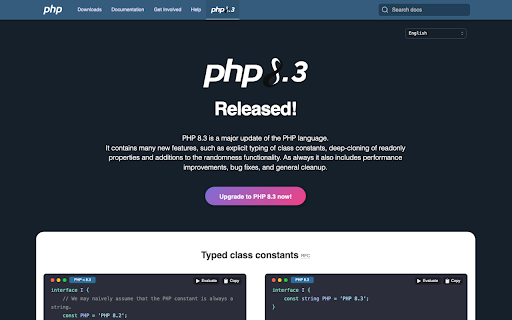
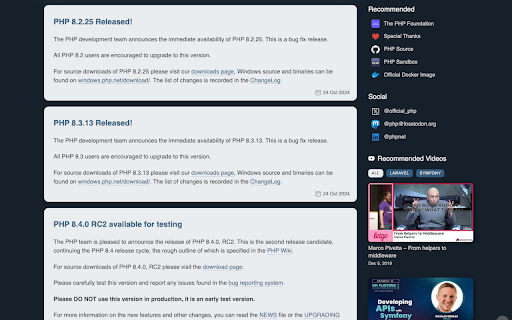
Extension that every PHP developer must have. Changes styles to php.net for a better experience of using documentation
Open source extension that makes changes to the php.net website for better experience of using PHP documentation. Extension includes several improvements such as:
- Improves styling of the whole site
- You can run and edit code examples for functions
- Changes code examples to dark theme with nice highlighting
- Adds the ability to copy code examples
- Adds the ability to transfer PHP code examples to Code Sandbox
- Adds useful link related to PHP to the home page
- Adds a section of PHP-related videos to the home page
- Adds an ability to visit php.net website with a single mouse click on the extension icon
Changelog: https://github.com/php-revival/php-revival/blob/main/CHANGELOG.md
IT'S SAFE TO USE
- It's completely private, we don't get any input from the user
- It's Open Source. GitHub repository: github.com/php-revival/php-revival
- After clicking the extension icon you will be redirected to a php.net website
- The extension is completely free and will be free forever
- The extension is active only on php.net websites. It's disabled on all sites except php.net
- It doesn't make any requests to other servers
Please, if you know other PHP developers, give them a link to this extension. It will definitely help them along the way.
Any suggestions, bugs or feature requests on GitHub issues:
https://github.com/php-revival/php-revival/issues
| 分类 | ⚙️功能性 |
| 插件标识 | fceclmihdanbepiogjoeiolnpkalcjpe |
| 平台 | Chrome |
| 评分 |
☆☆☆☆☆
0
|
| 评分人数 | 2 |
| 插件主页 | https://chromewebstore.google.com/detail/php-revival/fceclmihdanbepiogjoeiolnpkalcjpe |
| 版本号 | 2.12.3 |
| 大小 | 1.13MiB |
| 官网下载次数 | 1000 |
| 下载地址 | |
| 更新时间 | 2025-01-29 00:00:00 |
CRX扩展文件安装方法
第1步: 打开Chrome浏览器的扩展程序
第2步:
在地址栏输入: chrome://extensions/
第3步: 开启右上角的【开发者模式】
第4步: 重启Chrome浏览器 (重要操作)
第5步: 重新打开扩展程序管理界面
第6步: 将下载的crx文件直接拖入页面完成安装
注意:请确保使用最新版本的Chrome浏览器
同类插件推荐

PHP Offline Manual
PHP offline documentation in a popupPHP 8 document

Run on PHP Playground
Open PHP Playground and run the sample code from p
PHP Revival
Extension that every PHP developer must have. Chan

Drupal PHP Editor
Provides a good view for the Devel PHP formProvide

Add to LinkJoin
Organize and automatically open virtual meetings.K

DIG This Deal
Compare prices and find the best deals on new and

Anti FeR toolkit
Adds features and extensions for the bushtarion we

Saverd Recipe Clipper
Save recipes from hundreds of recipe sites right t

The Big Gift List
Easily add items to your 'The Big Gift List

brocrobes
Browser plugin for https://transcrob.esBrocrobes i

Stop It Grandpa
Prevents grandpa from lookin' at his favorite

Salesforce Shortcuts
Provides quick shortcuts to most used URLs in Sale

Trello Bug Feature Colors
Sets colors on Trello cardsColors Trello cards tha