Custom New Tab Chrome 插件, crx 扩展下载
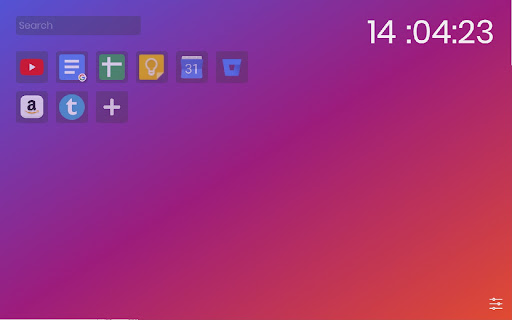
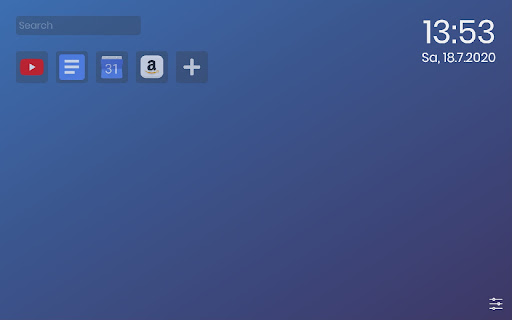
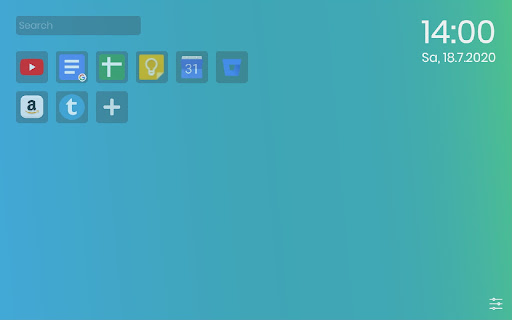
Want a better new tab window? Here you go.
Adds a simplistic, customizable New Tab page to help you be more productive and organized.
You can add custom background, create bookmarks for websites and keep track of your recent notes. Also adds a quick search bar with a variety of search engines to choose from (Google, Ecosia, DuckDuckGo, Startpage, Qwant).
In your custom new tab you can also customize a clock. Toggle the format of the clock to show or hide seconds, format as 24h clock or as am/pm. You can also show and hide the current date, which can also be formatted to your liking.
The notes also support some advanced text editing features, like automatically extending lists on new line or composite characters like ->/→. When holding the ALT key you can also move lines with the arrows or duplicate them by holding shift as well.
Furthermore supports German language.
| 分类 | ♿无障碍访问 |
| 插件标识 | fdcmjcnadeogemgjdldajipfkocndflo |
| 平台 | Chrome |
| 评分 |
★★★★☆
4.4
|
| 评分人数 | 21 |
| 插件主页 | https://chromewebstore.google.com/detail/custom-new-tab/fdcmjcnadeogemgjdldajipfkocndflo |
| 版本号 | 1.3.14 |
| 大小 | 1.39MiB |
| 官网下载次数 | 30 |
| 下载地址 | |
| 更新时间 | 2023-12-01 00:00:00 |
CRX扩展文件安装方法
第1步: 打开Chrome浏览器的扩展程序
第2步:
在地址栏输入: chrome://extensions/
第3步: 开启右上角的【开发者模式】
第4步: 重启Chrome浏览器 (重要操作)
第5步: 重新打开扩展程序管理界面
第6步: 将下载的crx文件直接拖入页面完成安装
注意:请确保使用最新版本的Chrome浏览器