
Breaking the Bank Unblocked Chrome 插件, crx 扩展下载
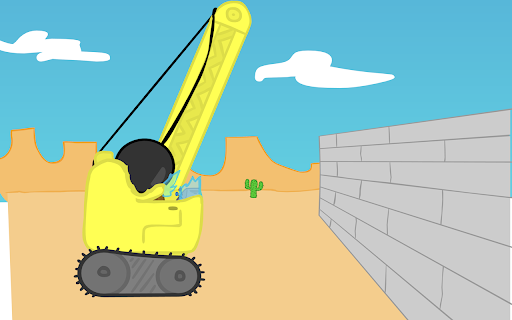
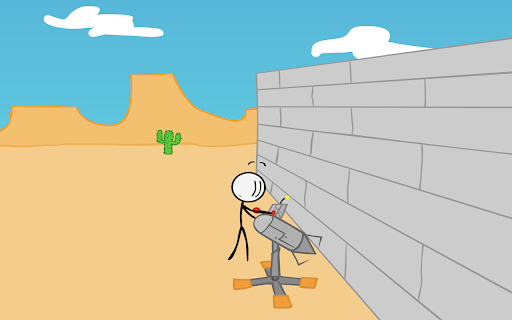
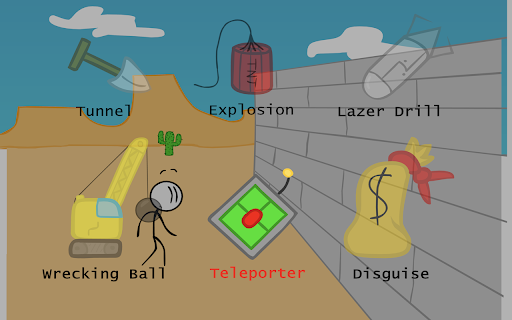
Play Breaking the Bank Unblocked game on Classroom 6x. Breaking the Bank online game. For Breaking the Bank unblocked fans.
Breaking the Bank is a captivating flash game that delivers an engaging mix of strategy and humor, appealing to gamers who enjoy a lighthearted and interactive challenge. The game revolves around the adventures of Henry Stickmin, a stick figure character with a penchant for getting into trouble. The primary goal of Breaking the Bank is simple yet thrilling: successfully break into a bank vault without getting caught.
At the core of its gameplay, Breaking the Bank features a series of choices that determine Henry's fate at each step of his heist. Players are presented with a variety of tools and tactics, from the absurdly impractical to the deceptively clever. Each decision leads to unique animations and outcomes, ranging from comical failures to successful breaches of the vault. This trial-and-error approach not only adds to the game's replay value but also injects a sense of suspense and unpredictability into the narrative.
If you have any questions about our Breaking the Bank Unblocked game extension or just want to give us some feedback, feel free to send us a message or write a review! We'd love to hear from you. You can mouse over to Support tab on the extension, then click on "visit the developer's support site" to contact us.
If you wish to remove this extension, follow this steps:
1. Click the 3-dot icon at the top-right corner of your screen.
2. Hover your mouse on More tools then click Extensions.
3. Find the Breaking the Bank Unblocked game extension.
4. Press "Remove"
| 分类 | 🎮游戏 |
| 插件标识 | fdpeiplicpmjoimflamhmjmmoeabjdfl |
| 平台 | Chrome |
| 评分 |
★★★★★
5
|
| 评分人数 | 4 |
| 插件主页 | https://chromewebstore.google.com/detail/breaking-the-bank-unblock/fdpeiplicpmjoimflamhmjmmoeabjdfl |
| 版本号 | 25.24.76.91 |
| 大小 | 5.16MiB |
| 官网下载次数 | 153 |
| 下载地址 | |
| 更新时间 | 2024-05-28 00:00:00 |
CRX扩展文件安装方法
第1步: 打开Chrome浏览器的扩展程序
第2步:
在地址栏输入: chrome://extensions/
第3步: 开启右上角的【开发者模式】
第4步: 重启Chrome浏览器 (重要操作)
第5步: 重新打开扩展程序管理界面
第6步: 将下载的crx文件直接拖入页面完成安装
注意:请确保使用最新版本的Chrome浏览器
同类插件推荐

打击你的老板-未封锁和免费
作为Chrome扩展程序玩"打老板"——无需解锁,免费游玩——也可以离线游玩,现
Stealing the Diamond
Play Stealing the Diamond game on Chrome™ Browser!
Henry Stickmin Game
直接在 Chrome 中玩 Henry Stickmin 游戏Dive into the world
Stealing The Diamond Game
Now you can play Stealing The Diamond Game right o
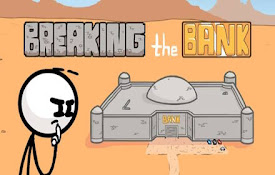
Breaking the Bank Unblocked
Play Breaking the Bank Unblocked game on Classroom
Stickman Dragon Fight Game
Now you can play Stickman Dragon Fight Game right
粗糙的兽人原创
将Choppy Orc Original作为Chrome扩展来玩——还可以在没有网络的情况下播放,现

Bullet Force Unblocked
Play Bullet Force Unblocked game on Classroom 6x.

欢乐轮胎 解锁
使用Chrome扩展程序玩未被封锁的快乐轮轮椅 - 还可离线游玩,现在试试吧!# Play more

索尼克 - 解锁和免费
作为Chrome扩展,玩《索尼克》- 无需解锁和免费 - 也可以离线玩,现在试试吧!# Play m

Paper Minecraft 原版
在Chrome扩展中玩原版纸质Minecraft-也可以无需网络游戏,现在试试吧!? Paper M