
Bloomberg Terminal: Clip to NOTE Chrome 插件, crx 扩展下载


Capture web content into NOTE<GO> on the Bloomberg Terminal
Capture images, ideas and information, tag them to specific securities or themes and share with your network via NOTE <GO> on the Bloomberg Terminal.
• Create Bloomberg notes from a screenshot of whatever web page you are on.
• Indicate the note title, content and Bloomberg tags.
• Share notes with selected communities or individual users.
• Annotate screenshots with a digital highlighter pen.
• Add text boxes.
• Once a note is created it is viewable via NOTE<GO> on the Terminal.
| 分类 | 📝工作流程与规划 |
| 插件标识 | fficfkginiidknkbmlcdiojphhkokggh |
| 平台 | Chrome |
| 评分 |
☆☆☆☆☆
0
|
| 评分人数 | 13 |
| 插件主页 | https://chromewebstore.google.com/detail/bloomberg-terminal-clip-t/fficfkginiidknkbmlcdiojphhkokggh |
| 版本号 | 1.2.1 |
| 大小 | 648KiB |
| 官网下载次数 | 20000 |
| 下载地址 | |
| 更新时间 | 2025-02-06 00:00:00 |
CRX扩展文件安装方法
第1步: 打开Chrome浏览器的扩展程序
第2步:
在地址栏输入: chrome://extensions/
第3步: 开启右上角的【开发者模式】
第4步: 重启Chrome浏览器 (重要操作)
第5步: 重新打开扩展程序管理界面
第6步: 将下载的crx文件直接拖入页面完成安装
注意:请确保使用最新版本的Chrome浏览器
同类插件推荐

Bipsync Web Clipper
Save web articles to BipsyncSave any web page as a
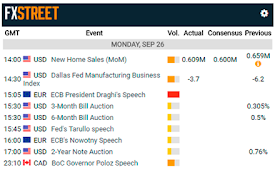
FXStreet - The Foreign Exchange Market
Economic Calendar, Forex Analysis, Trading Positio

Enhanced Financial Times
Adds enhanced article save and search feature to F

OdooTerminal
Terminal-like to send json-rpc requests and use to

5250 Web Terminal Add-on
Browser extension for Green Screens 5250 Web Termi

Cybersource Virtual Terminal Extension
Securely accept credit card payments from your com

ElectricCommander Syntax Highlighting
[BETA] This extension adds syntax highlighting to

nShell
nShell.nShell is a terminal application that uses

Bloomberg Terminal: Clip to NOTE
Capture web content into NOTE<GO> on the Blo

WebTerminal
一个专为程序员打造的浏览器终端,可以用命令行来操控浏览器,它很小,而且很美。This termina

Chrome Quick Console
A Google Chrome extension for a developer console

ChatGPT 的图像、图标和照片
搜索数以千计的图像、图标和照片或使用 chatGPT 创建它们此扩展允许创建组织良好的个人和商业图像

Chrome Terminal
A Chrome Extension to execute customized commands