
MyPicture for Disney+: custom profile picture Chrome 插件, crx 扩展下载
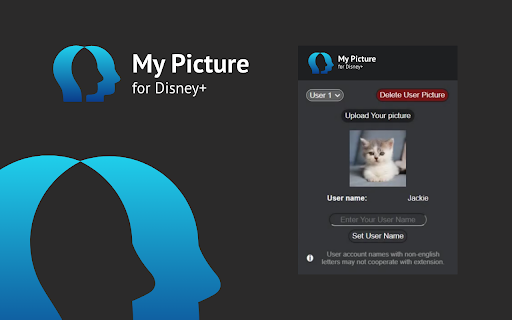

Extension to make a custom Disney Plus profile picture. Personalize your user account and choose your own profile icon.
Nowadays you can customize almost everything, so why not Disney Plus profile picture?
If you’re bored with the limited options available on Disney+ this extension is for you!
Make your avatar stand out by uploading a picture of your choice. Whether it’s your selfie, cute photo of your pet, or your favorite band’s logo, now you can individualize your profile even more. Add some personal touch to your watching experience.
How does it work?
1. Add the MyPicture for Disney+ extension to your browser
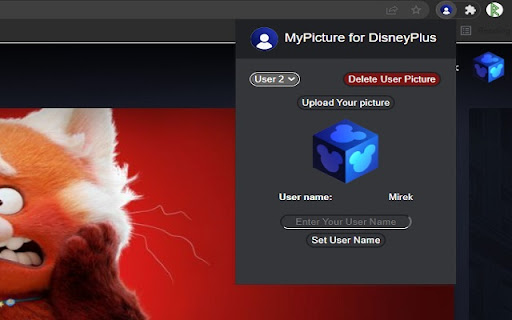
2. Go to the Extensions menu (you can find it in upper right corner, puzzle icon) and open MyPicture Pop-up menu
3. Choose the username you want to change
4. Upload a picture to use as your avatar. Use a square one for the best result.
Make your profile more distinctive and 100% personalized. It's as simple as that!
Please note: the extension will only modify the profile picture on the device it is installed on. This means your new picture won't be visible on smart TVs or smartphones.
Disclaimer : Disney+ is a trademark of Disney Media and Entertainment Distribution. This website & extension hold no association or affiliation with Disney+ or any third-party companies.
| 分类 | 🎉趣味休闲 |
| 插件标识 | fimhejbioopjniggmchenghefhhnbnkk |
| 平台 | Chrome |
| 评分 |
★★☆☆☆
2.9
|
| 评分人数 | 135 |
| 插件主页 | https://chromewebstore.google.com/detail/mypicture-for-disney+-cus/fimhejbioopjniggmchenghefhhnbnkk |
| 版本号 | 1.1.19 |
| 大小 | 68.98KiB |
| 官网下载次数 | 2000 |
| 下载地址 | |
| 更新时间 | 2025-02-06 00:00:00 |
CRX扩展文件安装方法
第1步: 打开Chrome浏览器的扩展程序
第2步:
在地址栏输入: chrome://extensions/
第3步: 开启右上角的【开发者模式】
第4步: 重启Chrome浏览器 (重要操作)
第5步: 重新打开扩展程序管理界面
第6步: 将下载的crx文件直接拖入页面完成安装
注意:请确保使用最新版本的Chrome浏览器
同类插件推荐
MyPicture for Crunchyroll: custom profile
Extension to make a custom Crunchyroll profile pic

MyPicture for Netflix: custom profile picture
Extension to make a custom Netflix profile picture

Netflix Color Plus
Customize the look of Netflix! Plus extra features

Netflix™ 的自定义个人资料照片
用于自定义 Netflix™ 个人资料图片的 Chrome 扩展程序。想要在您的 Netflix 帐

Netflix™的自定义个人资料图片
自定义您的Netflix™个人资料图片。This extension allows you to c
MyPicture for Disney+: custom profile picture
Extension to make a custom Disney Plus profile pic
MyPicture for Hulu: custom profile picture
Extension to make a custom Hulu profile picture. P
MyPicture for Paramount+: custom profile pic
Extension to make a custom Paramount+ profile pict

Disney+ Picture in Picture
Adds Picture in Picture support for Disney+We'
PeacockTV MyPicture: custom profile picture
Extension to make a custom Peacock TV profile pict
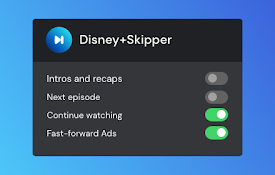
Disney+ Skipper
Automatically skip ads, intros, recaps, and click

Disney+ Extended: boost your viewing
Boost your viewing experience on Disney+: adjust s

Boss Hub | Link
BossHub Link| Sidebar, BOSS Link is Trusted by ove