
Convert PDF to JPEG/PNG Chrome 插件, crx 扩展下载
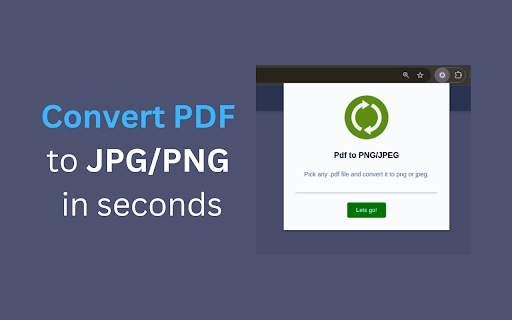
Free PDF File Converter - Two Supported Formats. Convert PDF to JPEG/PNG for Free
Extension Convert PDF to JPEG/PNG.
•PDF extension supports PDF conversion to PNG and JPEG
•Convert PDF to PNG and JPEG files
•Finish everything in your Browser
•Unlimited number of conversions
How to use this extension:
-Open the icon in the right corner of your browser
-Choose PDF file you would like to convert
-Chose format in which you would like to convert, there are two options: JPEG and PNG
-Click start converting green button
-Converted file will be downloaded into your computer and you will see it in left bottom corner of the browser or in your downloaded list files
New Feature: "Quick Convert" Button in Chrome PDF Viewer
With this update, users will now see a "Quick Convert" button directly embedded in the Chrome PDF viewer. This feature allows for seamless one-click conversions without having to open the extension separately.
How it works:
When viewing any PDF in Chrome’s built-in PDF viewer, a "Quick Convert" button will appear at the bottom-right of the viewer.
Users can instantly choose to convert the PDF they are viewing to either JPEG or PNG formats.
The conversion will start as soon as a format is selected, and the converted file will automatically download.
If you need any further assistance, feel free to contact us via email: [email protected]
| 分类 | 📝工作流程与规划 |
| 插件标识 | fkbmahbmakfabmbbjepgldgodbphahgc |
| 平台 | Chrome |
| 评分 |
★★★★☆
4.8
|
| 评分人数 | 51 |
| 插件主页 | https://chromewebstore.google.com/detail/convert-pdf-to-jpegpng/fkbmahbmakfabmbbjepgldgodbphahgc |
| 版本号 | 1.0.0 |
| 大小 | 67.22KiB |
| 官网下载次数 | 20000 |
| 下载地址 | |
| 更新时间 | 2024-10-29 00:00:00 |
CRX扩展文件安装方法
第1步: 打开Chrome浏览器的扩展程序
第2步:
在地址栏输入: chrome://extensions/
第3步: 开启右上角的【开发者模式】
第4步: 重启Chrome浏览器 (重要操作)
第5步: 重新打开扩展程序管理界面
第6步: 将下载的crx文件直接拖入页面完成安装
注意:请确保使用最新版本的Chrome浏览器
同类插件推荐

Convert PDF to JPEG/PNG
Free PDF File Converter - Two Supported Formats. C

将 JPG 转换为 PDF
使用我们的 JPG 到 PDF 转换器轻松将 JPG 转换为 PDF。文件大小没有限制,无需注册,无

PDF转JPG
将PDF转换为JPG是免费的。立即获取从PDF文档转换的jpg图像。 无需注册即可使用PDF到JP

PDF to PPT | PDF转PPT
轻松将PDF转换为PPT!使用我们的PPT转PDF转换器,快速可靠地转换文件。完美适用于演示文稿。?