
Open University Video Downloader Chrome 插件, crx 扩展下载
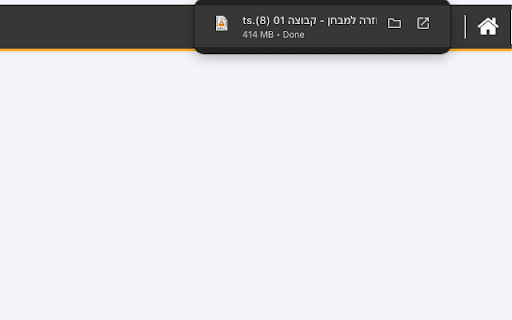
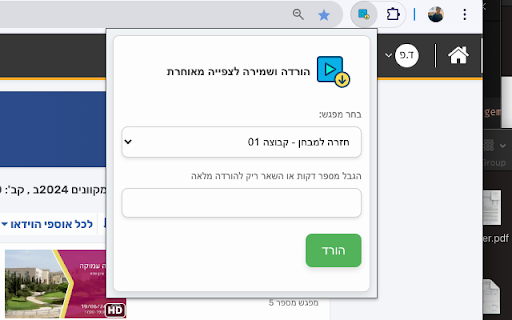
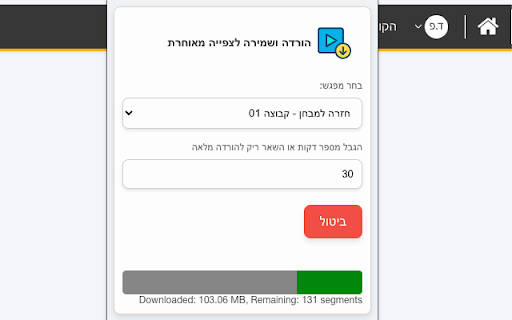
Download videos from Open University. This extension is not affiliated with Open University and not intended for commercial use.
This chrome extension designed to help active students of the Open University download video segments from their courses for offline viewing. This extension is particularly useful for students who have unstable internet connections, limited data plans, or who prefer to watch videos at a faster speed or on different devices.
Key Features:
- Download Video Segments: Easily download video segments from Open University courses.
- Offline Viewing: Watch your course videos offline, perfect for studying without an internet connection.
- Device Flexibility: Transfer downloaded videos to different devices for convenient viewing.
- Enhanced Study Experience: Speed up videos for faster learning and study on-the-go, such as during commutes.
Why Install Open University Video Downloader?
- Reliable Access: Ensure you have access to your course materials even when you don't have a stable internet connection.
- Data Savings: Save on data usage by downloading videos once and watching them offline.
- Convenience: Study anywhere, anytime, without being tied to an internet connection or a specific device.
- Performance: Ideal for older laptops or devices that struggle with streaming videos directly from the Open University website.
Important Notice:
This extension is intended for personal use only and is not affiliated with the Open University. It is crucial to respect the rights of content creators and use this tool responsibly. The developer does not take any responsibility for misuse of this extension.
| 分类 | 📚教育 |
| 插件标识 | fkbmllibdgnfpfconibkkjdbkjfcjibc |
| 平台 | Chrome |
| 评分 |
★★★★★
5
|
| 评分人数 | 3 |
| 插件主页 | https://chromewebstore.google.com/detail/open-university-video-dow/fkbmllibdgnfpfconibkkjdbkjfcjibc |
| 版本号 | 1.1 |
| 大小 | 29.93KiB |
| 官网下载次数 | 236 |
| 下载地址 | |
| 更新时间 | 2024-08-08 00:00:00 |
CRX扩展文件安装方法
第1步: 打开Chrome浏览器的扩展程序
第2步:
在地址栏输入: chrome://extensions/
第3步: 开启右上角的【开发者模式】
第4步: 重启Chrome浏览器 (重要操作)
第5步: 重新打开扩展程序管理界面
第6步: 将下载的crx文件直接拖入页面完成安装
注意:请确保使用最新版本的Chrome浏览器
同类插件推荐

Ad Bank Video Downloader
Adds download buttons to videos on the pageDownloa

DM Video Downloader
Lumalabs.ai Dream Machine AI generated video downl

Open University Video Downloader
Download videos from Open University. This extensi

FOVD: Free Online Video Downloader
Free Online Video Downloader. Free, Fast, Quick, E

Shein™ Downloader | Download images & videos
One-click download of images and videos from Shein

VidDown - 专业视频下载器
从任何网站下载任何视频,支持FB, INS, X, TikTok, Bilibili 等视频网站,免

在线视频下载器 - MPMux
通用的视频下载器,用于下载HLS、m3u8、mp4、webm等在线影片,也可以用于录制网页直播视频。

StudIP Video Download
Fügt im Opencast Videoplayer von StudIP eine Downl

Video Downloader Professional
Video Downloader Professional enables free video d

Video Downloader Social
Video downloader free extension for social network

Video Downloader Pro
视频下载器Pro是一个轻量级且超快的工具,允许用户轻松从流行的视频网站下载视频。視頻下載器有助於一鍵

Video Downloader for U
Video downloader extension allows users to save vi