
Inspect Element Chrome 插件, crx 扩展下载
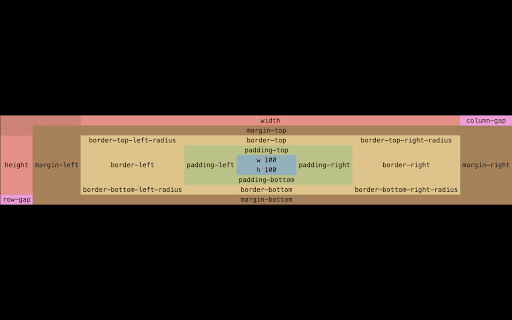

Inspect element for content, and margin.
Inspect Element helps frontend engineers to adjust CSS effectively.
---
Features:
- Different mode to inspect element: by element (Chrome DevTool) or by margin which helps you to adjust CSS more efficient.
- It displays X and Y axis for content, padding, border, and margin.
- It allows you to specify colors for different spaces (content, padding, and others).
---
Setup:
1. Install this extension from Chrome WebStore
2. Reload opening page
3. Hold Ctrl-Key and move your mouse to inspect element.
| 分类 | 💻开发者工具 |
| 插件标识 | flgcpmeleoikcibkiaiindbcjeldcogp |
| 平台 | Chrome |
| 评分 |
★☆☆☆☆
1.4
|
| 评分人数 | 9 |
| 插件主页 | https://chromewebstore.google.com/detail/inspect-element/flgcpmeleoikcibkiaiindbcjeldcogp |
| 版本号 | 2.12.2 |
| 大小 | 156KiB |
| 官网下载次数 | 20000 |
| 下载地址 | |
| 更新时间 | 2025-02-18 00:00:00 |
CRX扩展文件安装方法
第1步: 打开Chrome浏览器的扩展程序
第2步:
在地址栏输入: chrome://extensions/
第3步: 开启右上角的【开发者模式】
第4步: 重启Chrome浏览器 (重要操作)
第5步: 重新打开扩展程序管理界面
第6步: 将下载的crx文件直接拖入页面完成安装
注意:请确保使用最新版本的Chrome浏览器
同类插件推荐
Inspector Saver
Reimagine the web: Save your browser's inspect

Pause & Inspect
Pauses Javascript execution then inspects the elem

Save Inspect
Extension for Save Inspection and easy code-less e

easy inspect
Edit web page elements!Use this extension to edit

Inspect CSS
The easiest way to inspect and edit CSSFeatures:
Inspect Element
Inspect element for content, and margin.Inspect El
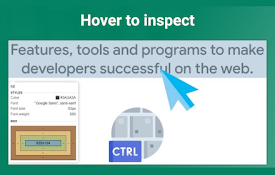
Quick Inspect Element
Quickly inspect HTML elements with a simple mouse
Page Manipulator
Inject HTML, CSS or JavaScript into any web-page.

No-Inspect Web Editor - text & Images
Replace the need of using inspect element. Perfect

Offline WebPage Editor
Offline WebPage Editor allows AEM authors or it

sourceditor
A simple and minimal extension that enables you to

Permanent Inspect Element
Save the changes you make to a page with Inspect E

Edit Anything
Edit Anything is a simple extension that allows yo