
Link Analyzer - cmlabs SEO Tools Chrome 插件, crx 扩展下载
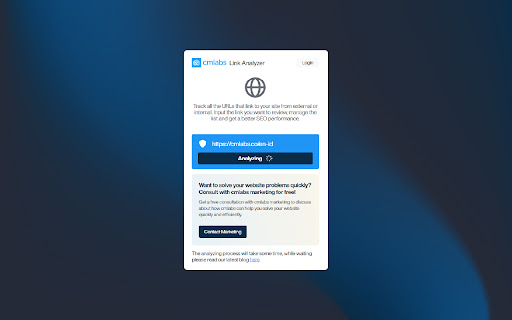

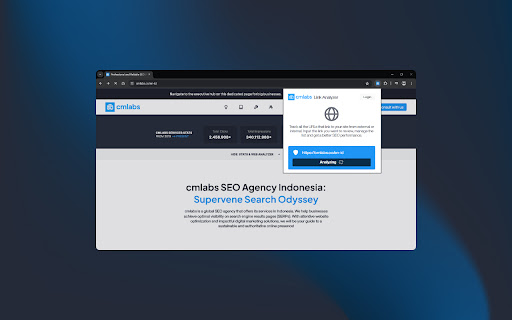
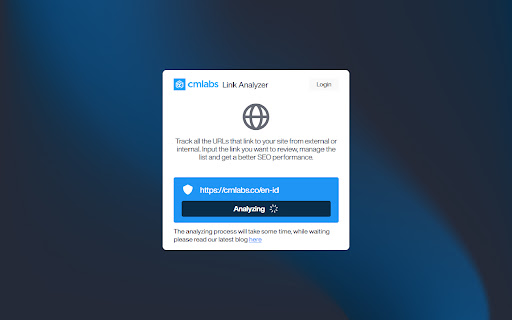
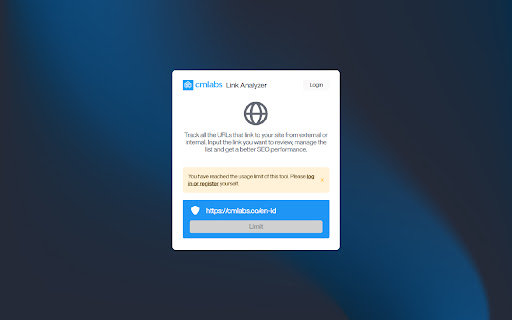
Link Analyzer tool helps you analyze website links and conduct audits effortlessly for better site performance.
Link Analyzer is your go-to tool for quickly analyzing lists of links from any website. Whether you're looking to assess your own site's link structure or audit external links, our tool provides instant results without the hassle of lengthy processes.
With Link Analyzer, you can swiftly generate a categorized list of links associated with a website. No need to wait around - our tool delivers results in seconds, giving you immediate insights into your link ecosystem. Download and try now!
Features & Benefits
- This tool is available for free.
- Comprehensive results: This tool can display the generated results and allow users to see the overall results in real time.
- Results by settings: You can set to display link types such as internal, external, nofollow, and dofollow.
- Easy to use: With just a few clicks, you can see the URL link analysis results.
- Usage history: You can view the history of using this tool or double-check the URLs that were previously analyzed.
How to Use
1. Go to the Link Analyzer Page
On this page, you will see all the available features such as the URL column, the analysis results column, to the usage history.
2. Enter Website URL
The second step to analyze the link is to enter the URL in the field provided. Make sure you have entered the URL in the correct format (e.g. https://example.com).
3. Click the "Analyze URL" button
By clicking on this button, you give the command to this tool to start checking the website.
4. View URL Analysis Results
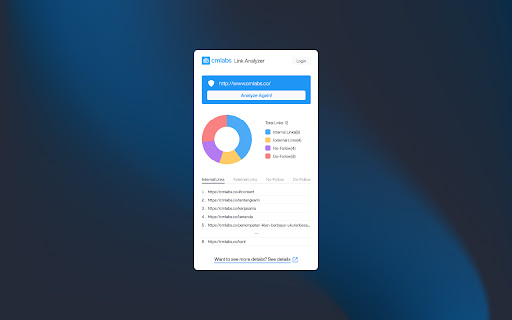
After you press the Analyze URL button, the system will immediately display the results. The Result field can display some information such as:
- Graph of Total Links: Displaying a graphic of the links (internal, external, and dofollow) with a pie chart along with the percentage.
- List of Internal and External Links: At the bottom of the pie chart, you can see a list of internal links and external links to the URL you are checking. The results displayed are following the amount listed in the pie chart.
- View Usage History: This tool allows you to view all the history of the link analysis you have performed so you don't need to re-type the URL if you want to re-check it.
5. Login After 5 Times of Use
If you have used it 5 times, our system will automatically display a message stating that you have reached the usage limit. You can log in by clicking the login button on the warning message that appears.
Help & Support
We value your feedback! If you have any suggestions for improving Link Analyzer or encounter any issues while using the tool, please don't hesitate to let us know. Our support team is here to help. Reach us by email at:
[email protected]
[email protected]
| 分类 | 💻开发者工具 |
| 插件标识 | fllajeihhfpfpebnbkplefdofjpdkoim |
| 平台 | Chrome |
| 评分 |
★★★★★
5
|
| 评分人数 | 197 |
| 插件主页 | https://chromewebstore.google.com/detail/link-analyzer-cmlabs-seo/fllajeihhfpfpebnbkplefdofjpdkoim |
| 版本号 | 1.0.1 |
| 大小 | 3.62MiB |
| 官网下载次数 | 111 |
| 下载地址 | |
| 更新时间 | 2024-05-16 00:00:00 |
CRX扩展文件安装方法
第1步: 打开Chrome浏览器的扩展程序
第2步:
在地址栏输入: chrome://extensions/
第3步: 开启右上角的【开发者模式】
第4步: 重启Chrome浏览器 (重要操作)
第5步: 重新打开扩展程序管理界面
第6步: 将下载的crx文件直接拖入页面完成安装
注意:请确保使用最新版本的Chrome浏览器
同类插件推荐
Link Analyzer - cmlabs SEO Tools
Link Analyzer tool helps you analyze website links
SEO Buddy - On-Page SEO Analyser
A complete On-Page SEO tool to help you analyse yo

SEO Review Tools for Chrome!
This extension will help you to analyze an URL usi

All in One SEO Analyzer by AIOSEO
The All in One SEO Analyzer is a free SEO tool tha