Socials & Entertainment Blocker Chrome 插件, crx 扩展下载

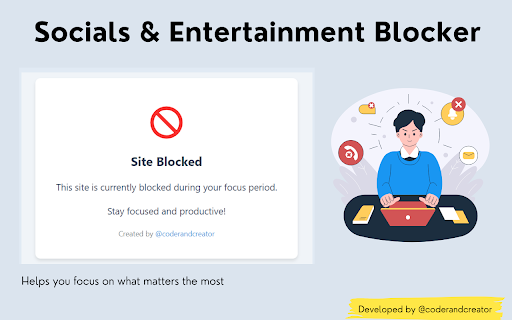
Blocks distracting websites during user-defined focus periods
Socials & Entertainment Blocker
Stay focused on your studies or work by blocking distracting social media and entertainment websites.
Features:
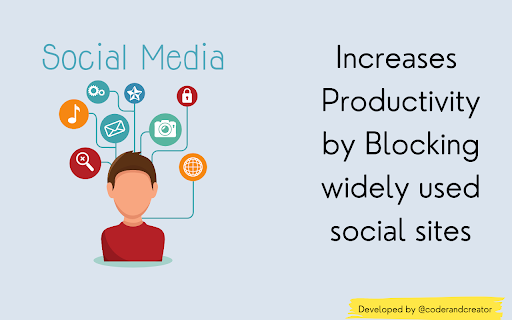
- Blocks popular social media platforms (e.g., Facebook, X, Instagram, etc.) to reduce interruptions while studying or working.
- Prevents access to entertainment sites (e.g., Netflix, YouTube, Amazon Prime, etc) that can divert attention from important tasks.
- Encourages better time management and productivity by minimizing online distractions.
- It comes with session support, your sessions will be saved even if the browser accidentally closes.
Preferred Audience: whoever struggles with focus while working, studying, or engaging in other productive activities.
Goal: This extension is built to help people manage their online habits, improve concentration, and control their digital environment, empowering them to study or work without distractions.
Get in Touch: Connect with me on :
X : @coderandcreator
Instagram: @coderandcreator
Email: [email protected]
Feel free to reach out with any suggestions, updates, or reports to help make this tool even better!
| 分类 | 📝工作流程与规划 |
| 插件标识 | fmaomgnpaefkghobanbljbbocbaolknl |
| 平台 | Chrome |
| 评分 |
★★★★☆
4.8
|
| 评分人数 | 455 |
| 插件主页 | https://chromewebstore.google.com/detail/socials-entertainment-blo/fmaomgnpaefkghobanbljbbocbaolknl |
| 版本号 | 2.1 |
| 大小 | 143KiB |
| 官网下载次数 | 85 |
| 下载地址 | |
| 更新时间 | 2024-09-11 00:00:00 |
CRX扩展文件安装方法
第1步: 打开Chrome浏览器的扩展程序
第2步:
在地址栏输入: chrome://extensions/
第3步: 开启右上角的【开发者模式】
第4步: 重启Chrome浏览器 (重要操作)
第5步: 重新打开扩展程序管理界面
第6步: 将下载的crx文件直接拖入页面完成安装
注意:请确保使用最新版本的Chrome浏览器