
Multiflix Chrome 插件, crx 扩展下载

Adds dual language subtitles for language learners on Netflix
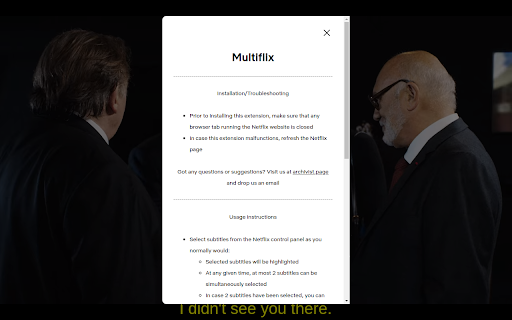
Multiflix helps you learn a foreign language while watching content on Netflix.
Anki users may benefit from sentence mining and generation of natural-sounding speech.
- SIMPLE USAGE
1.Click to stream a Netflix content of your preference
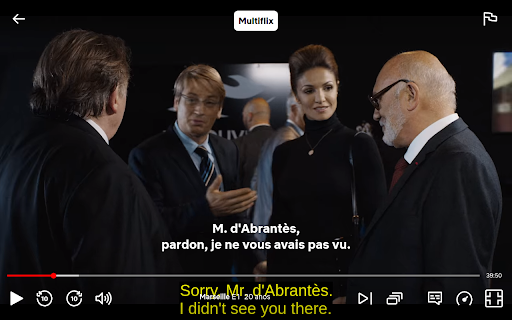
2.Hover your mouse over the screen
3.Click on the "Multiflix" icon that appears
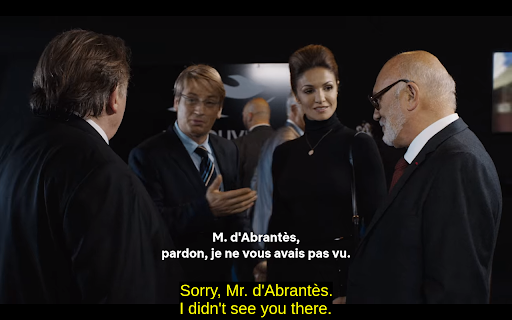
- DUAL SUBTITLES
Displays dual, human-made subtitles on screen at the same time.
- EXPORT SUBTITLES
✅ Merges subtitle lines to build complete sentences.
✅ Exports subtitles in cross-platform compatible format (CSV) ready to be imported into Anki.
- ?GENERATE HIGH-QUALITY TEXT-TO-SPEECH?
✅ Converts subtitle sentences into natural-sounding speech to improve your listening and speaking skills.
✅ Exports audio tracks + subtitle lines (optionally import the resulting content into Anki).
| 分类 | 📚教育 |
| 插件标识 | fnofmicigchmanbllggakhlbmfippked |
| 平台 | Chrome |
| 评分 |
★★★★☆
4.3
|
| 评分人数 | 6517 |
| 插件主页 | https://chromewebstore.google.com/detail/multiflix/fnofmicigchmanbllggakhlbmfippked |
| 版本号 | 1.0.4 |
| 大小 | 53.28KiB |
| 官网下载次数 | 55 |
| 下载地址 | |
| 更新时间 | 2023-09-30 00:00:00 |
CRX扩展文件安装方法
第1步: 打开Chrome浏览器的扩展程序
第2步:
在地址栏输入: chrome://extensions/
第3步: 开启右上角的【开发者模式】
第4步: 重启Chrome浏览器 (重要操作)
第5步: 重新打开扩展程序管理界面
第6步: 将下载的crx文件直接拖入页面完成安装
注意:请确保使用最新版本的Chrome浏览器
同类插件推荐
Multiflix
Adds dual language subtitles for language learners
eLang:学习语言并翻译单词、短语、视频、字幕和网站
通过 Netflix 和 YouTube 学习语言。 智能eLang扩展:双字幕、个人词典等智能文本
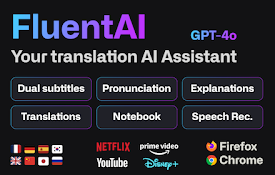
FluentAI:Netflix等的双字幕
发现最好的方式来学习新语言,同时在Netflix, YouTube和Disney+上观看你最喜欢的电

Interactive Dual Subs for Languages Learning
Supercharge your language skills with instant tran