
Link Checker By BacklinkMonitor Chrome 插件, crx 扩展下载

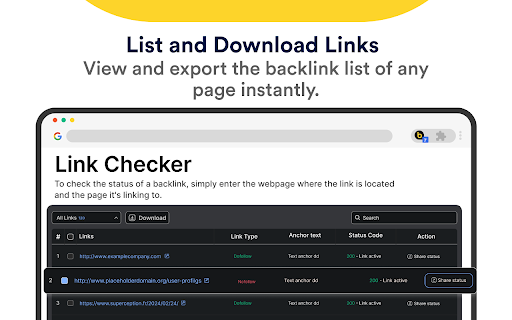
Analyze any webpage to uncover External, Internal, Do Follow, No Follow, Valid, and Invalid links.
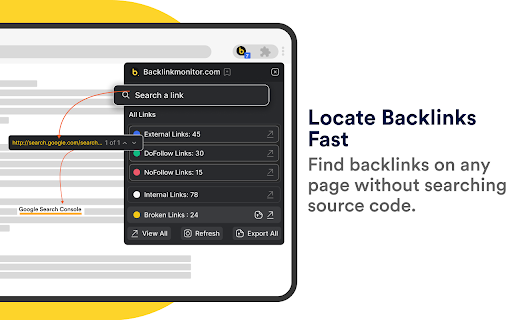
The Backlink Monitor Browser Extension is the go-to tool for link builders, SEOs, and marketers looking to analyze and manage webpage links with ease. Optimize your SEO strategies, fix broken links, and categorize links effortlessly—all in one place.
Key Features for link builders, SEOs, and marketers
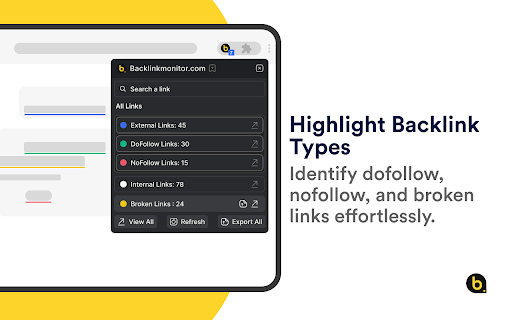
Link Categorization
Analyze and highlights External Links, Internal Links, DoFollow, NoFollow, Valid, and Invalid links.
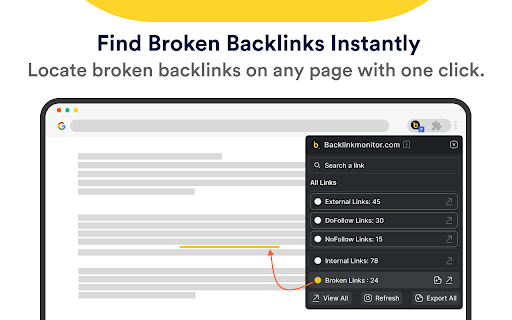
Broken Link Finder
Quickly detect and highlight broken links to streamline fixes.
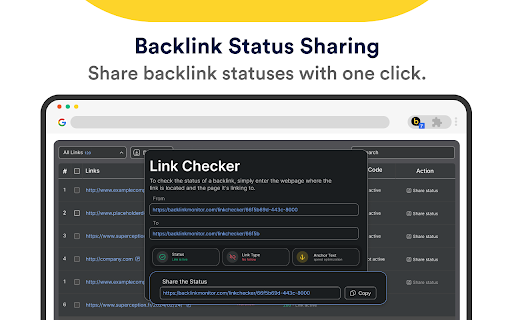
Backlink Status Sharing
Share backlink statuses with one click.
Customizable Visuals
Adjust highlight colors for seamless link distinction.
View & Download Links
Download categorized link reports with a single click.
Why Choose Backlink Monitor?
Whether you're auditing a site, optimizing for SEO, or fixing broken links, Backlink Monitor simplifies the process. It’s the must-have tool for anyone managing backlinks or aiming to enhance their website’s performance.
How It Works:
Open a webpage you want to analyze.
Click the Backlink Monitor icon in your browser toolbar.
Instantly view categorized and highlighted links, including broken links.
Download link reports in one click for easy sharing or further analysis.
This powerful extension saves time, improves link-building accuracy, and helps you stay on top of SEO campaigns. Whether you're fixing broken backlinks or optimizing your link profile, Backlink Monitor simplifies your workflow like never before. Need support? Contact us at [email protected].
| 分类 | 🛠️工具 |
| 插件标识 | fodppjmondcbpeibilclhaieaciiopgm |
| 平台 | Chrome |
| 评分 |
★★★★☆
4.8
|
| 评分人数 | 82 |
| 插件主页 | https://chromewebstore.google.com/detail/link-checker-by-backlinkm/fodppjmondcbpeibilclhaieaciiopgm |
| 版本号 | 0.0.19 |
| 大小 | 40.62KiB |
| 官网下载次数 | 70 |
| 下载地址 | |
| 更新时间 | 2025-01-30 00:00:00 |
CRX扩展文件安装方法
第1步: 打开Chrome浏览器的扩展程序
第2步:
在地址栏输入: chrome://extensions/
第3步: 开启右上角的【开发者模式】
第4步: 重启Chrome浏览器 (重要操作)
第5步: 重新打开扩展程序管理界面
第6步: 将下载的crx文件直接拖入页面完成安装
注意:请确保使用最新版本的Chrome浏览器
同类插件推荐

Backlink Checker
You can check the backlinks of a site you want and
Link Checker By BacklinkMonitor
Analyze any webpage to uncover External, Internal,

Indexing Expert™ - Backlink Indexing Service
Submit URLs, check indexing status, and monitor ba
Link Checker Pro
Link Checker Pro extension is a powerful tool desi

Google Rank Checker, Keyword SERP Ranking Extractor
Monitor your website's performance on Google s

Find my backlinks
Save time while you're doing SEO (outreach/lin

Check My Links
Check My Links is a link checker that crawls throu

AITDK SEO Extension - 流量/关键词/Whois/SEO分析器
您的一站式SEO扩展,提供免费网站流量,关键词密度,Whois和SEO分析功能AITDK SEO 扩

Link Research SEO Toolbar
Enjoy looking at the most advanced SEO metrics whi

Free Link Checker by LRT
Free link checker to verify all links on a page. F

Website Ranking and SEO Checker by Semalt
追踪网站的谷歌排名,发现让你无法吸引SEO流量的问题。"只需点击一次,就能了解您的网站的排

Domain Age Checker | Site Age Checker
Domain age checker is a whois tool / extension dev

SEO Pro Extension
Are you ready to save at least 5 hours/week on dai