
Netflix Multi-Subtitles 2.0 Chrome 插件, crx 扩展下载


Multi-Subtitles to allow you to watch Netflix in two different subtitle languages at the same time!
⬇️Easy to set up ⬇️:
1. Install the extension.
2. Activate the extension to activate the dual subtitles on the screen.
3. Configure the layout and font sizes of both subtitles.
✨Features ✨
1. Full language support for the secondary subtitles. ?
2. Matches the secondary subtitles to audio tracks
3. Adjust the playback rate by pressing the "[" and "]" keys.
Pin ? this extension to provide you with bilingual subtitles on Netflix.
| 分类 | 📝工作流程与规划 |
| 插件标识 | fonifbfooiolaamiidncldalhnmgkabc |
| 平台 | Chrome |
| 评分 |
★★★★☆
4.3
|
| 评分人数 | 6517 |
| 插件主页 | https://chromewebstore.google.com/detail/netflix-multi-subtitles-2/fonifbfooiolaamiidncldalhnmgkabc |
| 版本号 | 1.0.8 |
| 大小 | 289KiB |
| 官网下载次数 | 1000 |
| 下载地址 | |
| 更新时间 | 2022-11-30 00:00:00 |
CRX扩展文件安装方法
第1步: 打开Chrome浏览器的扩展程序
第2步:
在地址栏输入: chrome://extensions/
第3步: 开启右上角的【开发者模式】
第4步: 重启Chrome浏览器 (重要操作)
第5步: 重新打开扩展程序管理界面
第6步: 将下载的crx文件直接拖入页面完成安装
注意:请确保使用最新版本的Chrome浏览器
同类插件推荐
Netflix Multi-Subtitles 2.0
Multi-Subtitles to allow you to watch Netflix in t
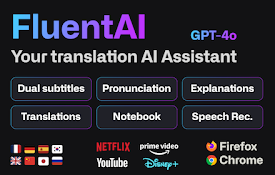
FluentAI:Netflix等的双字幕
发现最好的方式来学习新语言,同时在Netflix, YouTube和Disney+上观看你最喜欢的电
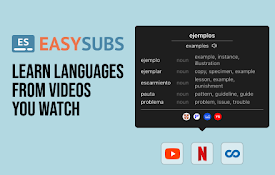
EasySubs – Learn languages by watching films and series
Customizable subtitles and a popup dictionary to m

Interactive Dual Subs for Languages Learning
Supercharge your language skills with instant tran