
Record Audio from Browser – Volume Recorder Chrome 插件, crx 扩展下载
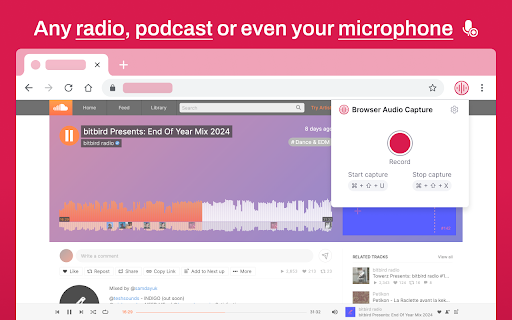
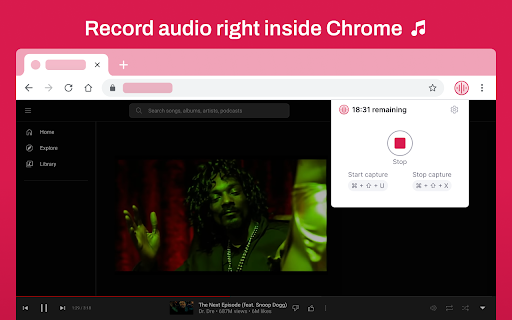
Record any audio from your browser with high quality. Capture sound from websites, videos, or online meetings effortlessly.
Volume Recorder – Record & Save Audio from Your Browser ?️
Looking for an easy way to record audio from any website? Volume Recorder is the ultimate tool to capture sound directly from your browser! Whether it's music, podcasts, online meetings, or YouTube videos, this audio recorder helps you save high-quality audio effortlessly.
✅ Why Choose Volume Recorder?
✔ Record any sound from YouTube, Spotify, online radio, or live streams
✔ Save audio in high quality (MP3, WAV)
✔ No extra software needed – works right in your browser
✔ Easy to use – start/stop recording with one click
✔ Safe & Secure – your recordings stay private
? How It Works?
1️⃣ Click the Volume Recorder icon in your browser
2️⃣ Start playing the audio you want to record
3️⃣ Hit the Record button and let the extension capture the sound
4️⃣ Stop recording and download the file instantly
? Perfect for:
? Recording YouTube audio & podcasts
? Saving online lectures & meetings
? Capturing sound from websites without extra apps
? Creating your own music library
? Frequently Asked Questions (FAQ)
? Can I record audio from YouTube?
Yes! Volume Recorder allows you to capture audio from YouTube, online radios, and streaming platforms.
? In what format can I save my recordings?
You can download recordings in MP3 or WAV for the best quality.
? Is it free to use?
Yes! Volume Recorder is 100% free, with no hidden charges.
? Try Volume Recorder Now!
Click “Add to Chrome” and start recording high-quality audio from your browser today! ?
| 分类 | 🛠️工具 |
| 插件标识 | fpfpcficbjpanlhdcjmkhopnbafbmpfa |
| 平台 | Chrome |
| 评分 |
★★★★☆
4.5
|
| 评分人数 | 791 |
| 插件主页 | https://chromewebstore.google.com/detail/record-audio-from-browser/fpfpcficbjpanlhdcjmkhopnbafbmpfa |
| 版本号 | 1.1.11 |
| 大小 | 589KiB |
| 官网下载次数 | 124 |
| 下载地址 | |
| 更新时间 | 2025-02-17 00:00:00 |
CRX扩展文件安装方法
第1步: 打开Chrome浏览器的扩展程序
第2步:
在地址栏输入: chrome://extensions/
第3步: 开启右上角的【开发者模式】
第4步: 重启Chrome浏览器 (重要操作)
第5步: 重新打开扩展程序管理界面
第6步: 将下载的crx文件直接拖入页面完成安装
注意:请确保使用最新版本的Chrome浏览器
同类插件推荐

Record Audio from Browser – Volume Recorder
Record any audio from your browser with high quali

Audio & Voice Recorder
Online voice recorder app helps you to record audi
Volume Recorder – Capture, Record, Save Sound!
Audio capture extension is a useful tool for anyon

聲音助推器 - 音量助推器
讓您的系統爆炸的聲音增強器! 在任何選項卡中增強音頻,包括 Youtube、Twitch、Spoti