
Cheer Cursor Chrome 插件, crx 扩展下载



Custom cursor with cheerleader animations for added fun!
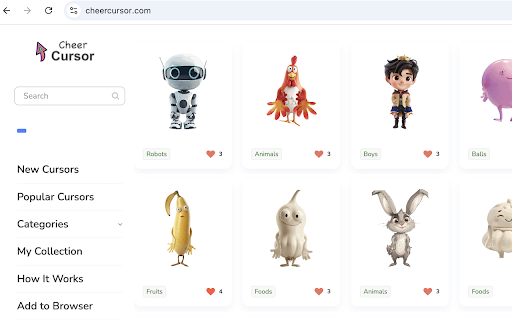
Cheer Cursor brings a delightful twist to your Chrome browsing experience with AI-generated cute cursor packs and lively cheerleader animations! Unlike other custom cursor extensions, Cheer Cursor pairs your custom cursors with animated cheerleaders performing different dance styles for an extra dose of fun.
Key Features:
1) Dynamic Cheerleader Animations
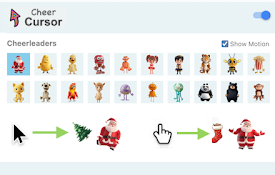
Your cursor is accompanied by animated cheerleaders who follow its movements and showcase new dance moves based on your actions, such as hovering over a link.
2) Random Cursor and Lock Option
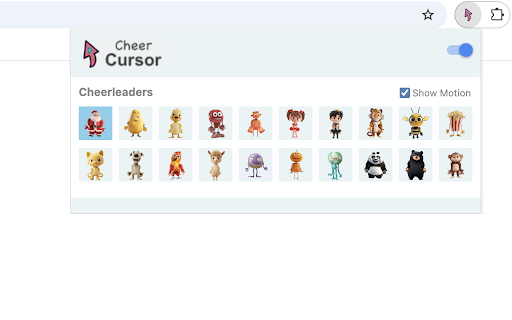
Each time you load a page, a random cursor pack is chosen from a collection of 20 unique designs. If you find one you love, you can lock it on the settings page with a single click to toggle the lock on or off.
3) Customizable Experience
- Enable or disable Cheer Cursor features anytime using the toggle switch in the top-right corner of the settings page.
- Prefer the custom cursor without animations? Uncheck the "Show Motion" option to keep it simple.
Transform everyday browsing into an exciting and playful adventure with Cheer Cursor. Say goodbye to dull cursors and hello to fun!
4) Get More Animations
By default, 20 animations are displayed on the settings page, and you can choose from them. If you'd like to access more animations, simply click the corresponding button to be redirected to the Cheergame.co website, where you can exchange points for additional animations. Upon registering an account, you will receive 30 points to get started.
The algorithms of animating cheerleaders refer to the open-source project: https://github.com/facebookresearch/AnimatedDrawings
| 分类 | 🎉趣味休闲 |
| 插件标识 | fpmejpgbamijlhjljoofpcjgkopehfom |
| 平台 | Chrome |
| 评分 |
★★★★☆
4.3
|
| 评分人数 | 672 |
| 插件主页 | https://chromewebstore.google.com/detail/cheer-cursor/fpmejpgbamijlhjljoofpcjgkopehfom |
| 版本号 | 0.1.8 |
| 大小 | 268KiB |
| 官网下载次数 | 147 |
| 下载地址 | |
| 更新时间 | 2024-12-29 00:00:00 |
CRX扩展文件安装方法
第1步: 打开Chrome浏览器的扩展程序
第2步:
在地址栏输入: chrome://extensions/
第3步: 开启右上角的【开发者模式】
第4步: 重启Chrome浏览器 (重要操作)
第5步: 重新打开扩展程序管理界面
第6步: 将下载的crx文件直接拖入页面完成安装
注意:请确保使用最新版本的Chrome浏览器
同类插件推荐

Cursorlux - Mouse Highlighter
A customizable mouse highlighter extension to high

Cursor Helper - 自定义光标
免费的自定义鼠标光标!独特而有趣,适合各种品味!**Cursor Helper ?** 是一款浏览器
Cheer Cursor
Custom cursor with cheerleader animations for adde

Style Cursor
Custom mouse cursors! Change the cursor to cute cu