
SYSTRAN Translator Chrome 插件, crx 扩展下载
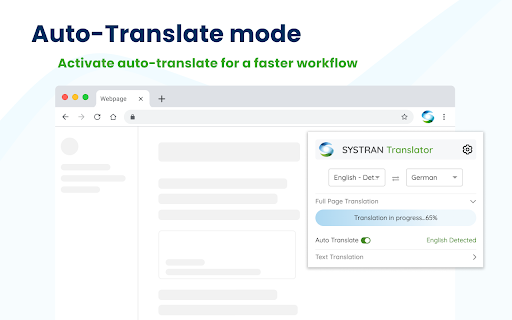
SYSTRAN Translator can translate any webpage in one click.
Translate any webpage in one click with SYSTRAN Translator!
The extension helps you translate all your web browsing content into the language of your choice with the best quality and precision. Choose a method depending on your need and benefit from our fast machine translations:
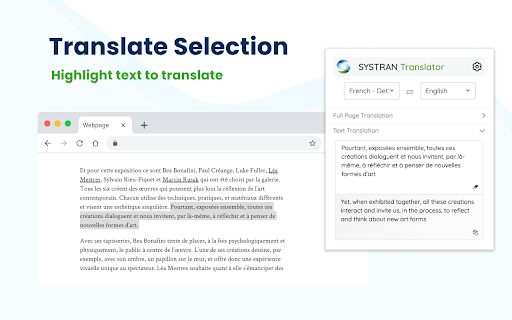
• Translate a text selection
Select any text on your page then click on the SYSTRAN Translator icon to instantly see the translation.
>> You can also right-click on your selection and choose "Translate selection with Systran" in order to get your translation in a new tab.
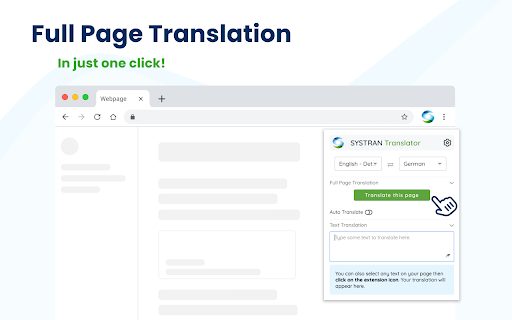
• Translate a full page
Select a target language and click on “Translate This Page”, then the translation will progressively display the translated page while keeping the formatting. You can then switch easily between the original text and translation.
>> You can also activate the Auto-translation to keep translating while navigating the web with a preference mode (auto-translation to be enabled tab by tab or for all new tabs).
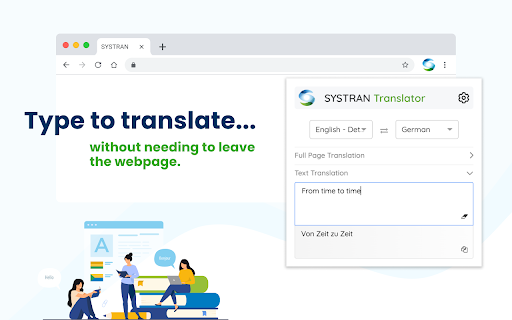
• Translate some text input
You want a translation for a sentence you have in mind while surfing the web without leaving your browser? Then directly enter some text in the translate box of the extension and visualize the translation instantly.
You can change the source and target language anytime to tailor the translation to your needs.
To use Systran Translator, you need a SYSTRAN Translate or SPNS account. Learn more about SYSTRAN Products and check our latest blog post at https://www.systran.net/
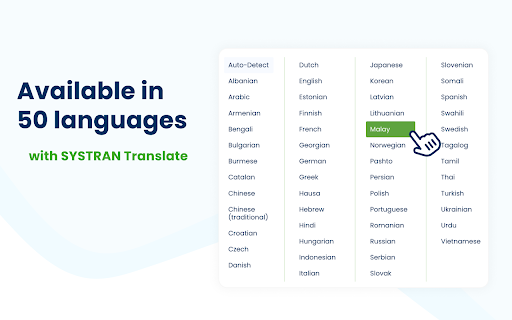
SYSTRAN Translate users have access to 50 languages (https://www.systran.net/en/features/)
This extension adds a dedicated icon to your browser toolbar, you can pin it to keep it at your fingertips and quickly use it whenever you need it.
NB. Some limitations apply: Images and iframe are currently not supported for translation.
| 分类 | 📝工作流程与规划 |
| 插件标识 | gbpijldifkdlmfiadjhoekaenlabngob |
| 平台 | Chrome |
| 评分 |
★★★★★
5
|
| 评分人数 | 401 |
| 插件主页 | https://chromewebstore.google.com/detail/systran-translator/gbpijldifkdlmfiadjhoekaenlabngob |
| 版本号 | 2.6.5 |
| 大小 | 3.74MiB |
| 官网下载次数 | 100000 |
| 下载地址 | |
| 更新时间 | 2024-11-21 00:00:00 |
CRX扩展文件安装方法
第1步: 打开Chrome浏览器的扩展程序
第2步:
在地址栏输入: chrome://extensions/
第3步: 开启右上角的【开发者模式】
第4步: 重启Chrome浏览器 (重要操作)
第5步: 重新打开扩展程序管理界面
第6步: 将下载的crx文件直接拖入页面完成安装
注意:请确保使用最新版本的Chrome浏览器
同类插件推荐
SYSTRAN Translator
SYSTRAN Translator can translate any webpage in on

BiRead - Website’s Parallel Translation | Bilingual Subtitles
Transform any website content into bilingual text

Image Translator
Translate image text instantly with Image Translat

翻译, 字典 - 准确翻译
使用谷歌翻译立即翻译任何网页上的文本。在线翻译器,准确翻译。通过网络翻译器,揭开全球数字内容的无限领