
Grabber Chrome 插件, crx 扩展下载
Grab Transcripts and Meta Data of YouTube Videos and Web Pages
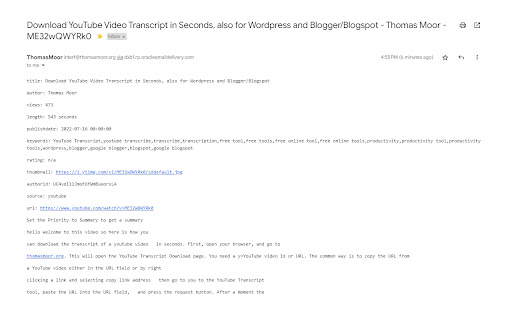
Get the transcript and metadata of a YouTube video or of a web page.
And then save this information into a choice of different formats:
- Text file,
- Email,
- Markdown file,
- and/or Notion database
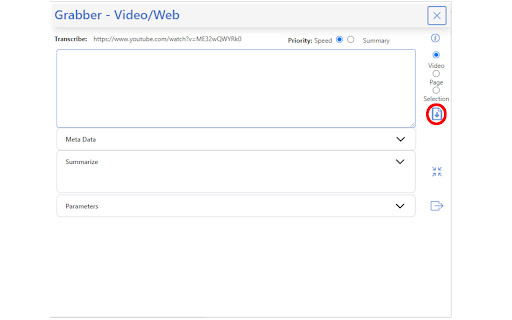
Here are the steps:
- Open a browser
- Go to a YouTube video or a web page you are interested in
- Click on the extension button
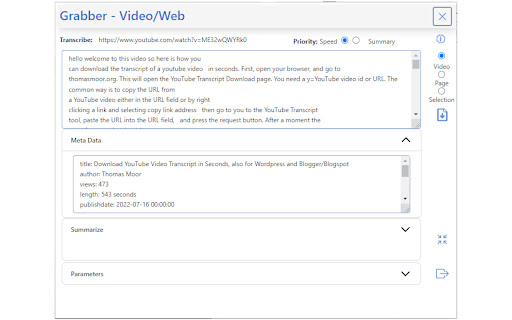
And within a few seconds you will get:
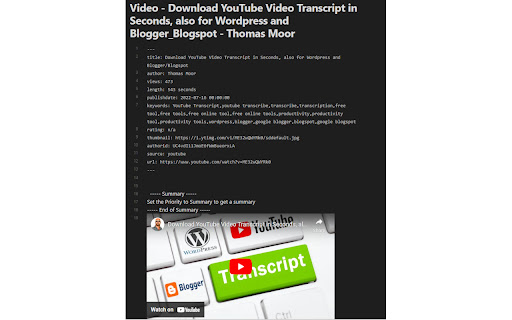
- The transcript of the video, web page, or web page selection
- Meta Data:
- For a video:
- The Video title
- The channel
- The number of views
- The duration
- The publish date
- The video keywords
- The link to the thumbnail
- The URL of the video
- For a web page:
- The page title
- The website description
- The bounce rate
- The world rank
- The site rank in its category
- The Onsite average time
- The monthly visits
- The site category
- The traffic per source
You can also get a summary of the transcript created by AI (Artificial Intelligence)
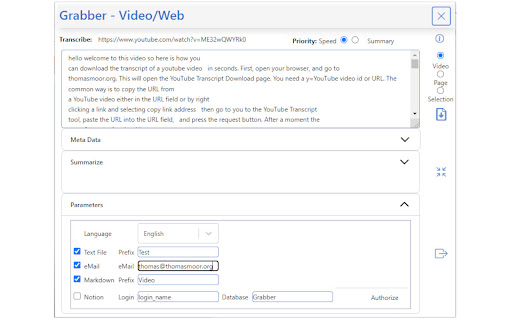
You can adjust parameters for the export of the information:
- To a text file: you can provide a string of characters that will be placed at the beginning of the name of the file. This is to help you categorize your files.
- To email: you have to specify the email address you want to send the information to
- To a Markdown file: like for text file, you can provide a string of characters that will be placed at the beginning of the name of the file. This is to help you categorize your files
- To Notion: you need to specify the login to Notion and the name of the database you will save the data to.
Save to Notion:
Please note that to be able to save to Notion, there are some pre-requisites:
1 - You need to have a login to Notion (www.notion.so)
2 - You need to create in Notion an inline database called Grabber
3 - You need to have the following fields in the database Grabber:
- url
- text
- summary
- metadata
4 - You need to authorize Grabber to add to your data in the Grabber database:
4.1 - Install the Grabber extension from the Google Chrome Store (https://chrome.google.com/webstore/category/extensions)
4.2 - Click on the Grabber extension icon (with a smiling crab)
4.3 - Expand the "Parameters" section in the Grabber extension
- Fill the login field
- In "Database", type Grabber
- Click on "Authorize"
- A new tab will open
- Click "Select Pages"
- Tick "Grabber"
- And press "Allow Access"
| 分类 | 📝工作流程与规划 |
| 插件标识 | gefkploiadoilfjfecmbghceodncgiof |
| 平台 | Chrome |
| 评分 |
★★★★☆
4.8
|
| 评分人数 | 1180 |
| 插件主页 | https://chromewebstore.google.com/detail/grabber/gefkploiadoilfjfecmbghceodncgiof |
| 版本号 | 2023.5.2 |
| 大小 | 179KiB |
| 官网下载次数 | 33 |
| 下载地址 | |
| 更新时间 | 2023-05-04 00:00:00 |
CRX扩展文件安装方法
第1步: 打开Chrome浏览器的扩展程序
第2步:
在地址栏输入: chrome://extensions/
第3步: 开启右上角的【开发者模式】
第4步: 重启Chrome浏览器 (重要操作)
第5步: 重新打开扩展程序管理界面
第6步: 将下载的crx文件直接拖入页面完成安装
注意:请确保使用最新版本的Chrome浏览器
同类插件推荐

Grabber
Grab Transcripts and Meta Data of YouTube Videos a

Tubelator: AI Subtitles, Summaries & Transcript Export for YouTube
AI subtitles and summary for YouTube videos. Expor

TLDR - Summarize webpages, YouTube videos and PDFs instantly
Summarize webpages, YouTube videos and PDFs instan

YouTube字幕配音和网页阅读器
以用户的首选语言配音 YouTube 视频。网页阅读器使用我们的语言配音插件提升您的 YouTube