
EZProxy Redirect Chrome 插件, crx 扩展下载
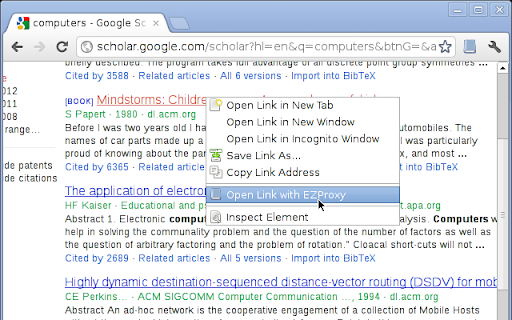
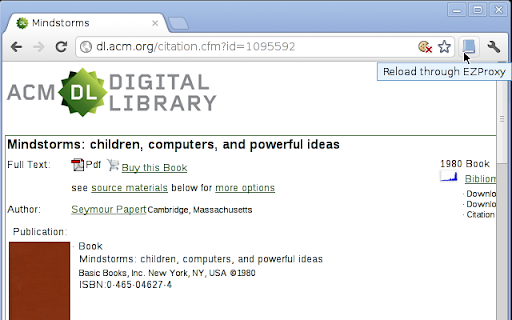
Quickly reload pages through your library's EZProxy.
Many universities use EZProxy to allow its students access to various online databases. This extension adds a button to Chrome which allows for a quick way to reload the current page through your EZProxy system.
All it does is pass the URL to your library's EZProxy login URL. For example:
http://ieeexplore.ieee.org/
would change to:
http://www.library.drexel.edu/cgi-bin/r.cgi?url=http://ieeexplore.ieee.org
Also, the code to this extension is available on GitHub: https://github.com/tom5760/chrome-ezproxy
This extension also uses the library proxy database at: https://libproxy-db.org/
Updates in the latest version:
* Update to Manifest v3
* Simultaneously publish Chrome & Firefox extension
Please let me know if you run into any problems by creating an issue on GitHub: https://github.com/tom5760/chrome-ezproxy
| 分类 | 🛠️工具 |
| 插件标识 | gfhnhcbpnnnlefhobdnmhenofhfnnfhi |
| 平台 | Chrome |
| 评分 |
★★★☆☆
3.6
|
| 评分人数 | 117 |
| 插件主页 | https://chromewebstore.google.com/detail/ezproxy-redirect/gfhnhcbpnnnlefhobdnmhenofhfnnfhi |
| 版本号 | 22 |
| 大小 | 40.57KiB |
| 官网下载次数 | 20000 |
| 下载地址 | |
| 更新时间 | 2024-01-18 00:00:00 |
CRX扩展文件安装方法
第1步: 打开Chrome浏览器的扩展程序
第2步:
在地址栏输入: chrome://extensions/
第3步: 开启右上角的【开发者模式】
第4步: 重启Chrome浏览器 (重要操作)
第5步: 重新打开扩展程序管理界面
第6步: 将下载的crx文件直接拖入页面完成安装
注意:请确保使用最新版本的Chrome浏览器
同类插件推荐

NTU Library Proxy
NTU library proxy helperFor Nanyang Technological

EZProxy Redirect
Quickly reload pages through your library's EZ

Technion Plus
Get the Technion's web-experience out of the s

Proxxy
快速切换chrome代理Simply the best proxy interface for ch

Lean Library
A library-approved tool to unlock access to academ

LibKey Nomad
One-click access to millions of scholarly articles

Papers by ReadCube
Easily import articles and webpages to your Papers
Writefull for Overleaf
Writefull is automated proofreading for academic w

Paperpile Extension
Collect, organize, annotate and cite your research

Google 学术搜索 PDF 阅读器
提升论文阅读体验:追踪参考文献、重点浏览大纲、跳转到图表、引用并保存。安装学术搜索阅读器后,就能在

Lazy Scholar
Automatic check for full text, details, and metric

EndNote Click
Fast, one-click access to millions of research pap