
Website IP Chrome 插件, crx 扩展下载

Simple script which places the IP of the current website in the bottom right.
This extension simply adds the IP of the current website you are viewing to the bottom right corner of the page.
FEATURES:
* Simple solution to always show the current website's IP address instead of clicking through an extension.
* Moves left or right on mouse over, it won't get in your way.
* Both IPv4 and IPv6 are supported.
* Clean, attractive and does the job.
* Minimal + efficient.
| 分类 | 💻开发者工具 |
| 插件标识 | ghbmhlgniedlklkpimlibbaoomlpacmk |
| 平台 | Chrome |
| 评分 |
★★★★★
5
|
| 评分人数 | 3 |
| 插件主页 | https://chromewebstore.google.com/detail/website-ip/ghbmhlgniedlklkpimlibbaoomlpacmk |
| 版本号 | 1.5.5 |
| 大小 | 55.45KiB |
| 官网下载次数 | 60000 |
| 下载地址 | |
| 更新时间 | 2024-05-28 00:00:00 |
CRX扩展文件安装方法
第1步: 打开Chrome浏览器的扩展程序
第2步:
在地址栏输入: chrome://extensions/
第3步: 开启右上角的【开发者模式】
第4步: 重启Chrome浏览器 (重要操作)
第5步: 重新打开扩展程序管理界面
第6步: 将下载的crx文件直接拖入页面完成安装
注意:请确保使用最新版本的Chrome浏览器
同类插件推荐

Website IP
Simple Chrome Extension to get the current website

show ip
show ip显示请求页面的ip地址,帮助用户根据ip来区分环境。 2023-12-21 1. 迁

Website IP
Simple script which places the IP of the current w

Display IP Address Plugin
This extension will display your current IP Addres

Show External IP
Detects and shows your current external IP address

Show My IP Addresses (External and Local)
This extension shows the external&internal IP

IP Address Tool
Check your IP Address, Proxy IP, Proxy Host and se

Whois Website Hosting Company Info & IP Whois
Whois tool to lookup any Website Live Hosting Comp
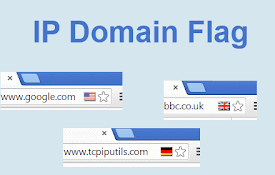
IP Domain Country Flag
Shows country flag and other IP / domain informati

Server IP
View Server IP address or aliasWhat's new in v

IP Whois & Flags Chrome & Websites Rating
Display Website Country Flag. Website Whois - how
Website IP
Simple script which places the IP of the current w

IP Address and Domain Information
最终在线调查工具 !请参阅每个 IP 地址、 域名和提供程序的详细的信息。此扩展显示有关当前网站的详