
OctoLenses Chrome 插件, crx 扩展下载
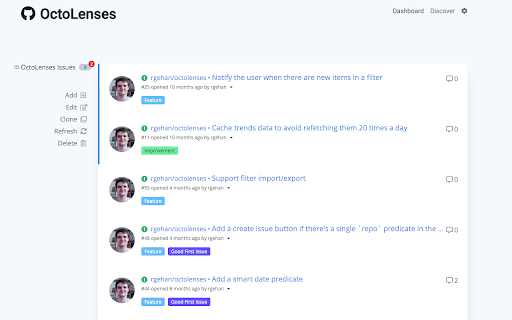
Watch your repos and discover awesome things directly from your New Tab page.
As a developer, you shouldn't have to worry about filtering issues or pull requests manually and instead focus on what is fundamental: your code.
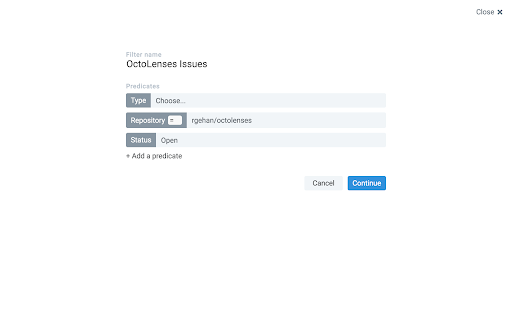
This extension allows you to create very precise filters than will nicely lay out all the information you need in order to be as productive as possible.
It features:
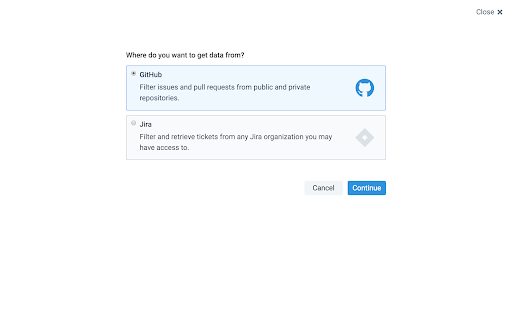
- Creating filters for GitHub (both issues and pull requests)
- Creating filters for Jira (so that you can better correlate your PRs with your issues, if you're using Jira)
- Notifications when there are new items in one of your filters
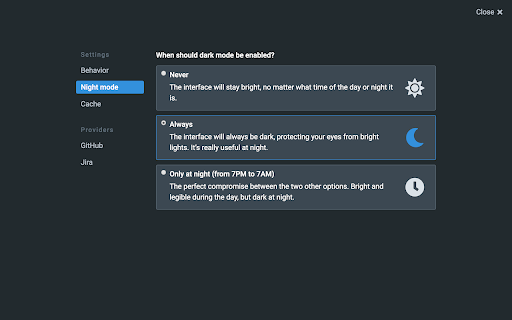
A dark theme was added, so that it doesn't hurt your eyes at night.
| 分类 | 💻开发者工具 |
| 插件标识 | ghlblfakaklgkdmfejdlffbmpcaidoci |
| 平台 | Chrome |
| 评分 |
★★★★★
5
|
| 评分人数 | 4 |
| 插件主页 | https://chromewebstore.google.com/detail/octolenses/ghlblfakaklgkdmfejdlffbmpcaidoci |
| 版本号 | 2.2.2 |
| 大小 | 3.74MiB |
| 官网下载次数 | 65 |
| 下载地址 | |
| 更新时间 | 2024-03-07 00:00:00 |
CRX扩展文件安装方法
第1步: 打开Chrome浏览器的扩展程序
第2步:
在地址栏输入: chrome://extensions/
第3步: 开启右上角的【开发者模式】
第4步: 重启Chrome浏览器 (重要操作)
第5步: 重新打开扩展程序管理界面
第6步: 将下载的crx文件直接拖入页面完成安装
注意:请确保使用最新版本的Chrome浏览器
同类插件推荐

Github Gist logo fixer
Splits the top left Github|Gist logo into two URLS

gist-more-url
Show extend url to clone (by 'ssh' and 

GitHub Enhancement Suite
A set of tools to enhance the GitHub experience.Th

The-M-Project Inspector
Extension for the Developer Tools to display the p

Github Super Search
Github Goto Anything SearchAdds ctrl-shift-p key c

OctoPermalinker
Fixes broken GitHub links.OctoPermalinker is a bro

Github Annotator
Show user details and repository info in a tooltip
OctoLenses
Watch your repos and discover awesome things direc

GitHub submodule links
Hyperlinks submodule hashes and submodule diffs on

GitHub Pages
Add a link to the GitHub-Page of a GitHub reposito

Github Fork Confirmation
Adds a confirmation dialog to the Github and Gist

Builds Tab for Github
Adds a builds tab to Github repos.Adds a builds ta

Git Help
Git Help: Steps and processes for various scenario