
Audio SpeechScribe: Audio to Text Chrome 插件, crx 扩展下载
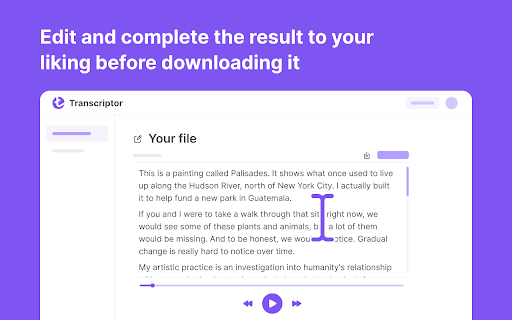
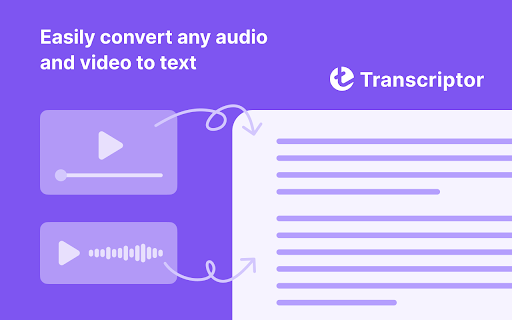
Audio-to-text conversion tool that transcribes audio from meetings, lectures, songs, and podcasts into text
Use Audio Transcriptor to create content.
Audio Transcriptor is a transcription application that allows people to input text from audio. The accuracy of this application is comparable to manual transcription accuracy. This is because the software can accurately identify words, even if they are spoken with different accents or at different speeds.
Audio transcription is an important part of content creation for many companies. The problem is that it can be difficult to find the right people for this work. Transcribing audio material into text requires a lot of time and effort, so many companies turn to automatic transcription instead. Automatic transcription software can be used by anyone with a computer or mobile device, and it can provide the same accurate results as manual transcription.
The cheapest option without compromising quality
Audio Transcriptor is a transcription service that provides audio transcription at the lowest price. The company also offers a free trial version that can be used to transcribe interviews, podcasts, or speeches.
The transcription industry is rapidly evolving, and Audio Transcriptor wants to be at the forefront. They are constantly looking for new ways to improve their services to offer their clients the best possible experience.
Full list of Audio Transcriptor features
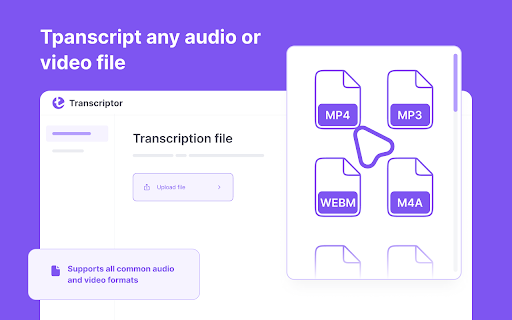
Audio Transcriptor is an audio-to-text conversion tool that transcribes audio from meetings, lectures, songs, and podcasts into text! Audio Transcriptor supports mp3, mp4, and other file formats, so you can easily convert audio into text! The speech-to-text conversion app offers 60 minutes of free transcription. So, you can check the accuracy of your dictation.
How to use Transkriptor in 5 steps?
1. Download the Transkriptor extension for Chrome.
2. Register.
4. Upload your file from which you want to get the text.
5. Click the Transkript button.
Use Transkriptor for:
* Creating subtitles for videos
* Transcribing online lectures into text
* Recording video calls in Google Docs
| 分类 | 💬沟通 |
| 插件标识 | gijnkelbkbmaekkkgoalpimggbmoahol |
| 平台 | Chrome |
| 评分 |
★★★★☆
4.4
|
| 评分人数 | 2147 |
| 插件主页 | https://chromewebstore.google.com/detail/audio-speechscribe-audio/gijnkelbkbmaekkkgoalpimggbmoahol |
| 版本号 | 2.1.1 |
| 大小 | 53.54MiB |
| 官网下载次数 | 4000 |
| 下载地址 | |
| 更新时间 | 2025-02-28 00:00:00 |
CRX扩展文件安装方法
第1步: 打开Chrome浏览器的扩展程序
第2步:
在地址栏输入: chrome://extensions/
第3步: 开启右上角的【开发者模式】
第4步: 重启Chrome浏览器 (重要操作)
第5步: 重新打开扩展程序管理界面
第6步: 将下载的crx文件直接拖入页面完成安装
注意:请确保使用最新版本的Chrome浏览器
同类插件推荐

Mote:免费录音机
Mote - 创建语音消息,并在更短的时间内完成更多任务With Mote, easily add

将音频转录为文本
使用Whisper AI将音频转录为文本。音频转文本转换器确保快速准确的转录。? 轻松将音频转换为文
Audio SpeechScribe: Audio to Text
Audio-to-text conversion tool that transcribes aud
Transkriptor Transcribe Audio to Text
Convert audio to text. Automatically record and tr