
FrameGrab Chrome 插件, crx 扩展下载
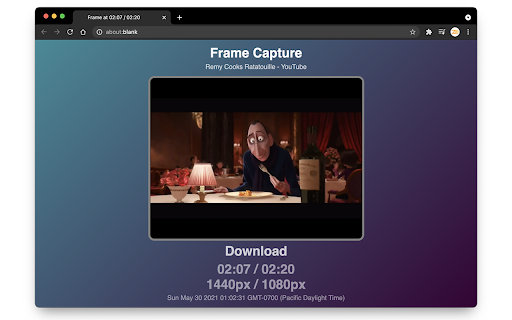
Tools for Video Frame Capture
FrameGrab is the extension that lets you capture frames from videos.
With FrameGrab, you can easily take screenshots at original resolution from videos you watch without worrying about the progress bar being in the way!
Functions:
- Download Current Frame
- Open Frame in New Tab (to copy or download)
- Open Frame in Background Tab
- Zero Speed (use with system screenshot function for crop)
Configure in the Keyboard Shortcuts section of the Extensions page
| 分类 | 👥社交 |
| 插件标识 | gjollkpcmnigdfnkdhkpgjbiahgijghc |
| 平台 | Chrome |
| 评分 |
★★★★☆
4.2
|
| 评分人数 | 10 |
| 插件主页 | https://chromewebstore.google.com/detail/framegrab/gjollkpcmnigdfnkdhkpgjbiahgijghc |
| 版本号 | 0.0.1.0 |
| 大小 | 1.12MiB |
| 官网下载次数 | 430 |
| 下载地址 | |
| 更新时间 | 2021-06-04 00:00:00 |
CRX扩展文件安装方法
第1步: 打开Chrome浏览器的扩展程序
第2步:
在地址栏输入: chrome://extensions/
第3步: 开启右上角的【开发者模式】
第4步: 重启Chrome浏览器 (重要操作)
第5步: 重新打开扩展程序管理界面
第6步: 将下载的crx文件直接拖入页面完成安装
注意:请确保使用最新版本的Chrome浏览器
同类插件推荐

Frame By Frame
Best Frame By Frame Tool. Works with all websites!

Video Screen Grabber
Screen grab/capture the current frame of video ele

One Frame Link Video Frame Grabber
Allows programmatic access to frames from video el
FrameGrab
Tools for Video Frame CaptureFrameGrab is the exte

video-screenshot
Take screenshots of videos such as YouTube and oth

Video ScreenShot Capture
Video ScreenShot Capture, capture's video-size
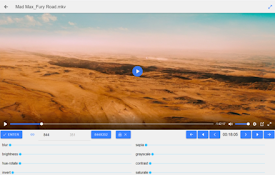
Video to Picture with Filters
Convert video to image with filters.Allows you to

Computub Screenshotter
The best way to screenshot your browserComputub Sc

Open Frame
Adds context menu items to open a frame (or iframe

Show Frame
Shows frame as a page instead of within a page. It

碎影截图 - 在线视频截图
一键截取在线视频画面至文件 & 剪贴板视频截图,点击应用图标即可截取当前页面中播放的 HTM

Last Frame Extractor
Extract the last frame of a video by right-clickin

Video Screenshot
Capture full frame screenshots of video from YouTu