
Chat GPT Conversation Exporter Chrome 插件, crx 扩展下载
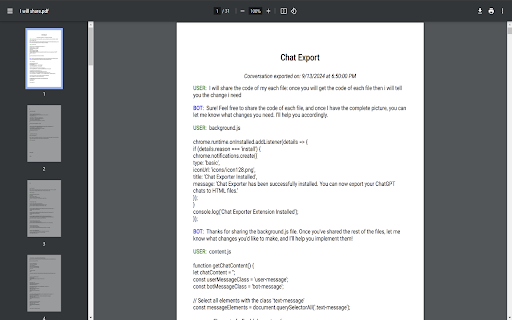

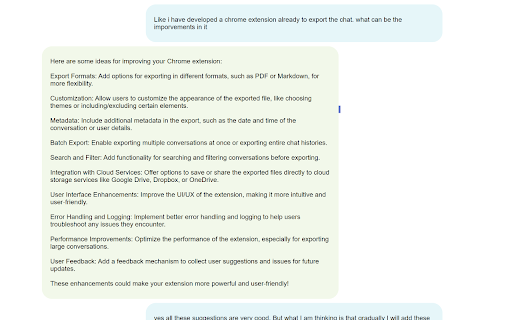
A fast and user-friendly Chrome extension to export your ChatGPT conversations in multiple formats or import large files.
A fast and user-friendly Chrome extension to export your ChatGPT conversations in multiple formats or import large files for processing in ChatGPT.
## Features
- **Export Formats**: Choose from HTML and PDF to save your conversations.
- **File Import**: Upload large files (TXT, DOCX, PDF) to ChatGPT and get responses quickly.
- **Custom File Names**: Automatically names exported files using the first user message.
- **Google Business Feedback**: Easily leave feedback on our Google Business profile.
- **Multiple Export Formats**: Export your chats in various formats such as HTML, PDF.
- **User Feedback**: Easily leave feedback on our Google Business Profile to help us improve and enhance the extension further.
- **Performance Optimized**: Export large conversations quickly and efficiently without compromising performance.
- **Metadata in Exports**: Add useful details such as timestamps and user information to your exported files.
| 分类 | 🛠️工具 |
| 插件标识 | gkacnhnfldabjoplfbimdnbnmcipoapg |
| 平台 | Chrome |
| 评分 |
★★★★☆
4.7
|
| 评分人数 | 436 |
| 插件主页 | https://chromewebstore.google.com/detail/chat-gpt-conversation-exp/gkacnhnfldabjoplfbimdnbnmcipoapg |
| 版本号 | 1.2.1 |
| 大小 | 1.55MiB |
| 官网下载次数 | 135 |
| 下载地址 | |
| 更新时间 | 2024-10-09 00:00:00 |
CRX扩展文件安装方法
第1步: 打开Chrome浏览器的扩展程序
第2步:
在地址栏输入: chrome://extensions/
第3步: 开启右上角的【开发者模式】
第4步: 重启Chrome浏览器 (重要操作)
第5步: 重新打开扩展程序管理界面
第6步: 将下载的crx文件直接拖入页面完成安装
注意:请确保使用最新版本的Chrome浏览器
同类插件推荐
ChatGPT Chrome Extension - Silly Ai
Chat GPT powered writing companion that enables yo

Chat GPT Conversation Exporter
A fast and user-friendly Chrome extension to expor

storageGPT
一个可以轻松保存和管理与chatGPT对话的Chrome扩展。storageGPT Save Co

ChatGPT Bulk Delete
A Chrome extension to bulk delete ChatGPT conversa