
The Impossible Quiz Game Chrome 插件, crx 扩展下载
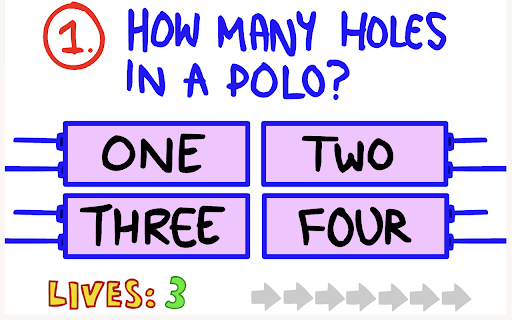
Now you can play The Impossible Quiz Game right on Chrome™ Browser! Offline and Popup Version, without internet required!
The Impossible Quiz is an engaging and challenging game available as a Chrome Extension. This game will truly test your knowledge, wit, and ability to think outside the box. With a unique and quirky design, it offers a series of mind-boggling questions and puzzles that will leave you scratching your head.
The objective of the game is simple: answer each question correctly to progress to the next level. However, don't be fooled by the seemingly straightforward questions. The questions are designed to be tricky and often require you to think creatively and use your logic in unconventional ways.
As you delve deeper into the quiz, the questions become increasingly difficult and unconventional. Some questions may have hidden clues or require you to decipher patterns and riddles. Be prepared for unexpected twists and surprises along the way.
"The Impossible Quiz" is known for its humor and unexpected solutions. Don't be discouraged if you get stuck on a question; sometimes the answer lies in the most unexpected places. It's all about thinking outside the box and embracing the game's unpredictable nature.
You can enjoy playing "The Impossible Quiz" for free on the website https://classroom-6x.org/. So put your thinking cap on and get ready for a challenging and entertaining quiz experience that will keep you entertained for hours.
*Note: We have added "Classroom 6x, Poki Unblocked" button, making it easy for players to quickly access the games on our website https://classroom-6x.org, https://poki.ee
| 分类 | 🎮游戏 |
| 插件标识 | globnnhhlcgopncknpmnmnoigglfhgpk |
| 平台 | Chrome |
| 评分 |
★★★★☆
4.2
|
| 评分人数 | 37 |
| 插件主页 | https://chromewebstore.google.com/detail/the-impossible-quiz-game/globnnhhlcgopncknpmnmnoigglfhgpk |
| 版本号 | 1.0.2 |
| 大小 | 7.9MiB |
| 官网下载次数 | 120 |
| 下载地址 | |
| 更新时间 | 2024-08-09 00:00:00 |
CRX扩展文件安装方法
第1步: 打开Chrome浏览器的扩展程序
第2步:
在地址栏输入: chrome://extensions/
第3步: 开启右上角的【开发者模式】
第4步: 重启Chrome浏览器 (重要操作)
第5步: 重新打开扩展程序管理界面
第6步: 将下载的crx文件直接拖入页面完成安装
注意:请确保使用最新版本的Chrome浏览器
同类插件推荐
The Impossible Quiz Game
Now you can play The Impossible Quiz Game right on

1v1.LOL
1v1.LOL now you can play right on Chrome™ Browser!

Level Devil 2
Now you can play Level Devil 2 right on Chrome™ Br
Among Us Game
Now you can play Among Us Game right on Chrome™ Br