
KellyC Show YouTube Dislikes Chrome 插件, crx 扩展下载
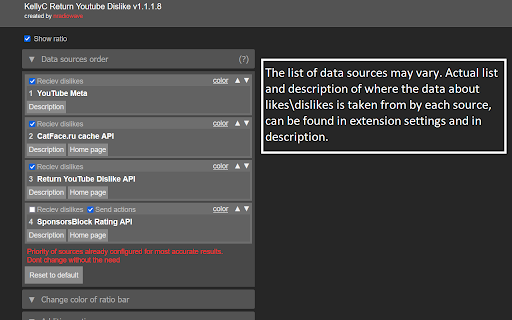
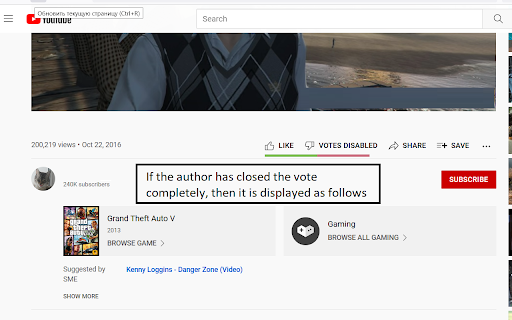
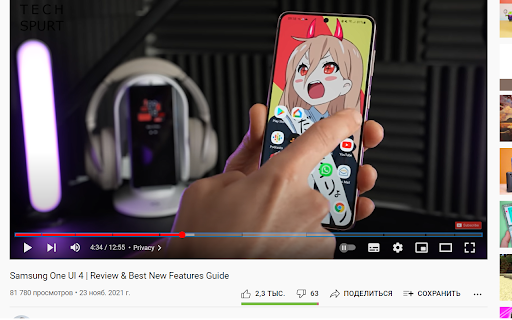
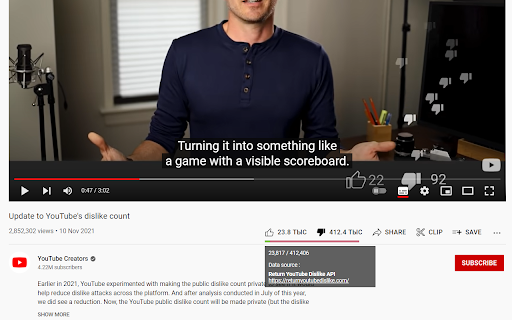
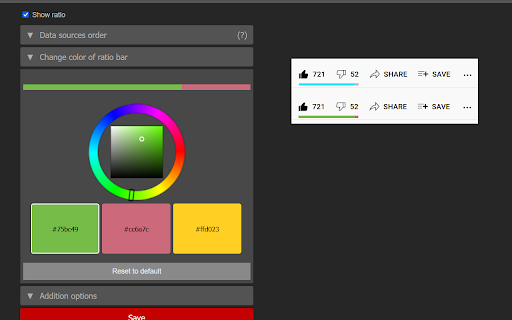
Show dislikes on Youtube. Return dislikes and ratio bar. Classic ratio bar, controll data sources via options
NOTE : ** Extension can be disabled after update \ install by default - check is enabled - then restart browser if not work **
Youtube has removed dislike statistics. This extension return this functionality back.
My project is similar to other ones, but with some features that was important personaly for me :
- Support select of "dislikes" data providers, so you can clearly see where "likes\dislikes" stat was loaded from. You can find description of data sources in extension settings. You can see data source directly on youtube page if option [Addition oprions] -> [Display data source in ratio bar popup] is activated (active by default)
- Custom ratio bar that can be disabled or recolored from extension settings
- Partly compatible with some mobile browsers (support depends on browser version and manifest v3 compatibility).
Currently supported data providers :
- YouTube metadata parsing (used by default, helps to detect original likes count \ is video votes closed)
- API by Return YouTube Dislikes project (https://returnyoutubedislike.com/) - active by default. Currently most effective. Used archived youtube data and votes from users of extensions \ services that support this API.
- API by SponsorBlock (https://wiki.sponsor.ajay.app/w/API_Docs/Ratings Documentation) - Currently disabled by default. Not many extensions used it so there is almost zero data for current time.
- API by CatFace (my server, currently used as small historical data archive)
Extension source code \ support is available on GitHub :
https://github.com/NC22/KellyC-Return-YouTube-Dislikes
How extension count "dislikes" and is this results accurate?
https://github.com/NC22/KellyC-Return-YouTube-Dislikes/wiki/How-extension-count-%22dislikes%22-and-is-this-results-accurate%3F
| 分类 | 🎉趣味休闲 |
| 插件标识 | gmdihkflccbodfkfioifolcijgahdgaf |
| 平台 | Chrome |
| 评分 |
★★☆☆☆
2.9
|
| 评分人数 | 7 |
| 插件主页 | https://chromewebstore.google.com/detail/kellyc-show-youtube-disli/gmdihkflccbodfkfioifolcijgahdgaf |
| 版本号 | 1.1.6.9 |
| 大小 | 150KiB |
| 官网下载次数 | 60000 |
| 下载地址 | |
| 更新时间 | 2024-12-07 00:00:00 |
CRX扩展文件安装方法
第1步: 打开Chrome浏览器的扩展程序
第2步:
在地址栏输入: chrome://extensions/
第3步: 开启右上角的【开发者模式】
第4步: 重启Chrome浏览器 (重要操作)
第5步: 重新打开扩展程序管理界面
第6步: 将下载的crx文件直接拖入页面完成安装
注意:请确保使用最新版本的Chrome浏览器
同类插件推荐

YouTube™ Dislike Counter
YouTube™ Dislike Counter brings back the functiona

KellyC Show YouTube Dislikes
Show dislikes on Youtube. Return dislikes and rati

YouTube Fix
Загружает аватарки на YouTubeУ вас пропали изображ

4ebur.net – Best VPN Proxy
4ebur.net VPN Proxy is a secure, anonymous interne

Return YouTube Dislike
Returns ability to see dislikesReturn YouTube Disl

Censor Tracker – Proxy for Privacy & Security
A censorship circumvention extension. Stay safe on

Adblock for YouTube™
从YouTube中移除所有广告。屏蔽YouTube视频上的广告和弹出式广告,移除所有其他类型的广告。

YouTube Like-Dislike Shortcut
Shift+Plus or Numpad Plus to like, Shift+Minus or

Return Youtube Dislike Count
Returns the ability to see dislikes on the YouTube

Return YouTube Avatars
Возвращает аватарки на YouTube без VPNПо неизвестн

Show Youtube Dislike Counter | YouDisLike
Youtube Dislike Youtube 不喜欢计数器你不喜欢,返回 YouTube 不喜欢查

Thumbnail Rating Bar for YouTube™
Displays a rating bar (likes/dislikes) on the bott

YouTube Redux
Replicate old YouTube look and features within the