
TLDR Chrome 插件, crx 扩展下载
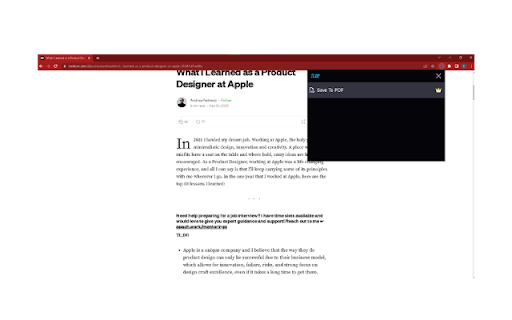
AI Summarizer
Discover TLDR, the ultimate AI-powered Chrome extension that revolutionizes the way you consume online content – and you can start for free! ? TLDR uses the advanced capabilities of ChatGPT to help you quickly grasp the essence of any longform content on the internet, be it articles, blog posts, or even YouTube videos. Experience a smarter way of consuming information with TLDR's unique features:
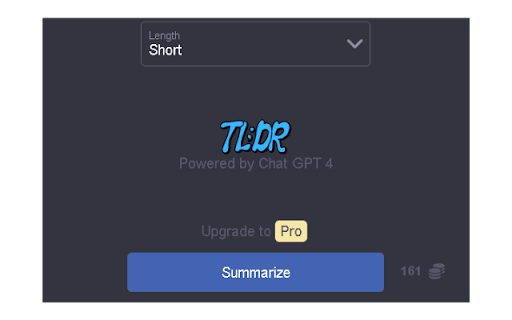
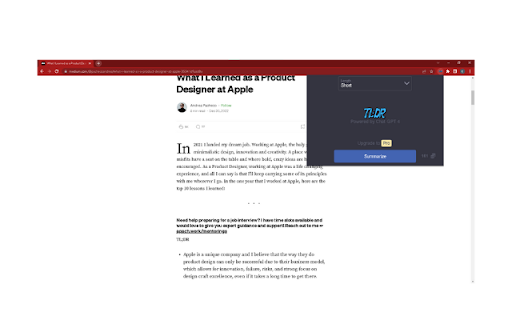
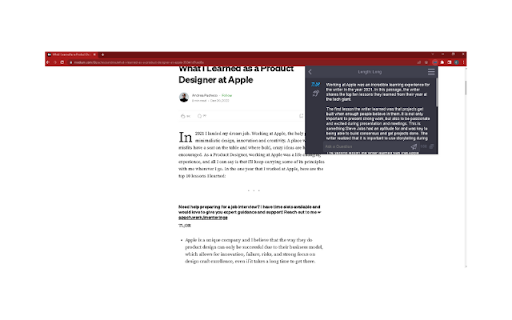
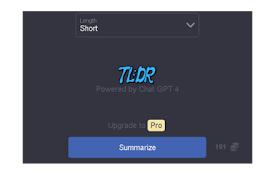
Summarize: ? Transform any longform content into concise bullet points or paragraphs, providing you with an easy-to-digest summary in no time.
Length Selection: ? Customize the length of your summary with Short, Medium, or Long options, ensuring you get the perfect level of detail for your needs.
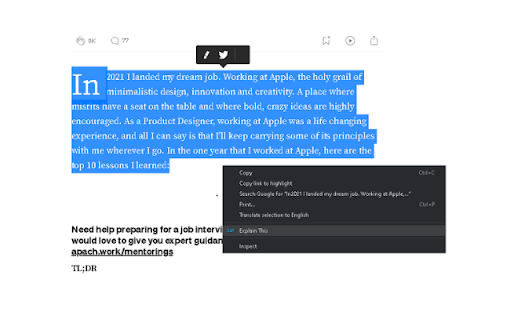
Explain This: ? Struggling with a complex concept? Highlight a paragraph or topic and let TLDR break it down into simple, easy-to-understand terms using metaphors and clear explanations.
Save to PDF: ? Preserve your summaries in a sleek, branded PDF format, complete with the article title, link, and TLDR logo.
Text to Speech: ? Listen to your summarized content with a convenient text-to-speech feature, available in male and female voices, and save voice memos for later.
Chat Feature: ? Engage in real-time AI-powered conversations to ask questions and gain a deeper understanding of the summarized content.
TLDR is easy to use and integrates seamlessly with your browsing experience. Best of all, you can start enjoying the benefits of TLDR for free! Don't waste another minute sifting through lengthy articles, blog posts, or videos. Install TLDR now and unlock the power of AI-driven summarization and simplification at your fingertips.
| 分类 | 📝工作流程与规划 |
| 插件标识 | gnailbmjcldiddkcifgghhdcdbcmaiof |
| 平台 | Chrome |
| 评分 |
☆☆☆☆☆
0
|
| 评分人数 | 1 |
| 插件主页 | https://chromewebstore.google.com/detail/tldr/gnailbmjcldiddkcifgghhdcdbcmaiof |
| 版本号 | 1.0.0 |
| 大小 | 603KiB |
| 官网下载次数 | 134 |
| 下载地址 | |
| 更新时间 | 2023-05-29 00:00:00 |
CRX扩展文件安装方法
第1步: 打开Chrome浏览器的扩展程序
第2步:
在地址栏输入: chrome://extensions/
第3步: 开启右上角的【开发者模式】
第4步: 重启Chrome浏览器 (重要操作)
第5步: 重新打开扩展程序管理界面
第6步: 将下载的crx文件直接拖入页面完成安装
注意:请确保使用最新版本的Chrome浏览器
同类插件推荐
TLDR
AI SummarizerDiscover TLDR, the ultimate AI-powere

Afterprime
Forex CFD pricing extension.Install the Afterprime

TLDR
A chrome extension to summarise a page contentOur

Toppings on YouTube
Your YouTube, Your Way.Toppings is your ultimate t

Numbered Tabs
Add a numeric prefix before the tab's title.Ad

Github Godoc
Enhances Github UI for Go projectsThis extension m

JW.org Subtitle Fix
Fix jw.org subtitles from blocking the content, re

NovuloTraceFormatter
Enables collapsing and expanding of rows in a Novu

VideoMind: Quick ChatGPT for Youtube
1-Click summary, translation or qa for Youtube Vid

Boss Hub | Signal YES
By Whatsapp & Telegram & SMS & Email s

Naro
Naro - AssistantNaro is an always-on sales knowled

Salesforce Shortcuts
Provides quick shortcuts to most used URLs in Sale

PDF Drop
All the PDF Tools you Need in One Place.Manage you