
Performance Monitor Chrome 插件, crx 扩展下载
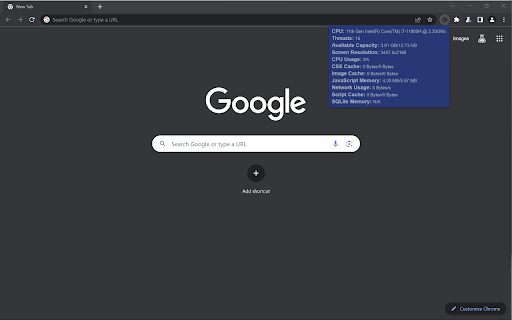
Gives system and tab information for developers.
This extension was created mainly as practice for me working with Chrome extensions and its API.
This extension can be used to monitor multiple system and tab-specific metrics including: CPU model, number of threads, memory capacity, screen resolution, CPU usage, CSS cache, image cache, JavaScript memory, network usage, script cache, and SQLite memory.
It can be used during development to quickly monitor these things without having to access Chrome developer tools.
| 分类 | 💻开发者工具 |
| 插件标识 | gnppgjflfhgdinlmpphhmpkhlllcbkfc |
| 平台 | Chrome |
| 评分 |
★★★★☆
4.1
|
| 评分人数 | 18 |
| 插件主页 | https://chromewebstore.google.com/detail/performance-monitor/gnppgjflfhgdinlmpphhmpkhlllcbkfc |
| 版本号 | 0.0.0.1 |
| 大小 | 10.16KiB |
| 官网下载次数 | 346 |
| 下载地址 | |
| 更新时间 | 2023-08-16 00:00:00 |
CRX扩展文件安装方法
第1步: 打开Chrome浏览器的扩展程序
第2步:
在地址栏输入: chrome://extensions/
第3步: 开启右上角的【开发者模式】
第4步: 重启Chrome浏览器 (重要操作)
第5步: 重新打开扩展程序管理界面
第6步: 将下载的crx文件直接拖入页面完成安装
注意:请确保使用最新版本的Chrome浏览器
同类插件推荐

PC Monitor
A chrome extension for monitoring PC Stats, includ
Performance Monitor
Gives system and tab information for developers.Th

SysMonitor
System monitorSysMonitor is a simple system monito

System Info
Displays information about the device's CPU,RA
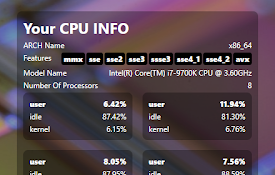
CPU Info
Shows details about your CPU!Show information abou

System CPU Usage
Monitor the system's process via the toolbar p
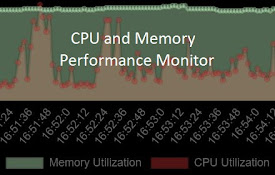
CPU and Memory Performance Monitor
Monitor Memory, CPU utilization & CPU Temp (Ch

System Monitor
Monitor system status like CPU, memory, batterySou
CPU/内存使用率监控器
在浏览器扩展图标上显示系统 CPU 或内存的使用率。此扩展会在扩展图标上显示当前系统的 CPU 或内

GitHub Red Issues
Revert closed GitHub issues from purple back to re

YouTube Bookmarker
Bookmark your YouTube video timestampsKeep track o

Front-end Performance Analyzer
[Experiment] Chormium plugin for client-side perfo

brocrobes
Browser plugin for https://transcrob.esBrocrobes i