
UBC Workday Hero Chrome 插件, crx 扩展下载


A Chrome extension to fetch and display UBC course and professor statistics.
A useful chrome extension that anyone can use to get a quick overview of the course they are viewing on UBC Workday, and ease the many Workday headaches.
It provides:
? Average grade information on a course from UBC Grades
? Average professor rating information from Rate My Professor
How to use it (easy as 1, 2, 3) :
1. Download the extension from the Chrome Webstore with the link above
2. Click on the extensions button on the top right and pin the extension
3. Click on the extension icon whenever you are on a course page to reveal the stats!
| 分类 | 🛠️工具 |
| 插件标识 | godkbcoibkfcggbmgiifhhialcgpgffi |
| 平台 | Chrome |
| 评分 |
☆☆☆☆☆
0
|
| 评分人数 | 10 |
| 插件主页 | https://chromewebstore.google.com/detail/ubc-workday-hero/godkbcoibkfcggbmgiifhhialcgpgffi |
| 版本号 | 1.0.0.1 |
| 大小 | 136KiB |
| 官网下载次数 | 49 |
| 下载地址 | |
| 更新时间 | 2024-07-24 00:00:00 |
CRX扩展文件安装方法
第1步: 打开Chrome浏览器的扩展程序
第2步:
在地址栏输入: chrome://extensions/
第3步: 开启右上角的【开发者模式】
第4步: 重启Chrome浏览器 (重要操作)
第5步: 重新打开扩展程序管理界面
第6步: 将下载的crx文件直接拖入页面完成安装
注意:请确保使用最新版本的Chrome浏览器
同类插件推荐

WeBWorK+
Add math inputs to WebWorkWeBWorK+ is a third part
Canvas files Downloader
Download all available course attachments on Canva
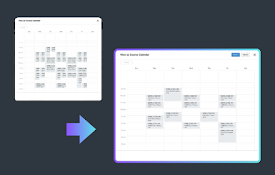
Better Workday Calendar
A browser extension that allows you to use the UBC

UBC Workday Calendar by Term
Enables the choice of only viewing your registered

Cope
Keeps you from being logged out of UBC ScopeKeeps

Notion Canvas Assignment Import
Automatically import Canvas assignments into a Not
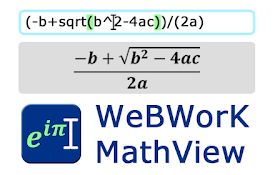
WeBWorK MathView
Preview nicely formatted math equations as you typ

UBC Workday Side by Side Calendar
Calendar for the new UBC Workday course selection.
UBC Workday Hero
A Chrome extension to fetch and display UBC course

UBC Stats Companion
Discover professor ratings and critical statistics

UBC GPA calculator
Chrome extension for UBC students allowing you to

Better Canvas
Feature packed extension for Canvas.Get the most o

Simplify Copilot - Autofill job applications
The better way to job search. Quick apply and auto