
Cokeep - Smart Keeper, Learn Faster Chrome 插件, crx 扩展下载
Cokeep is an AI-powered bookmark manager that streamlines team workflows with smart organization and easy sharing
Cokeep is the bookmark manager designed to transform your team's workflow with AI-driven bookmark organization and seamless sharing capabilities.
? Our key features:
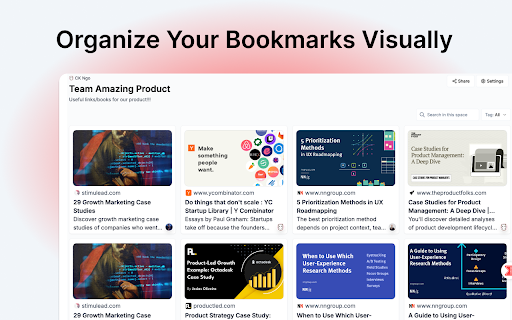
- Organize Your Bookmarks Visually: Transform your bookmarks into intuitive boards and spaces for easy access and management.
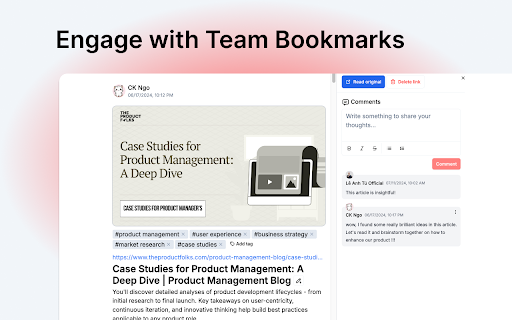
- Engage with Team Bookmarks: Boost collaboration with comments and likes on shared bookmarks within your team's spaces
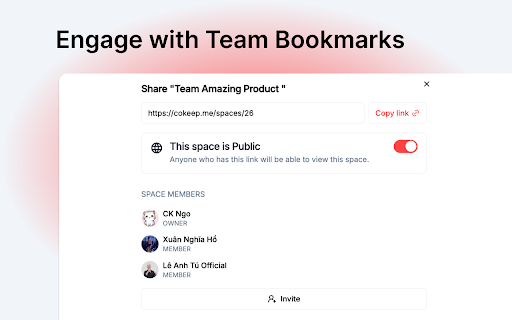
- Share insights effortlessly: Easily share and spread cool and useful links to keep your team informed and inspired.
- Store All Media Types: Save and organize any type of media (YouTube videos, blog posts, articles,...) all in one place.
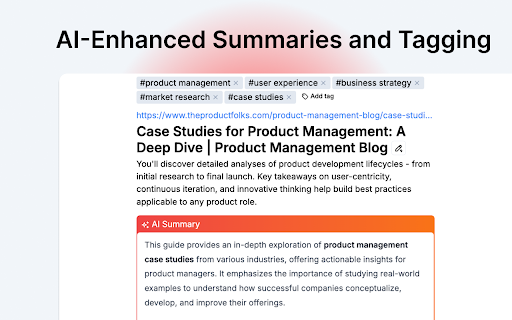
- AI-Enhanced Summaries and Tagging: Quickly scan content with AI-powered summaries and auto-tagging for smarter organization
- Privacy settings: Any thing you save can be visible to your team or only for yourself.
? Who will fit Cokeep?
Whether you're a content creator, academic researcher, or part of a remote team, Cokeep provides a shared knowledge platform that keeps everyone connected and informed.
✨ Start using Cokeep today and transform how your team manages and shares information.
| 分类 | 🛠️工具 |
| 插件标识 | gpbhkclnoicmbceojhekhjjiedgjnanj |
| 平台 | Chrome |
| 评分 |
★★★★☆
4.1
|
| 评分人数 | 44 |
| 插件主页 | https://chromewebstore.google.com/detail/cokeep-smart-keeper-learn/gpbhkclnoicmbceojhekhjjiedgjnanj |
| 版本号 | 0.7.2 |
| 大小 | 1.13MiB |
| 官网下载次数 | 856 |
| 下载地址 | |
| 更新时间 | 2025-01-16 00:00:00 |
CRX扩展文件安装方法
第1步: 打开Chrome浏览器的扩展程序
第2步:
在地址栏输入: chrome://extensions/
第3步: 开启右上角的【开发者模式】
第4步: 重启Chrome浏览器 (重要操作)
第5步: 重新打开扩展程序管理界面
第6步: 将下载的crx文件直接拖入页面完成安装
注意:请确保使用最新版本的Chrome浏览器
同类插件推荐
Cokeep - Smart Keeper, Learn Faster
Cokeep is an AI-powered bookmark manager that stre

Harbor - AI-Powered Tab Manager | Organize Tabs in Kanban
AI-powered tab manager with smart grouping and Kan

markwise.app - AI Bookmark Manager
AI-powered knowledge assistant for organizing book
Clipboard History IO: Secure, fast, and elegant clipboard manager
The most secure way to effortlessly access, track,