
IP Address Checker - Proxy, VPN, Geolocation Chrome 插件, crx 扩展下载
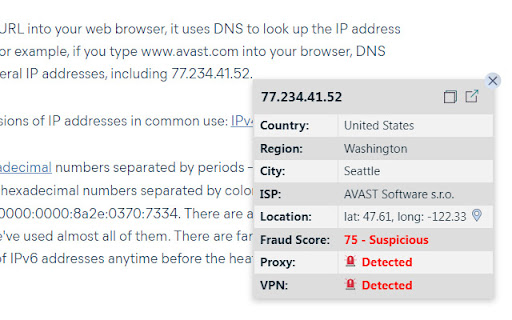
Determine if an IP address is a Proxy or VPN connection, retrieve its Fraud Score and Geolocation on-the-go! Supports IPv4 and IPv6.
A simple way to check an IP address (IPv4 and IPv6):
✔️ determine a Proxy or VPN connection,
✔️ retrieve Fraud Score associated with this IP address,
✔️ view Geolocation!
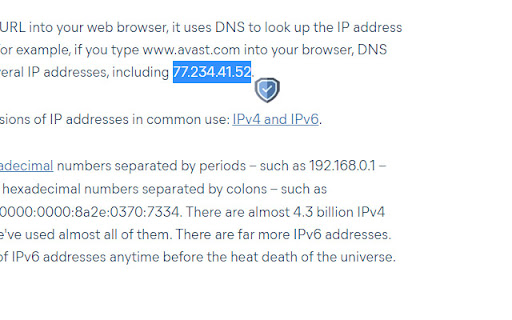
Just select an IP address, and you are good to go! ?
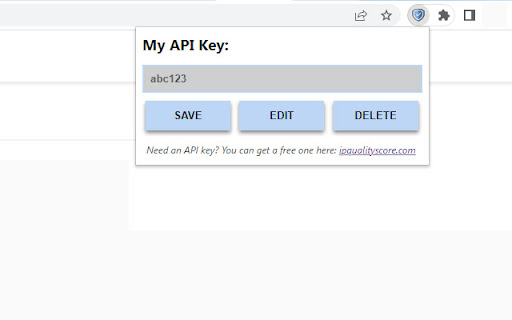
⚑ In order to use this extension, you will need your personal API key which you can get here for free: www.ipqualityscore.com.
Once you've logged in to your account, go to "Proxy/VPN Detection API" -> "Documentation" in the menu at the left
- or -
simply open the following page: https://www.ipqualityscore.com/documentation/proxy-detection/overview and find your "Private Key".
This is the API key that you will need to paste into the extension pop-up window and save.
That's all!
❤️ I would love to hear your feedback and ideas on how the extension can be improved.
❤️ If you find it useful, you can buy me a coffee ?: buymeacoffee.com/abovethesky
| 分类 | 📝工作流程与规划 |
| 插件标识 | hadepcgojfhcopkjidbbidaeoikdbmpk |
| 平台 | Chrome |
| 评分 |
★★★★☆
4.6
|
| 评分人数 | 18 |
| 插件主页 | https://chromewebstore.google.com/detail/ip-address-checker-proxy/hadepcgojfhcopkjidbbidaeoikdbmpk |
| 版本号 | 1.2 |
| 大小 | 60.94KiB |
| 官网下载次数 | 824 |
| 下载地址 | |
| 更新时间 | 2024-01-16 00:00:00 |
CRX扩展文件安装方法
第1步: 打开Chrome浏览器的扩展程序
第2步:
在地址栏输入: chrome://extensions/
第3步: 开启右上角的【开发者模式】
第4步: 重启Chrome浏览器 (重要操作)
第5步: 重新打开扩展程序管理界面
第6步: 将下载的crx文件直接拖入页面完成安装
注意:请确保使用最新版本的Chrome浏览器
同类插件推荐

My IP Hider VPN
My IP Hider VPN 是隐藏您的IP和翻墙浏览任何网站的首选工具!Hide My IP V

Vroxy - Spoof Time Zone, Geolocation & Locale
Spoof time zone, geolocation & locale. Match y

IP Address Checker - Proxy, VPN, Geolocation
Determine if an IP address is a Proxy or VPN conne

IP Address and Domain Information
最终在线调查工具 !请参阅每个 IP 地址、 域名和提供程序的详细的信息。此扩展显示有关当前网站的详