
Trade Tracker Chrome 插件, crx 扩展下载
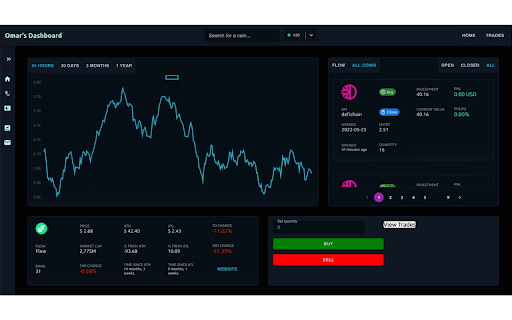
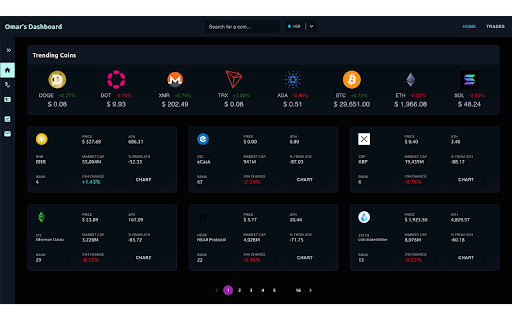
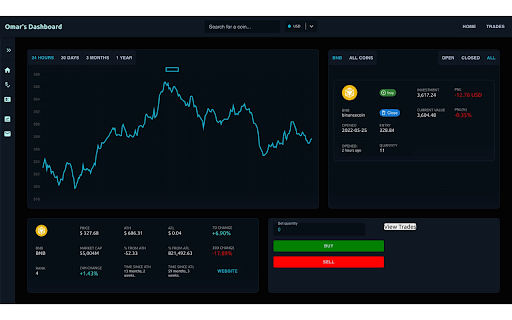
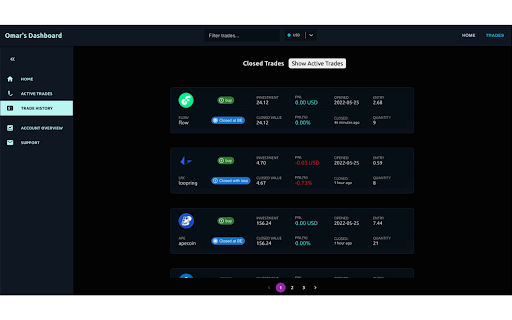
The best trade tracker for your chrome new tab.
It's easier than ever to become complacent and lose track of your account performance. That's why we deemed it necessary to build something to solve this problem.
With this app, you will gain an in-depth understanding of your strengths and weaknesses as a trader. Track all crypto trades in your new-tab window. See the charts for the top 300 cryptos and place paper orders through the new-tab or the popup.
Support for real orders is coming. First, we need to establish, with certainty, that we have achieved product-market-fit - then we will build out the remaining features. This app is built leveraging coinGecko and Messari APIs - with live price feeds and no-noise charts.
You've probably heard of us thanks to our exclusive 'trade-snapshot' feature. Whereby, you can see the charts of all your previous trades whilst the trade was open. Yep. The most useful and potentially profitable feature on the market, offered by a free trader's tool.
We appreciate all feedback - since this is going to be a free product for at least the first 3 months, we request that you please leave reviews and messages on our twitter page. Bug finders will be rewarded!
Experience technical analysis the way the pro's do - without needing to go to an external website. Trade Tracker opens every time you open a new tab! Find out more on our website. Become the best you can be with our proprietary account performance indicators - built for traders, by traders. The best way to track your performance in today's markets. Due to currently being in beta-testing, we are set to CAP THIS RELEASE TO 100 USERS until early 2023 when we will release the alpha.
| 分类 | 📝工作流程与规划 |
| 插件标识 | hapjmenlcmfbcnahgdjmcmoihhmlfbnn |
| 平台 | Chrome |
| 评分 |
★★★★☆
4.6
|
| 评分人数 | 12 |
| 插件主页 | https://chromewebstore.google.com/detail/trade-tracker/hapjmenlcmfbcnahgdjmcmoihhmlfbnn |
| 版本号 | 1.0.6 |
| 大小 | 1.19MiB |
| 官网下载次数 | 24 |
| 下载地址 | |
| 更新时间 | 2022-06-14 00:00:00 |
CRX扩展文件安装方法
第1步: 打开Chrome浏览器的扩展程序
第2步:
在地址栏输入: chrome://extensions/
第3步: 开启右上角的【开发者模式】
第4步: 重启Chrome浏览器 (重要操作)
第5步: 重新打开扩展程序管理界面
第6步: 将下载的crx文件直接拖入页面完成安装
注意:请确保使用最新版本的Chrome浏览器
同类插件推荐
Trade Tracker
The best trade tracker for your chrome new tab.It&
Necoyoad Crypto Trader Assistant
UI Assistant for Binance, Huobi, BW, ZB and others

Trading Algo
Trading Algo PNL, Payoff, Consolidated F&O, In
Goat Alerts TradingView Bot
Automation & Shadow Trading for Cryptocurrency

Cryptocurrency price alerts & volume tracker for Binance
Cryptocurrency price alerts & volume change tr

TradingView Strategy Finder
Automated Backtesting ToolWith this extension you

The Optimiser - TradingView Strategies
Optimise TradingView Strategies An assistant for o
Pump and Dump
使用 Pump and Dump Crypto 防止损失,识别市场操纵并监控市场波动。保持对泵送和倾
Tradingview assistant
An assistant for backtesting trading strategies an

Q-bot 2.0
Q-BOT Trading robot for quotexQbot An efficient tr

Win Big with Proven Quotex Trade Strategies
Enhance your binary options trading with a free ch
Binance Tools
Cryptocurrency prices,listed by popular/gainers/lo

Lubna for Binance
Already trading on Binance? Download our extension