
New Tab Chrome 插件, crx 扩展下载



Opens a video when you open a new tab
NewTabVideo is a Chrome extension that enhances your browsing experience by playing a random video from the videos folder of the extension each time a new tab is opened.
Enhance your NewTabVideo experience by personalizing it with your own video wallpapers.
Adding / Removing Videos
Once you've installed the extension, follow these steps to add videos:
- Open a new tab.
- Click on the folder button located in the top left corner of the NewTabVideo extension (shown on mouse hover). This will copy the path of the app to the clipboard.
- Open File Explorer (or equivalent) on your computer.
- Paste the copied path into the address bar of File Explorer and press Enter.
- You will now be in the folder where the extension is installed. Place your desired video files into the "videos" folder within this directory.
Note: Due to privacy restrictions in Google Chrome, I'm unable to directly open File Explorer to assist you in adding videos.
Customizing Wallpaper Folder
- Adding Videos: Simply place your desired video files into the videos folder located within the extension's directory.
- Single Video Option: If you prefer to have only one video playing, ensure that the videos folder contains just that single file.
- High-Quality Wallpapers: For access to a variety of 4K video wallpapers, check out MoeWalls.com
| 分类 | ⚙️功能性 |
| 插件标识 | hcllfencdjiekdlgkedhlbcddeocfiga |
| 平台 | Chrome |
| 评分 |
★★★★☆
4.9
|
| 评分人数 | 771 |
| 插件主页 | https://chromewebstore.google.com/detail/new-tab/hcllfencdjiekdlgkedhlbcddeocfiga |
| 版本号 | 3.0 |
| 大小 | 97.3MiB |
| 官网下载次数 | 13 |
| 下载地址 | |
| 更新时间 | 2024-03-18 00:00:00 |
CRX扩展文件安装方法
第1步: 打开Chrome浏览器的扩展程序
第2步:
在地址栏输入: chrome://extensions/
第3步: 开启右上角的【开发者模式】
第4步: 重启Chrome浏览器 (重要操作)
第5步: 重新打开扩展程序管理界面
第6步: 将下载的crx文件直接拖入页面完成安装
注意:请确保使用最新版本的Chrome浏览器
同类插件推荐
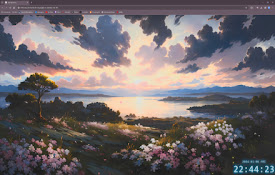
New Tab
Opens a video when you open a new tabNewTabVideo i
New Tab Blank Black Page
New Tab opens with a blank black pageMake your New
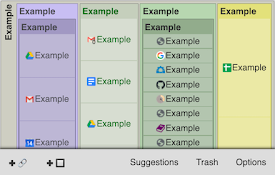
Structured Start Tab
Show a structured page when a new tab is opened.St
ArtTab
View dynamic digital art every time you open a new