
Split Screen in Tab - ChatGPT Sidebar Chrome 插件, crx 扩展下载

Split View in One Tab! Multitask with ChatGPT Sidebar!
Why install?
? Seamless ChatGPT experience
? Take notes while browsing
? Compare documents without switching between tabs
? Gather information from multiple sources while creating content
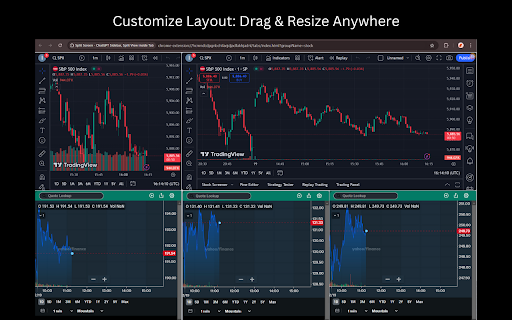
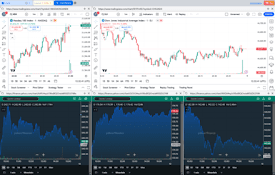
? Monitor multiple stocks or cryptocurrencies simultaneously
? More...
Features
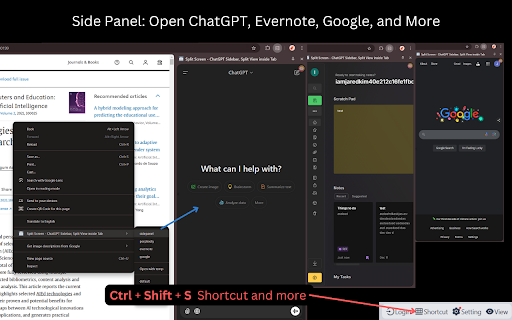
? Side Panel: Open ChatGPT for a seamless AI experience (writing, email replies, image generation, etc.).
? Layout: Horizontal, Vertical, and Custom Drag & Resize layouts.
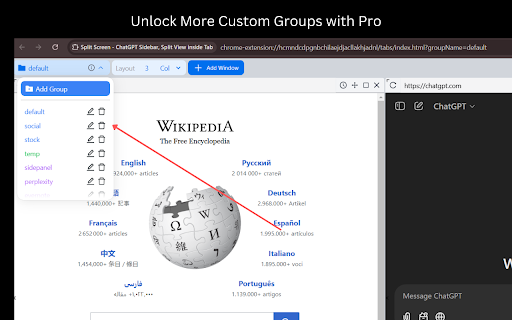
? Group: Store websites and open them quickly in a tab, like for multiple social media postings.
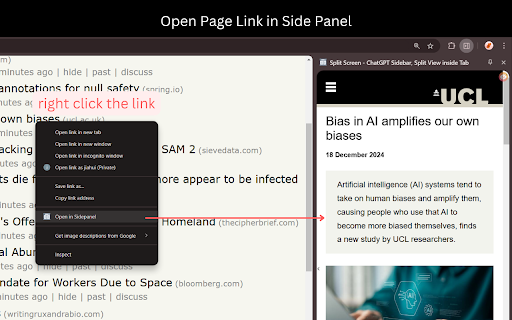
? Context Menu: Right-click to open the Side Panel, Group, or Template.
? Shortcut: "Ctrl+Shift+S" to open the Side Panel. (Changeable in FAQs.)
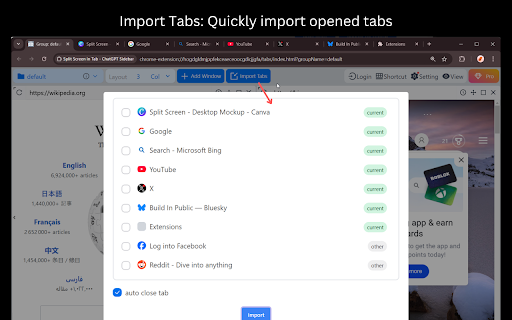
? Import Tabs: Quickly import opened tabs
? Open link in Side Panel: right click the link and select the context menu.
? Auto Refresh: Set the time to auto refresh (etc, stock group).
FAQs
?Is It Free?
-- Free Tier already Covers Most Needs.??
-- Upgrade to Pro for more Custom Groups. Go Pro and help us build even more features!?✨
?Change Shortcut⌨️
-- Use the shortcut button on the top toolbar to manage more.
-- Mac shortcut: Command+Shift+S
?Security Testing?️
-- Here is a link to test that iframe won't be globally cross-origin when using this extension: https://tools.wow2fun.com/splitScreen
Normally, you will see 'chatgpt.com' refuse to connect, which indicates enhanced security enforced by the browser.
?Need More Help?
-- Click the "Visit support hub" below or email me.
?If you’re happy with our service, please consider leaving us a review below!⭐
Your feedback helps us improve and supports our growth?. Thank you!?
| 分类 | 🛠️工具 |
| 插件标识 | hcmndcdpgnbchilaejdjacllakhjadnl |
| 平台 | Chrome |
| 评分 |
★★★★☆
4.7
|
| 评分人数 | 78 |
| 插件主页 | https://chromewebstore.google.com/detail/split-screen-in-tab-chatg/hcmndcdpgnbchilaejdjacllakhjadnl |
| 版本号 | 1.9.7 |
| 大小 | 1.0MiB |
| 官网下载次数 | 325 |
| 下载地址 | |
| 更新时间 | 2025-02-04 00:00:00 |
CRX扩展文件安装方法
第1步: 打开Chrome浏览器的扩展程序
第2步:
在地址栏输入: chrome://extensions/
第3步: 开启右上角的【开发者模式】
第4步: 重启Chrome浏览器 (重要操作)
第5步: 重新打开扩展程序管理界面
第6步: 将下载的crx文件直接拖入页面完成安装
注意:请确保使用最新版本的Chrome浏览器
同类插件推荐
Split Screen in Tab - ChatGPT Sidebar
Split View in One Tab! Multitask with ChatGPT Side

ChatGPT 工作表 - 将 ChatGPT 用于工作表
使用 ChatGPT for Sheets 提升您的 Google Sheets!通过 ChatGP
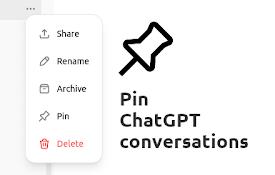
Pinnable ChatGPT:在侧边栏中钉选 GPT 对话
在侧边栏中钉选 ChatGPT 对话以便快速访问置顶对话将始终保持在顶部,便于快速访问。 Pinn

ChatGPT Side Panel
Access ChatGPT in Chrome side panelQuickly access