
Quiver Web Clipper Chrome 插件, crx 扩展下载
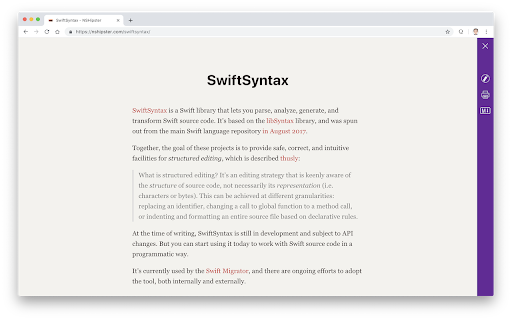
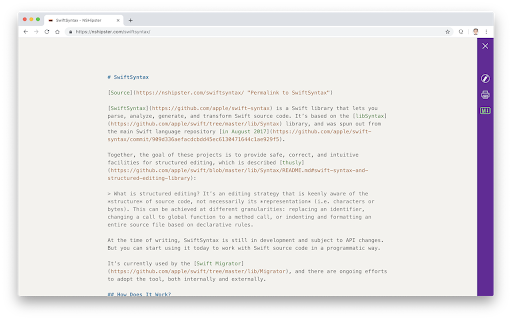
Quiver Web Clipper lets you clip web pages as Quiver notes. It also provides a clutter-free Reader View.
Features:
* A clutter-free Reader View
* Markdown mode
* Clip a decluttered web page to Quiver as a text note or a Markdown note
* Clip a selection to Quiver (right click on a highlighted selection in the original web page and choose "Clip to Quiver")
* Print a decluttered web page
Notes:
* Please make sure that you are running Quiver v3.2.4 or above.
* The web clipper is designed to work with individual articles, not index pages. If you find an issue with an article page, please leave a review with a test link.
| 分类 | 📝工作流程与规划 |
| 插件标识 | hcnffmpopoelpggikahccdfenoobjigj |
| 平台 | Chrome |
| 评分 |
★★★★☆
4.4
|
| 评分人数 | 67 |
| 插件主页 | https://chromewebstore.google.com/detail/quiver-web-clipper/hcnffmpopoelpggikahccdfenoobjigj |
| 版本号 | 1.3.0 |
| 大小 | 74.08KiB |
| 官网下载次数 | 2000 |
| 下载地址 | |
| 更新时间 | 2024-06-12 00:00:00 |
CRX扩展文件安装方法
第1步: 打开Chrome浏览器的扩展程序
第2步:
在地址栏输入: chrome://extensions/
第3步: 开启右上角的【开发者模式】
第4步: 重启Chrome浏览器 (重要操作)
第5步: 重新打开扩展程序管理界面
第6步: 将下载的crx文件直接拖入页面完成安装
注意:请确保使用最新版本的Chrome浏览器
同类插件推荐
Cacher
Save code snippets from anywhere on the web. Compa

Copy as Markdown
Copy Link or Image as Markdown codeCopy as Markdow
Quiver Web Clipper
Quiver Web Clipper lets you clip web pages as Quiv

Open In IINA
Open videos and audios in IINA.This add-on only su

Sourcegraph
Adds code intelligence to GitHub, GitLab, and othe

熊掌记浏览器扩展
发送片段、网址或整个网页至熊掌记此浏览器插件可以快速保存整个页面或选中部分至熊掌记,并支持导入图片、

JustClip Web Clipper
Bookmark & annotate webpages & PDFs, captu

Memex
Search, annotate and organize what you've read

Copy as Markdown
Browser extension to copy hyperlinks, images, and

Export to Markdown
This is utilized to export the story in Medium to

Obsidian Clipper
A small chrome plugin that let's you easily cl

MarkDownload - Markdown Web Clipper
This extension works like a web clipper, but it do

Web Clipper
Web Clipper is an open source extension.You can sa