
Adot AI: ChatGPT-powered Web3 Search Engine Chrome 插件, crx 扩展下载
Explore the Web3 space with Adot AI, the AI search tool tailored by keywords
Adot AI, a pioneering AI tool for Web3 discovery, seamlessly integrates with Google Chrome, transforming your browsing with smart keyword-driven insights. It's not just a search engine—it's a Web3 explorer that adapts to your needs.
Unleash the power of Web3:
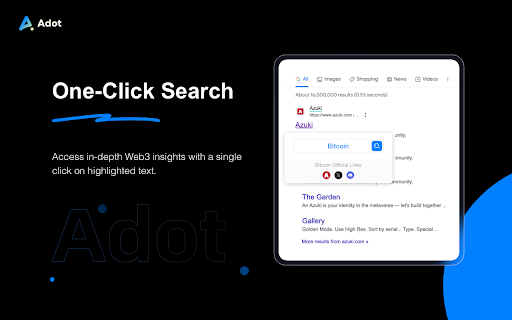
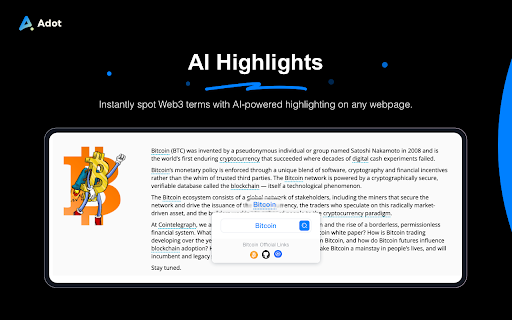
Adot AI’s innovative AI search highlights critical Web3 terms directly on web pages, simplifying blockchain navigation. A simple hover prompts a “Search with Adot AI”—your gateway to a single-click deep dive into Web3.
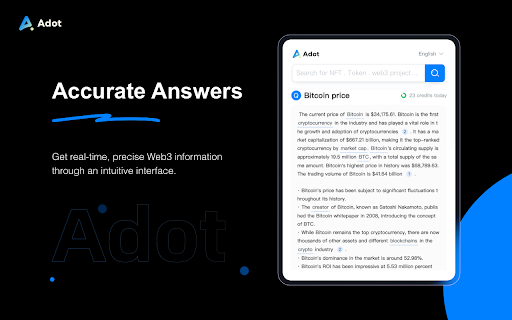
With a click, Adot AI delivers a popup filled with rich analyses of Web3 concepts, equipping you with vital knowledge effortlessly. Tailored for cryptocurrency enthusiasts, blockchain creators, and security experts, Adot AI offers precise, real-time search results.
User-Defined Language Selection In this update, Adot AI has added a new feature that allows users to choose the language they are most familiar with for searching and browsing. We now support the following 10 languages:
Simplified Chinese
Traditional Chinese
English
Russian
Hindi
Bahasa Indonesia
German
Spanish
Japanese
Korean
This means that users from all over the world can now access and use Adot AI in the language they are most comfortable with.
Dive into the Web3 era with Adot AI's user-friendly interface, where AI-driven search precision meets efficient Web3 exploration. Enhance your digital expedition with Adot AI—your essential tool for an enriched Web3 journey.
?web3 AI Search engine
Adot AI Official TG Group: https://t.me/AdotWeb3_Official
| 分类 | 🛠️工具 |
| 插件标识 | healmieamaopboblekidbadelopbnfoo |
| 平台 | Chrome |
| 评分 |
★★★★☆
4.4
|
| 评分人数 | 367 |
| 插件主页 | https://chromewebstore.google.com/detail/adot-ai-chatgpt-powered-w/healmieamaopboblekidbadelopbnfoo |
| 版本号 | 2.0.1 |
| 大小 | 1016KiB |
| 官网下载次数 | 507 |
| 下载地址 | |
| 更新时间 | 2024-12-11 00:00:00 |
CRX扩展文件安装方法
第1步: 打开Chrome浏览器的扩展程序
第2步:
在地址栏输入: chrome://extensions/
第3步: 开启右上角的【开发者模式】
第4步: 重启Chrome浏览器 (重要操作)
第5步: 重新打开扩展程序管理界面
第6步: 将下载的crx文件直接拖入页面完成安装
注意:请确保使用最新版本的Chrome浏览器
同类插件推荐

Athena Chatgpt Google搜索AI助手
使用AI来增强您的搜索栏,以获取专家响应,结果预览和快速文本搜索。使用人工智能搜索助手 Athena
Adot AI: ChatGPT-powered Web3 Search Engine
Explore the Web3 space with Adot AI, the AI search

AI Chat
使用人工智能聊天应用程序向ChatGPT请求即时答案和创意。直接在浏览器中与AI Chat机器人在线

HARPA AI | 自动化代理与 Claude 和 GPT-4
显示搜索引擎页面上的ChatGPT答案。总结、改写、提取和监测网页、价格和数据。将网页转换为API。