
麦克斯观看派对 Chrome 插件, crx 扩展下载




举办史诗般的 HBO Max 观看派对!与朋友无缝同步、聊天和串流 HBO Max。下载 Max Watch Party 享受终极乐趣!
Max Watch Party - Watch HBO Max in Sync
HBO Max Watch Party is the ultimate Chrome web store extension designed to elevate your HBO Max viewing experience. With this extension, you can watch shows and movies in perfect sync with friends and family, no matter where they are. Enjoy seamless group viewing, real-time chat, and emoji sharing all within the max.com.
Features of Max Watch Party:
Perfect Sync
Experience content in perfect synchronization with your friends. This extension ensures that everyone is watching the same scene at the same time.
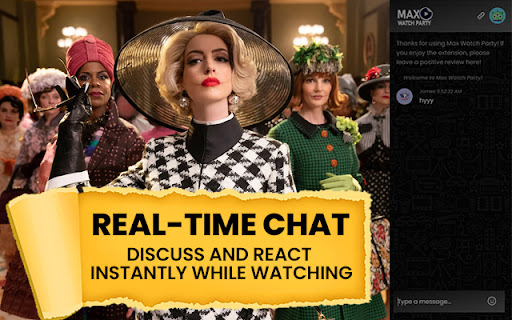
Real-Time Chat
Engage in lively discussions while watching your favorite content. The real-time chat feature allows you to share your thoughts and reactions instantly.
Easy Link Sharing
Invite friends to your HBO Max watch party with a simple click. Max Watch Party generates a unique link that you can share with anyone to join your viewing session.
Create Your Own Watch Party
Host your HBO Max watch parties effortlessly. With this extension, setting up a watch party is quick and straightforward, allowing you to focus on enjoying the show.
Emoji Sharing
Enhance your chat conversations with a variety of fun emojis. Express your reactions vividly as you watch content together.
User-Friendly Interface
It boasts an intuitive and user-friendly interface, making it easy for anyone to host or join a watch party on max.com.
Why Choose Max Watch Party?
Seamless Integration
It is specifically designed for HBO Max users, ensuring a smooth and integrated experience. Whether you're watching on max.com, our extension enhances your viewing experience.
Enhanced Social Viewing
Make your viewing sessions more interactive and engaging. With this, watching TV shows and movies becomes a shared experience, bringing you closer to friends and family.
High-Quality Viewing
Enjoy high-quality streaming without interruptions. It ensures that your viewing experience remains top-notch, even when watching in sync with others.
Secure and Private
Your privacy and security are our top priorities. It operates within the secure environment of your browser, ensuring that your data remains safe.
How to Get Started with HBO Max Watch Party
1. Install the Extension: Add HBO Max Watch Party to your Chrome browser from the Chrome web store.
2. Create a Watch Party: Open max.com, select the content you want to watch, and click the extension icon.
3. Share the Link: Share the generated link with your friends to invite them to join your watch party.
4. Start Watching: Enjoy synchronized viewing, chat, and share emojis in real-time.
This is the perfect extension for anyone who loves watching content with friends and family. Transform your solitary viewing into a fun, social experience with this extension. Install now and start enjoying like never before!
Disclaimer: Max Watch Party is an unofficial extension and is not affiliated with HBO Max or max.com. All trademarks are the property of their respective owners.
| 分类 | 🎬娱乐 |
| 插件标识 | hhdedbphalepkocbedpemhkeegkfoolj |
| 平台 | Chrome |
| 评分 |
★★★★☆
4.1
|
| 评分人数 | 14 |
| 插件主页 | https://chromewebstore.google.com/detail/麦克斯观看派对/hhdedbphalepkocbedpemhkeegkfoolj |
| 版本号 | 0.0.1 |
| 大小 | 1.41MiB |
| 官网下载次数 | 2000 |
| 下载地址 | |
| 更新时间 | 2024-06-13 00:00:00 |
CRX扩展文件安装方法
第1步: 打开Chrome浏览器的扩展程序
第2步:
在地址栏输入: chrome://extensions/
第3步: 开启右上角的【开发者模式】
第4步: 重启Chrome浏览器 (重要操作)
第5步: 重新打开扩展程序管理界面
第6步: 将下载的crx文件直接拖入页面完成安装
注意:请确保使用最新版本的Chrome浏览器
同类插件推荐

Hide Mouse for HBO Max
Hide the mouse while viewing a HBO Max videoNo mor

Watch Party
Watch Netflix, Youtube, Disney Plus, Hulu, HBO, an

Flickcall: Netflix Party with Video Call
Create watch party on Netflix, Jiocinema, Hotstar,

麦克斯观看派对
举办史诗般的 HBO Max 观看派对!与朋友无缝同步、聊天和串流 HBO Max。下载 Max W