
What is My IP Address Chrome 插件, crx 扩展下载


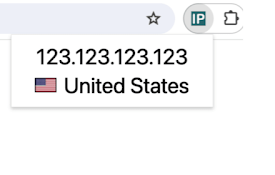
View your public ip address via toolbar popup.
What is My IP Address is an extension that lets you view your public IP address in the toolbar popup UI.
By default, no server is selected. Please open the UI and select a desired server from the list. Two types of servers are available in the list, HTTP or STUN. STUN servers use WebRTC technology to find your IP address. HTTP servers use fetch API to obtain the IP address. In general, all third-part servers should show a similar IP address. But, in some situations, they might show different IP addresses. All changes in the popup UI are auto-saved to the memory.
Note: this addon uses several third-party API engines to render your IP address. Please note that, unless you select a server, this addon does NOT interact with any third-party website/service at all. Moreover, it does NOT store your IP address or any other information in any remote location. However, third-party servers (HTTP or STUN) have their policy and rules for storing IP addresses. Therefore, before using any server, please read their privacy policy. This addon does NOT have any control over their privacy policies.
To report bugs or suggest a feature request, please fill the bug report form on the addon's homepage (https://mybrowseraddon.com/ip-address.html).
| 分类 | 🛠️工具 |
| 插件标识 | hifpalbhcjmldgojdgpkmboodljlabmf |
| 平台 | Chrome |
| 评分 |
★★★★☆
4.5
|
| 评分人数 | 2 |
| 插件主页 | https://chromewebstore.google.com/detail/what-is-my-ip-address/hifpalbhcjmldgojdgpkmboodljlabmf |
| 版本号 | 0.1.5 |
| 大小 | 21.38KiB |
| 官网下载次数 | 1000 |
| 下载地址 | |
| 更新时间 | 2025-01-16 00:00:00 |
CRX扩展文件安装方法
第1步: 打开Chrome浏览器的扩展程序
第2步:
在地址栏输入: chrome://extensions/
第3步: 开启右上角的【开发者模式】
第4步: 重启Chrome浏览器 (重要操作)
第5步: 重新打开扩展程序管理界面
第6步: 将下载的crx文件直接拖入页面完成安装
注意:请确保使用最新版本的Chrome浏览器
同类插件推荐
My Public IP
Displays your public IP address and the correspond

Display IP Address Plugin
This extension will display your current IP Addres

Whats My Ip, WHOIS, Headers, Traceroute, DNS
Whats my ip - Shows your IP and Domain Whois detai

IP地址
显示您的公共IP地址和位置(国家和城市)。This extension simply display

Show My IP Addresses
Show all of your local and external (IPv4 & IP

Whats My IP | Whour.net
Find out what does your IP address say about you.W

What is My IP Address
View your public ip address via toolbar popup.What
What is my IP address
What is my IP app helps you to recognize full netw

MyIP - ip address and location details
This extension displays your public IPv4 address,

我的IP是什么
使用“什么是我的 IP”Chrome 扩展程序快速发现您的 IP – 一个快速、简单的公共 IP 地

Simple IP Address
Dead simple IP address lookup. Displays your curre
My IP
View your IP address and network informationThe pu

My IP address
找到您的 IP 地址 !请参阅 ISP、 位置和 DNS。获取 IP 地址更改通知,看到您的历史记录