
GPTDrive: Mobile Hub for ChatGPT, Bard, Bing Chrome 插件, crx 扩展下载

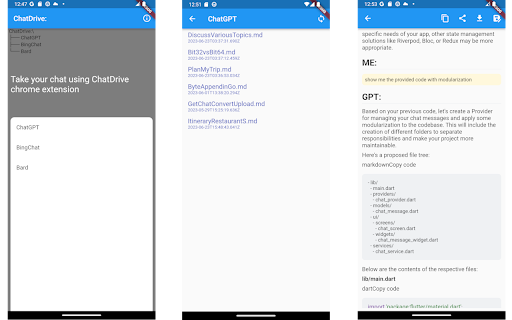
Mobile & Markdown Support for ChatGPT, Bard and BingChat via Google Drive
GPTDrive: Your Conversation Manager for ChatGPT, Bard, and BingChat
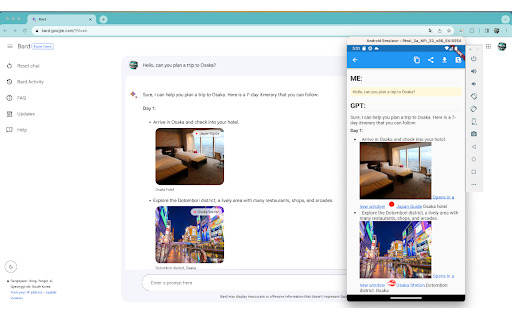
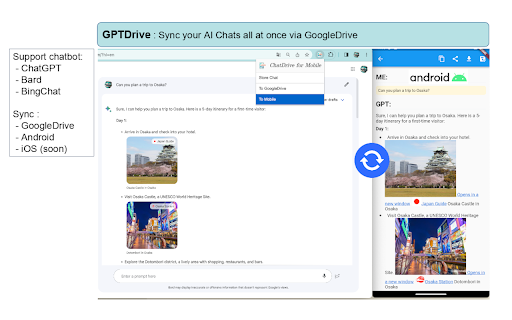
GPTDrive is a streamlined mobile application designed to simplify your interactions with powerful AI chatbots like ChatGPT, Bard, and BingChat.
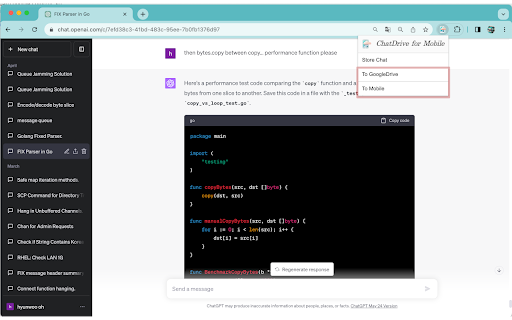
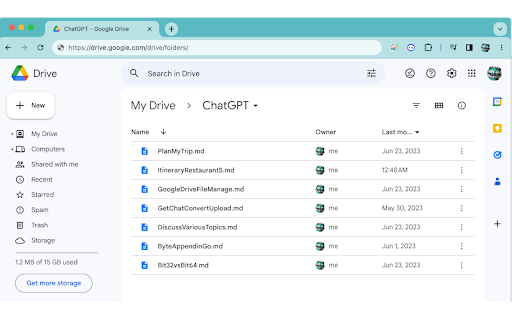
This app serves as a bridge, enabling the seamless import of your AI conversations from Google Drive. Whether you're on the move or relaxing at home, your discussions are accessible anytime, anywhere.
The core features of GPTDrive include:
- Reading Conversations
GPTDrive offers an easy-to-read format for all your conversations, providing a convenient and efficient way to review and reflect on your AI chats.
- Sharing Conversations
Share your insightful discussions and fascinating AI dialogues with others, all through the ease
of a few taps on GPTDrive.
- Markdown Format
GPTDrive incorporates markdown format, enhancing the readability of your conversations and
simplifying the sharing process.
* HOTFIX
- 0.91 : Add google drive icon and google sign-in icon for following google branding policy
- 0.92 : Support Chatgpt black theme
| 分类 | 📝工作流程与规划 |
| 插件标识 | hiojfedajjfmdbmgioajfnoklcagdijg |
| 平台 | Chrome |
| 评分 |
★★★★☆
4.5
|
| 评分人数 | 39 |
| 插件主页 | https://chromewebstore.google.com/detail/gptdrive-mobile-hub-for-c/hiojfedajjfmdbmgioajfnoklcagdijg |
| 版本号 | 0.92 |
| 大小 | 203KiB |
| 官网下载次数 | 23 |
| 下载地址 | |
| 更新时间 | 2023-07-07 00:00:00 |
CRX扩展文件安装方法
第1步: 打开Chrome浏览器的扩展程序
第2步:
在地址栏输入: chrome://extensions/
第3步: 开启右上角的【开发者模式】
第4步: 重启Chrome浏览器 (重要操作)
第5步: 重新打开扩展程序管理界面
第6步: 将下载的crx文件直接拖入页面完成安装
注意:请确保使用最新版本的Chrome浏览器
同类插件推荐

GPTDrive: Mobile Hub for ChatGPT, Bard, Bing
Mobile & Markdown Support for ChatGPT, Bard an

ChatGPT 360: 适用于LinkedIn和更多的ChatGPT
ChatGPT 360: 随处可用的ChatGPT。LinkedIn等地轻松重写、摘要、翻译和回答。

GPT Sidebar - Search with ChatGPT
Make ChatGPT search responses on Google, Bing, etc
Chat GPT for Chrome with Claude & DeepSeek
Supercharge Your Browser with the ChatGPT Powered