
ySense Addon Chrome 插件, crx 扩展下载

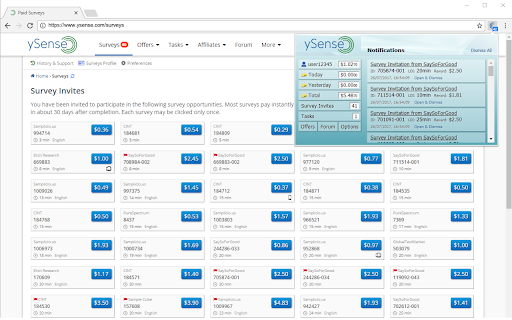
Keep track of your account status and receive alerts of new earning opportunities.
The Addon is non-intrusive and will show a number in the far right hand corner of your browser, representing the total number of offerings available to you. We hope you like it!
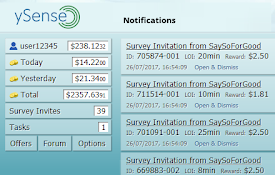
Clicking on the Addon button will display a summary of your ySense account. This includes the number of Surveys available to you. It also gives you a quick overview of your account status, including your balance and past and current earnings, plus one-click access to most pages of the ySense site.
The information displayed on the ySense Addon is updated every 5 minutes so don't be surprised if something does not match your current account information.
The Addon has a series of options that can quickly be accessed by clicking on the Options button. These options give you a lot of flexibility on what you would like to be notified about, be it simply by showing a number on the ySense Addon button, by popup notifications that appear on the taskbar or by the sound alerts.
Everything that you see on the Addon is pretty much self-explanatory, in case of doubt just move your mouse over the respective area and a tooltip will appear explaining what you are seeing.
If you have any issues, questions or suggestions please feel free to contact us.
| 分类 | 📝工作流程与规划 |
| 插件标识 | hjnhcgkngeeahimbfhejeaiijecekhba |
| 平台 | Chrome |
| 评分 |
★★★★☆
4.4
|
| 评分人数 | 438 |
| 插件主页 | https://chromewebstore.google.com/detail/ysense-addon/hjnhcgkngeeahimbfhejeaiijecekhba |
| 版本号 | 4.0.1 |
| 大小 | 382KiB |
| 官网下载次数 | 70000 |
| 下载地址 | |
| 更新时间 | 2025-01-14 00:00:00 |
CRX扩展文件安装方法
第1步: 打开Chrome浏览器的扩展程序
第2步:
在地址栏输入: chrome://extensions/
第3步: 开启右上角的【开发者模式】
第4步: 重启Chrome浏览器 (重要操作)
第5步: 重新打开扩展程序管理界面
第6步: 将下载的crx文件直接拖入页面完成安装
注意:请确保使用最新版本的Chrome浏览器
同类插件推荐

NeoBux AdAlert
An extension which notifies you when there are new

NeoBuxOx
NeoBuxOx adds helpful information to NeoBux referr
ySense Addon
Keep track of your account status and receive aler

Lootup Deal Finder
Earn cash back and save money effortlessly with Lo

Presearch.com Start With Us
Set Chrome's Homepage and New Tab page to Pres

Presearch.com Search With Us
Set your browser's default search to use Prese

BuxMoney
Заработок на просмотре рекламных баннеров, задания

TeaserFast
C помощью этого расширения вы можете зарабатывать
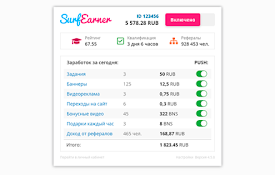
SurfEarner - заработок без вложений
Расширение позволяет зарабатывать реальные деньги

Surfe.be — the extension with which you earn
Get paid for the time you spend on the Internet!Ha

AddonMoney
Расширение зарабатывает деньги за счет сёрфинга са

Slice - You browse. We pay.
Take back what belongs to you - monetize your brow