
plugilo Chrome 插件, crx 扩展下载

plugilo optimizes your bookmarks and guides you through the web
plugilo is a unique combination of internet directory, bookmarking solution and content network.
All the information you need already exists on the Internet - the only question is where and how to use it effectively. Researching and filtering for relevant information is cumbersome and time consuming. There is an information chaos with countless websites without certainty for accuracy and without uniform data structures. Search engines prioritize the results according to their own logic, which could be prepared by industry specialists much better and more targeted.
plugilo revolutionizes the organization of data and provides apps that are fixed to the user in the browser, be anchored in the mobile phone or on the homepage. In addition, highlights and relevant websites can be selected and their own bookmarks organized. Industry specialists present target group-specific theme worlds, making navigation on the Internet much easier. plugilo provides an innovative solution to deal with the daily flood of information and will also enable automatic data exchange for business applications.
plugilo Inc. / DCI AG
SAVE CONTENT LINK WITH JUST A SIMPLE WAY
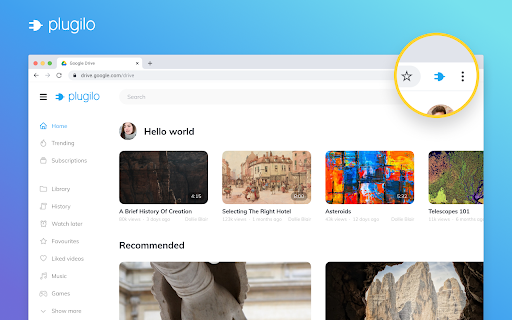
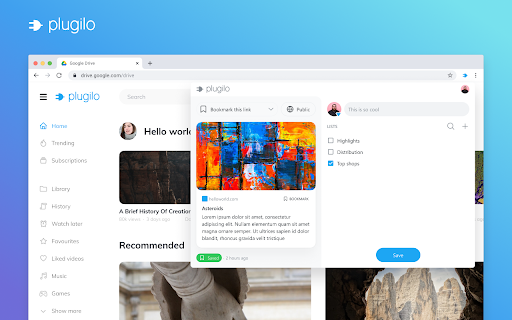
- Click the Plugilo button in the browser toolbar
EASY TO CREATE A NEW LIST
- In extension popup, click the "Create new list" button to create a new list quickly
READ SAVED CONTENT LINKS ON PLUGILO NETWORK
- In extension popup, click the Plugilo icon at the top bar to explore Plugilo network
- In extension popup, Hover and click the "Open List" button besides List name to see all list content
| 分类 | 📝工作流程与规划 |
| 插件标识 | hkfgkcjmohhngcmkcdohhapbnkfigedm |
| 平台 | Chrome |
| 评分 |
★★★★☆
4.1
|
| 评分人数 | 9 |
| 插件主页 | https://chromewebstore.google.com/detail/plugilo/hkfgkcjmohhngcmkcdohhapbnkfigedm |
| 版本号 | 3.4.8 |
| 大小 | 344KiB |
| 官网下载次数 | 156 |
| 下载地址 | |
| 更新时间 | 2024-01-31 00:00:00 |
CRX扩展文件安装方法
第1步: 打开Chrome浏览器的扩展程序
第2步:
在地址栏输入: chrome://extensions/
第3步: 开启右上角的【开发者模式】
第4步: 重启Chrome浏览器 (重要操作)
第5步: 重新打开扩展程序管理界面
第6步: 将下载的crx文件直接拖入页面完成安装
注意:请确保使用最新版本的Chrome浏览器
同类插件推荐

Markbook
Private Bookmarks For LifeMarkbook is the easiest
Sidebar Toggle
Hide the sidebars on Reddit, Wikipedia, FB and You

浏览器清洁工
自动清除你的浏览器数据The extension will clear your browser d

plugilo
plugilo optimizes your bookmarks and guides you th

Someity
Making the Web Accessible for AllMore than 70% web

Peerbelt for Chrome
Find everything. Your personal search engine.Stay

Automod Fighter
Remove automod comments from reddit.This extension

Boss Hub | Link
BossHub Link| Sidebar, BOSS Link is Trusted by ove

AI Prompt Lab
Chrome Extension for AI Tool Prompts: Enhanced Int

Clear Portal Cache
Clearing the cache with a single click!Easily clea

Swashbuckle Swagger UI Autofill Helper
Adds name attributes to parameter inputs for Swash

Boss Hub | AskFile, ChatPDF
Boss Hub | GPT4, ChatPDF, ChatFile, AskFile, AskPD