
Expanded Reading List Chrome 插件, crx 扩展下载
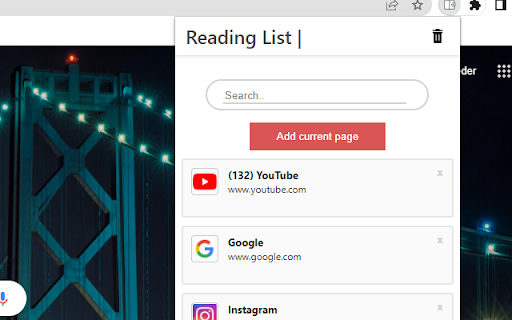
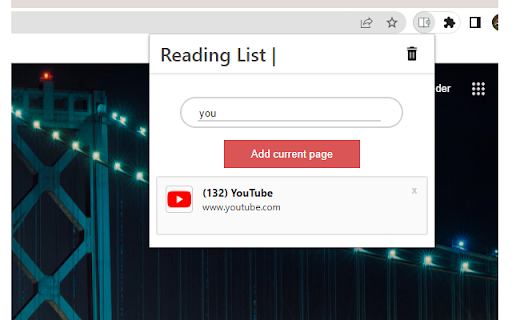
The Expanded Reading list helps you to store links to wepsites for a later use
This exstention saves links to pages for a later use.
This readinglist and bookmark exstention is simple and easy to use. You can easily find the link you are looking for by using the search functionality, which helps keep your tab count down.
By turning on chrome synchronization your saved links from one device will be automaticly be shown to you on all your devices.
How to use the exstention:
1. Go to the page youn want to save for later
2. Open the exstention by clicking on the icon in the top right of your browser.
3. Click the add current page button.
4. When you want to open a page, click the reading item you want to read.
(If you cannot find it, you can use the search bar)
5. When you are done with a page, just click the - X - in the right cornor of the reading item
| 分类 | 📝工作流程与规划 |
| 插件标识 | hmcafagfodljgndoicfhobgnlampagmk |
| 平台 | Chrome |
| 评分 |
★★★★☆
4.5
|
| 评分人数 | 86 |
| 插件主页 | https://chromewebstore.google.com/detail/expanded-reading-list/hmcafagfodljgndoicfhobgnlampagmk |
| 版本号 | 0.0.1 |
| 大小 | 72.38KiB |
| 官网下载次数 | 420 |
| 下载地址 | |
| 更新时间 | 2022-05-25 00:00:00 |
CRX扩展文件安装方法
第1步: 打开Chrome浏览器的扩展程序
第2步:
在地址栏输入: chrome://extensions/
第3步: 开启右上角的【开发者模式】
第4步: 重启Chrome浏览器 (重要操作)
第5步: 重新打开扩展程序管理界面
第6步: 将下载的crx文件直接拖入页面完成安装
注意:请确保使用最新版本的Chrome浏览器
同类插件推荐

Reading List Shortcut Extension
Add the current tab to the reading list using a ke
Reading list
Save articles, videos, and other content for later

阅读列表
这个扩展工具可以帮助收藏很多用于以后阅读的页面。This reading list extensio
Better Reading List
A better way to manage your browser's built-in

Reading List
Reading List - Save links, read laterReading List

Add to Reading List
Adding current tab to Chrome Reading ListThis is a
Expanded Reading List
The Expanded Reading list helps you to store links

Later: Save webpages to a list
Simple list to save any pages for later.Do you eve

Read Later
Store links to read later.Have a habit of opening
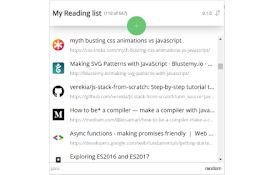
Chrome Reading List 2 ❤
Reading list of pages or articles to be read later

Read It Later New Tab
Save articles and pages to a read later list on yo
Actually Read it Later
Extension for saving articles for later, and actua

Read Later Tab
Read Later Tab helps to make progress with your re