
Prompt helper Chrome 插件, crx 扩展下载

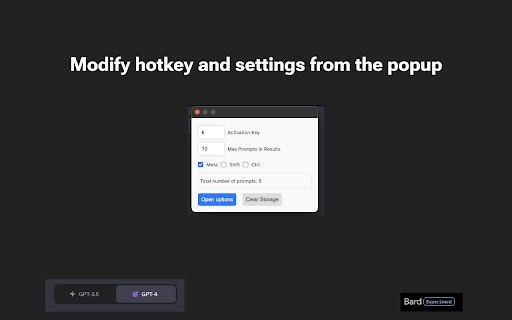
This extension helps enhance your prompts on ChatGPT, CharacterAI, Poe, Claude, and Google Bard, by providing useful shortcuts.
Extension offers three core functionalities:
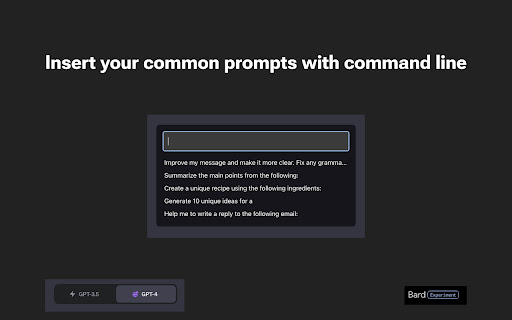
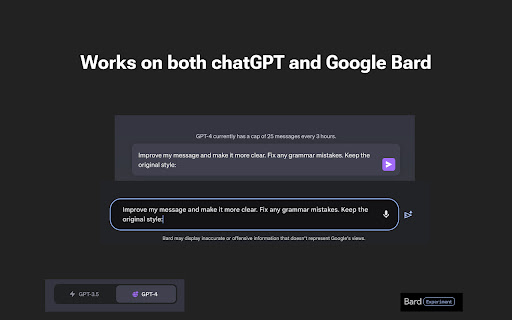
Prompt Insertion: 'Prompt Helper' allows you to instantly insert saved prompts into your chats or compositions on ChatGPT, CharacterAI, Claude, Poe, and Google Bard. By eliminating the need for manual copy-pasting, this feature allows you to communicate with AI more effectively and seamlessly.
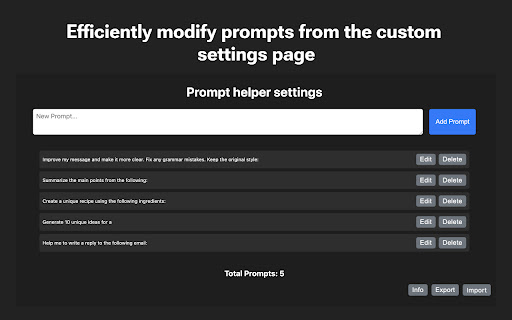
Prompt Management: Managing your prompt library has never been easier. With 'Prompt Helper', you can view, organize, and manage your saved prompts directly from the extension. This feature provides you with easy access to your prompts and enables you to keep them organized according to your preference.
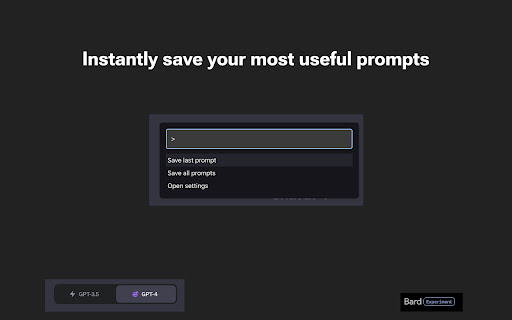
Prompt Saving: Found a new prompt that you'd like to use frequently? With 'Prompt Helper', you can save new prompts on-the-go without interrupting your workflow. Simply save your prompt directly from your current tab, and it will be readily available in your prompt library for future use.
By simplifying and optimizing the management and usage of prompts, 'Prompt Helper' can significantly improve your productivity!
| 分类 | 📝工作流程与规划 |
| 插件标识 | hnfmalnohiafmgdgbambfnmkmoflbpmp |
| 平台 | Chrome |
| 评分 |
★★★★☆
4.9
|
| 评分人数 | 449 |
| 插件主页 | https://chromewebstore.google.com/detail/prompt-helper/hnfmalnohiafmgdgbambfnmkmoflbpmp |
| 版本号 | 1.5 |
| 大小 | 880KiB |
| 官网下载次数 | 277 |
| 下载地址 | |
| 更新时间 | 2023-07-19 00:00:00 |
CRX扩展文件安装方法
第1步: 打开Chrome浏览器的扩展程序
第2步:
在地址栏输入: chrome://extensions/
第3步: 开启右上角的【开发者模式】
第4步: 重启Chrome浏览器 (重要操作)
第5步: 重新打开扩展程序管理界面
第6步: 将下载的crx文件直接拖入页面完成安装
注意:请确保使用最新版本的Chrome浏览器
同类插件推荐

AI Chrome Extension powered by ChatGPT - Magictool AI
Your All-in-One AI Chrome Extension featuring Chat

Prompti
Elevate your ChatGPT conversations with Prompti, a

ChatGPT 提问助手
此工具能够帮助您更有效率地与 ChatGPT 进行对话,并提供了多种问题范本、快速回复文字,以及方便
Prompt helper
This extension helps enhance your prompts on ChatG