
FIO Client Chrome 插件, crx 扩展下载
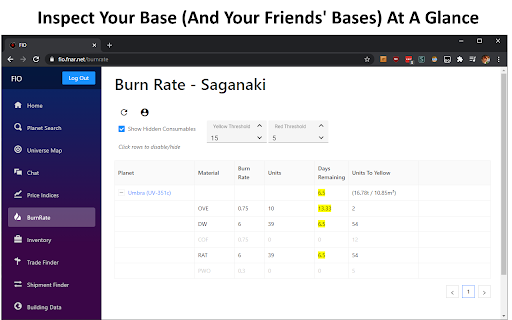
Client for the FIO REST database
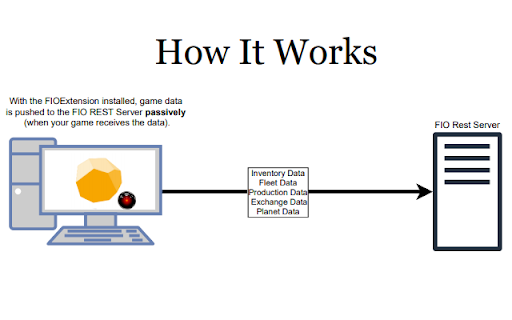
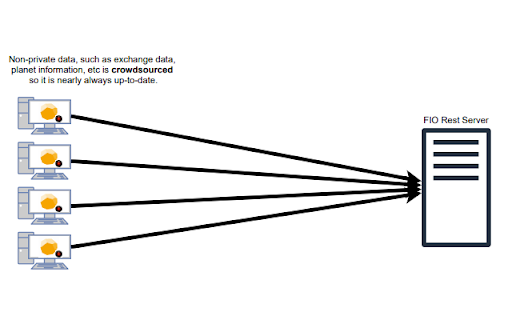
The FIO Client forwards ProsperousUniverse game data to the FIO REST Server so that it can be used in a shared manner. Exchange data, planet data, local market data, among others are gathered in a crowdsourced manner practically guaranteeing that all data on the FIO REST Server is up-to-date.
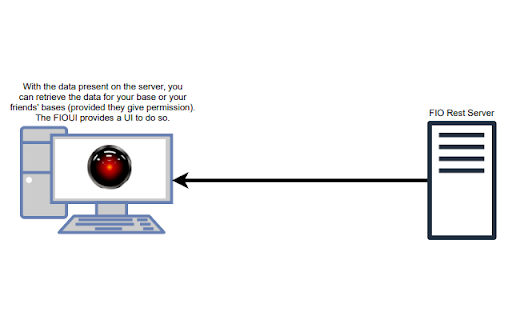
Once properly authenticated, the data can be retrieved using other tools which authenticate against the REST API or FIOWeb which is available at https://fio.fnar.net/
Getting Started:
1) Install the extension
2) Refresh APEX (https://apex.prosperousuniverse.com)
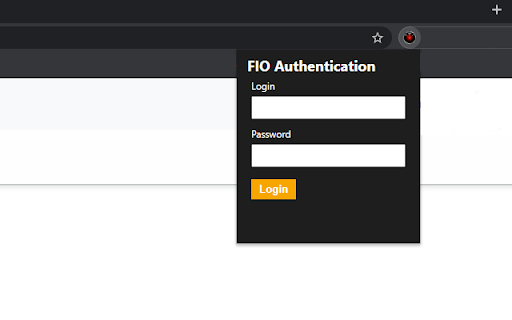
3) Click on the extension icon, and click "Register"
4) Return after registering and login
| 分类 | 🎉趣味休闲 |
| 插件标识 | honhnhpbngledkpkocmeihfgkfmocmkh |
| 平台 | Chrome |
| 评分 |
★★★★☆
4.3
|
| 评分人数 | 22 |
| 插件主页 | https://chromewebstore.google.com/detail/fio-client/honhnhpbngledkpkocmeihfgkfmocmkh |
| 版本号 | 3.3 |
| 大小 | 152KiB |
| 官网下载次数 | 978 |
| 下载地址 | |
| 更新时间 | 2024-11-29 00:00:00 |
CRX扩展文件安装方法
第1步: 打开Chrome浏览器的扩展程序
第2步:
在地址栏输入: chrome://extensions/
第3步: 开启右上角的【开发者模式】
第4步: 重启Chrome浏览器 (重要操作)
第5步: 重新打开扩展程序管理界面
第6步: 将下载的crx文件直接拖入页面完成安装
注意:请确保使用最新版本的Chrome浏览器
同类插件推荐

Melvor Idle Combat Simulator Reloaded
Adds a combat simulator to Melvor IdleAdds a comba

UniverseView Extension
UniverseView is a fast and fun OGame add-on. Find

Ogame Infinity
OGI - To Ogame's infinity and beyond!This exte

PMMG Beautifier
Improve and tweak the interface elements of PrUn w

NationStates++
Improves the NationStates.net experienceModifies t

PMMG Extended
Improve and tweak the interface elements of PrUn w
FIO Client
Client for the FIO REST databaseThe FIO Client for

TornTools
Several tools for Torn.This extension is for an on

Hangar Link Connect
Hangar Link ConnectHangar Link Connect is a compan

Star Citizen Hangar XPLORer
This extension improves the Hangar page on Roberts

AntiGameReborn
AGR - the other OGame experience for all communiti

OGame UI++
[EN][FR][ES][TR][DE] Improves the OGame interface

Kagi Search
Set Kagi as your default search engine while also