
Magnifier Usable Only with Mouse Chrome 插件, crx 扩展下载
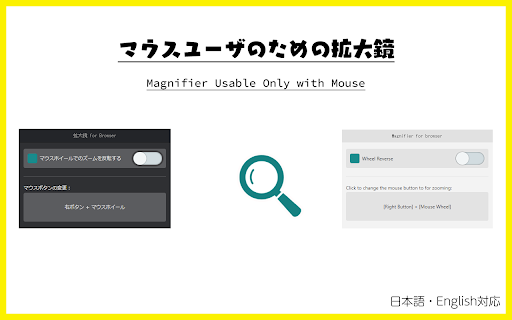
A tool to zoom in on web pages without using a keyboard. The zoom method can be customized!
When using a wireless mouse from a distance, small text on the monitor can be hard to read... But you can't reach the keyboard... And it's difficult to move the cursor to the zoom button...
In such situations, it would be convenient to zoom in using only the mouse. With this tool, you can zoom in and out on web pages by using the mouse wheel while right-clicking (customizable).
* Chrome Extension does not work on some Google pages and on opened web pages before installing this tool. Please reload the page you want to use this tool once after installation.
## How To Use
1. Open the context menu.
2. Click on "Magnifier for browser".
3. Hold down the right mouse button and use the mouse wheel.
When you move the mouse cursor to the edge of the screen, you can scroll in that direction.
### Config
- The scroll with mouse cursor function can be enabled or disabled from the context menu.
- By default, it uses the right mouse button, but you can change it to other buttons by clicking on the icon in the extension list.
- You can reverse the zoom direction based on the mouse wheel.
## v1.0.1
- Change the tool name
| 分类 | ♿无障碍访问 |
| 插件标识 | hpliknlffjiipmfodaldbihcbgkpmanf |
| 平台 | Chrome |
| 评分 |
★★★★☆
4.4
|
| 评分人数 | 44 |
| 插件主页 | https://chromewebstore.google.com/detail/magnifier-usable-only-wit/hpliknlffjiipmfodaldbihcbgkpmanf |
| 版本号 | 1.0.1 |
| 大小 | 19.08KiB |
| 官网下载次数 | 104 |
| 下载地址 | |
| 更新时间 | 2024-06-18 00:00:00 |
CRX扩展文件安装方法
第1步: 打开Chrome浏览器的扩展程序
第2步:
在地址栏输入: chrome://extensions/
第3步: 开启右上角的【开发者模式】
第4步: 重启Chrome浏览器 (重要操作)
第5步: 重新打开扩展程序管理界面
第6步: 将下载的crx文件直接拖入页面完成安装
注意:请确保使用最新版本的Chrome浏览器
同类插件推荐
Magnifier Usable Only with Mouse
A tool to zoom in on web pages without using a key

Cursorlux - Mouse Highlighter
A customizable mouse highlighter extension to high

Cursor Helper - 自定义光标
免费的自定义鼠标光标!独特而有趣,适合各种品味!**Cursor Helper ?** 是一款浏览器

Speed Tweaks
Speed up your browser with few tweaks via toolbar