
NTI Reader Buddhist Dictionary Chrome 插件, crx 扩展下载
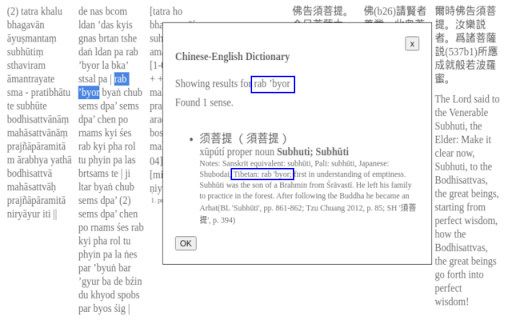
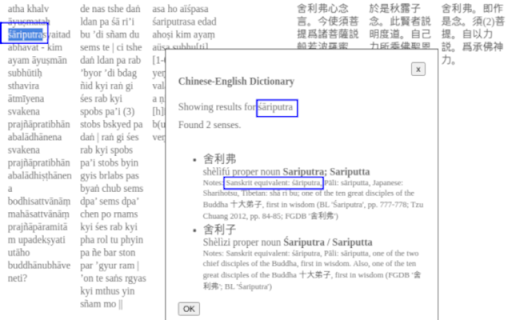
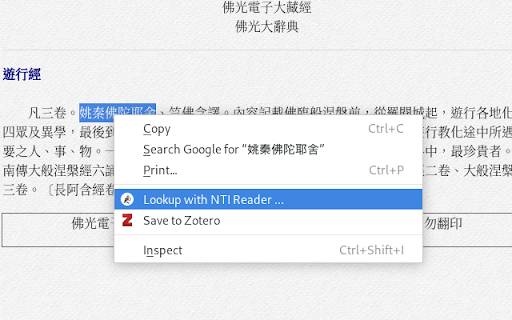
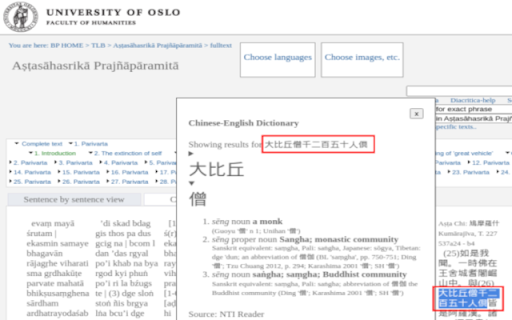
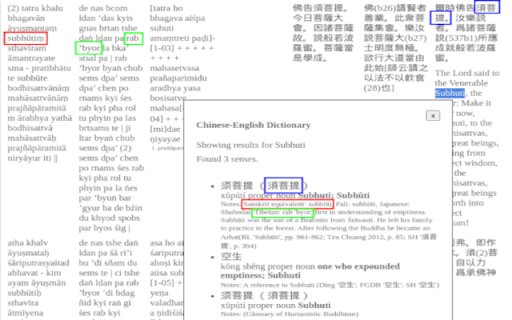
The Chinese-English Buddhist dictionary can be used to find terms with forward and multi-language lookup.
The NTI Reader Chinese-English Buddhist dictionary can be used to find terms from Chinese with simplified, traditional, or or lookup with Hanyu pinyin. Reverse lookup from English equivalent is also supported. You can do multi-term lookup for longer Chinese phrases, and multi-language lookup with Sanskrit, Pali, Japanese, and Tibetan for common Buddhist terms.
The extension uses a multi-dictionary framework, currently including the NTI Reader and the Fo Guang Shan Humanistic Buddhism Glossary. It is like the https://ntireader.org web site but can be installed as a Chrome Extension. This can help you stay within the flow of a Chinese document, avoiding the need to switch back and forth between pages.
Try it out on web site like the University of Oslo's multilingual corpus Thesaurus Literaturae Buddhicae at https://www2.hf.uio.no/polyglotta/index.php. For example, with the Aṣṭasāhasrikā Prajñāpāramitā 'Perfection of Wisdom in 8,000 Lines' Chinese-Sanskrit-Tibetan-English parallel text. It may also be useful on https://cbeta.org, the SAT online version of the Taishō Tripiṭaka, http://www.masterhsingyun.org, and the Fo Guang Shan Dictionary of Buddhism, a Chinese monolingual dictionary at http://etext.fgs.org.tw/search/index.aspx .
You can see a demo at
https://youtu.be/jtZSOtOanHQ
More information is available at
https://github.com/alexamies/chinesenotes-dart/blob/master/ntireader-chrome-ext/README.md
For developers: it is an open source project. You can find the source code at
https://github.com/alexamies/chinesenotes-dart
| 分类 | 📝工作流程与规划 |
| 插件标识 | iachdahjdmnhnbeojfpopajmilenhhbd |
| 平台 | Chrome |
| 评分 |
★★★★☆
4.9
|
| 评分人数 | 7 |
| 插件主页 | https://chromewebstore.google.com/detail/nti-reader-buddhist-dicti/iachdahjdmnhnbeojfpopajmilenhhbd |
| 版本号 | 0.0.5 |
| 大小 | 8.95MiB |
| 官网下载次数 | 78 |
| 下载地址 | |
| 更新时间 | 2021-05-10 00:00:00 |
CRX扩展文件安装方法
第1步: 打开Chrome浏览器的扩展程序
第2步:
在地址栏输入: chrome://extensions/
第3步: 开启右上角的【开发者模式】
第4步: 重启Chrome浏览器 (重要操作)
第5步: 重新打开扩展程序管理界面
第6步: 将下载的crx文件直接拖入页面完成安装
注意:请确保使用最新版本的Chrome浏览器
同类插件推荐
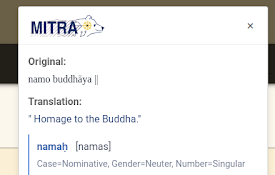
Dharmamitra Sanskrit Analysis
Analyze Sanskrit text with Dharmamitra's tools

Chinese Notes Chinese-English Dictionary
The dictionary can be used to lookup Chinese words

Mahāvyutpatti Buddhist Dictionary
A Sanskrit-Tibetan-Chinese dictionary compiled for
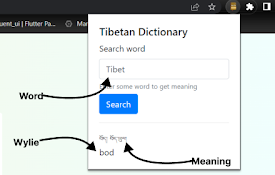
Tibetan Dictionary
Select a word on the webpage and open popup to loo

LAOS — Your mandarin learning companion
LAOS is THE chinese learning toolbox! It offers a
NTI Reader Buddhist Dictionary
The Chinese-English Buddhist dictionary can be use

Devangari to IAST Syllables
Reformat the Devanagari to IAST with syllables.Thi

Pinyinify
This extension replaces all Chinese characters wit

Hanzi Xiaobai
Learning Chinese one tab at a timeHanzi Xiaobai (C

HSK learning
Lean HSK and Hanzi passively while browsingDiscove

Greek/Latin Word Lookup
Look up definitions of Greek/Latin words convenien

Simplified to Traditional Chinese converter
Converts simplified chinese characters to traditio

brocrobes
Browser plugin for https://transcrob.esBrocrobes i