
Ad blocker Chrome 插件, crx 扩展下载

Ads and pop-ups blocker for YouTube, Facebook and other sites
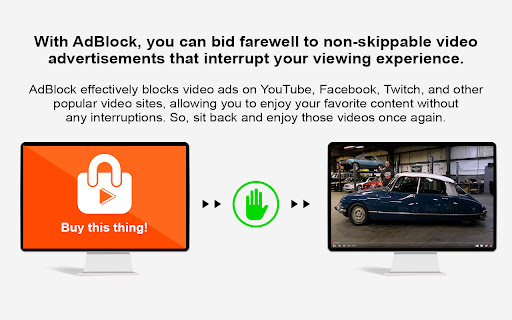
Ad Blocker is an effective tool for blocking ads on various platforms such as YouTube, Facebook, Twitch and many other popular sites.
✭✭✭✭✭✭✭✭✭✭✭✭✭✭✭✭✭✭✭✭✭✭✭✭✭✭✭✭✭✭✭✭✭✭✭✭✭✭✭✭✭✭✭✭✭✭✭✭✭✭✭✭
FEATURES
⮚ Provides data protection and blocks trackers from third-party sites.
⮚ Don't worry about intrusive and dangerous ads - our program will protect you from malware, scammers and cryptomanners on the Internet.
⮚ Enjoy your online experience without intrusive pop-ups, banner ads and video ads by blocking your favorite sites including YouTube, Facebook and Twitch.
⮚ Speed up page loads by blocking ads and other resources to help make the Internet faster and more efficient for you.
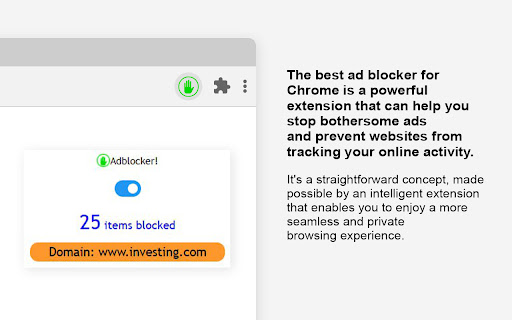
⮚ Keep track of how many resources are blocked and which ones thanks to our program.
✭✭✭✭✭✭✭✭✭✭✭✭✭✭✭✭✭✭✭✭✭✭✭✭✭✭✭✭✭✭✭✭✭✭✭✭✭✭✭✭✭✭✭✭✭✭✭✭✭✭✭✭
ABOUT THE PRODUCT
Install Ad Blocker and enjoy the Internet without ads. In addition, AdBlock protects your browser from malware and protects your personal information by preventing advertisers from accessing your search history.
Ad Blocker for Chrome provides automatic functionality. Just click on "Add to Chrome", then visit your favorite site to make sure ads no longer interfere with your online experience.
✭✭✭✭✭✭✭✭✭✭✭✭✭✭✭✭✭✭✭✭✭✭✭✭✭✭✭✭✭✭✭✭✭✭✭✭✭✭✭✭✭✭✭✭✭✭✭✭✭✭✭✭
IMPORTANT
A notification requesting access to your browsing history and information about sites visited appears automatically because AdBlock works in all tabs. However, AdBlock does not track your browsing history and does not require your personal information for it to work.
| 分类 | ♿无障碍访问 |
| 插件标识 | ibdlmbdlaldichacinikjlihjggndhfe |
| 平台 | Chrome |
| 评分 |
★★★★☆
4.5
|
| 评分人数 | 352 |
| 插件主页 | https://chromewebstore.google.com/detail/ad-blocker/ibdlmbdlaldichacinikjlihjggndhfe |
| 版本号 | 1.3 |
| 大小 | 353KiB |
| 官网下载次数 | 349 |
| 下载地址 | |
| 更新时间 | 2023-03-05 00:00:00 |
CRX扩展文件安装方法
第1步: 打开Chrome浏览器的扩展程序
第2步:
在地址栏输入: chrome://extensions/
第3步: 开启右上角的【开发者模式】
第4步: 重启Chrome浏览器 (重要操作)
第5步: 重新打开扩展程序管理界面
第6步: 将下载的crx文件直接拖入页面完成安装
注意:请确保使用最新版本的Chrome浏览器
同类插件推荐
Ad blocker
Ads and pop-ups blocker for YouTube, Facebook and
AdGuard 广告拦截器
一款无与伦比的广告拦截扩展,用以对抗各式广告与弹窗。可以拦截 Facebook、YouTube 和其

AdBlocker Ultimate
终极广告拦截工具。免费拦截 YouTube、Facebook 和所有其他网站上的广告!AdBlock

Adblock all advertisments - No Ads extension
Block ads and popunders on social websites. Removi