
Zillow 数据导出器 Chrome 插件, crx 扩展下载
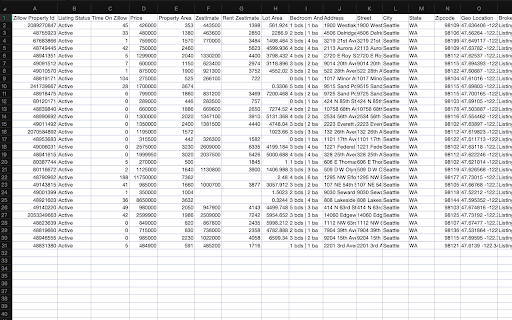
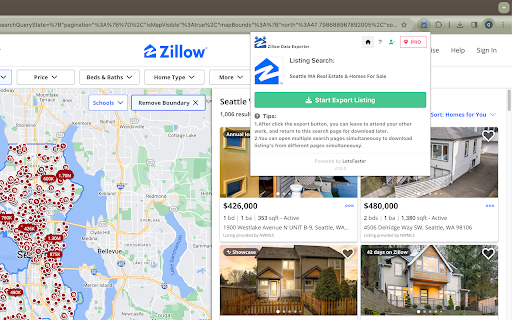
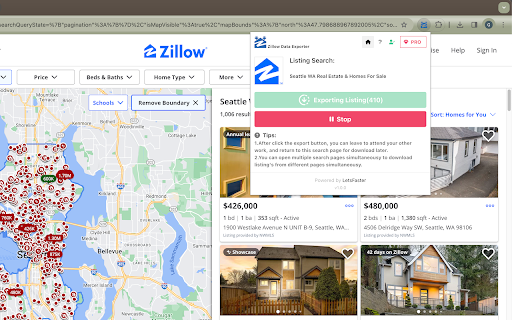
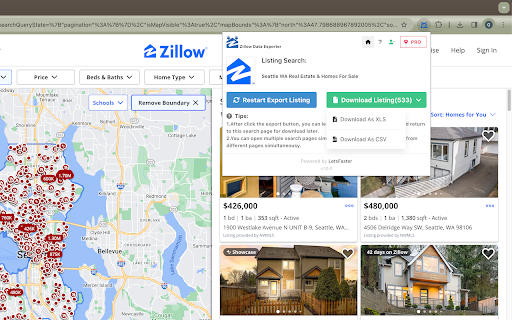
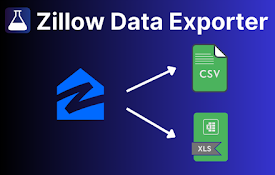
将列表数据从 Zillow 的列表页面导出到 XLS/CSV 文件
? Effortlessly export Zillow search listing data.
? How it Works:
1️⃣ Open an Zillow search listing page.
2️⃣ Click open our extension, then click the Export button.
3️⃣ Done! Sit back and just wait a moment, let our extension handle the rest.
? Key Features:
1️⃣ Run in the background without waiting for finish.
2️⃣ Export on multiple product pages simultaneous.
3️⃣ Export listing data for current item to Excel or csv file, data include: Zillow Property Id, Listing Status, Time On Zillow(days), Price, Property Area, Zestimate, Rent Zestimate, Lot Area, Bedroom And Bathroom Count, Address, Street, City, State, Zipcode, Geolocation, Broker Name, Is Zillow Owned, Image URL, Property Detail URL, Origin Search URL etcs.
? Targeted Users: business owners, data analysts, and competitor researchers alike.
? Benefit from our dedicated support team! We're here to assist you at every step and provide prompt, knowledgeable help.
? Take control of your business data management and make informed decisions with Zillow Data Exporter today!
Note: This extension is an independent creation and is not affiliated with or endorsed by Zillow ❗️?
| 分类 | 🛠️工具 |
| 插件标识 | icnlnmambkimgnbfgfijpkbnnkkcldma |
| 平台 | Chrome |
| 评分 |
★★★★☆
4.9
|
| 评分人数 | 5339 |
| 插件主页 | https://chromewebstore.google.com/detail/zillow-数据导出器/icnlnmambkimgnbfgfijpkbnnkkcldma |
| 版本号 | 1.0.1 |
| 大小 | 2.61MiB |
| 官网下载次数 | 29 |
| 下载地址 | |
| 更新时间 | 2024-11-21 00:00:00 |
CRX扩展文件安装方法
第1步: 打开Chrome浏览器的扩展程序
第2步:
在地址栏输入: chrome://extensions/
第3步: 开启右上角的【开发者模式】
第4步: 重启Chrome浏览器 (重要操作)
第5步: 重新打开扩展程序管理界面
第6步: 将下载的crx文件直接拖入页面完成安装
注意:请确保使用最新版本的Chrome浏览器
同类插件推荐

Zillow 数据导出器
将列表数据从 Zillow 的列表页面导出到 XLS/CSV 文件? Effortlessly ex
Zillow Data Exporter
Export Zillow property listings to CSV or Excel in

Zillow Scraper - Extract Data from Zillow
Scrape and extract properties from Zillow search r

Airtable Extractor by Table Capture
Allows you to extract data from an Airtable shared