
YouTube Quality ShortCut Chrome 插件, crx 扩展下载
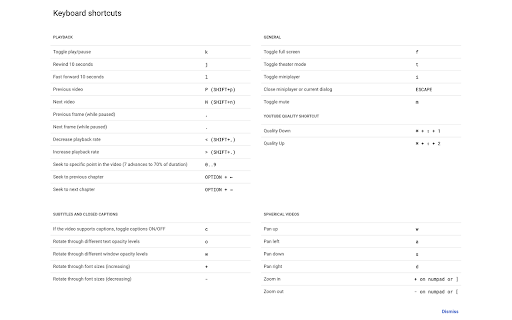
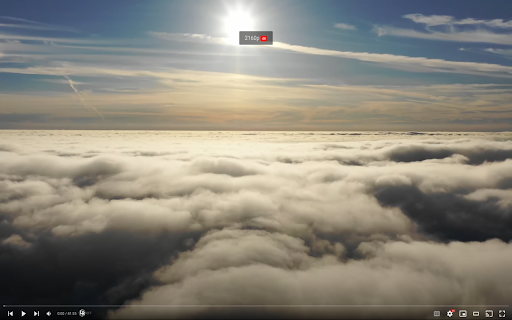
Control You Tube video quality with keyboard shortcuts.
Introducing a straightforward and powerful Chrome extension that transforms the way you watch videos on YouTube. Our tool is all about giving you control over video quality with just a couple of shortcuts. Whether you're dealing with a slow connection or just want the best quality, our extension makes it effortless.
Simple and Effective Shortcuts:
On Windows/Linux:
Control + Shift + 1: Decrease video quality.
Control + Shift + 2: Increase video quality.
On Mac:
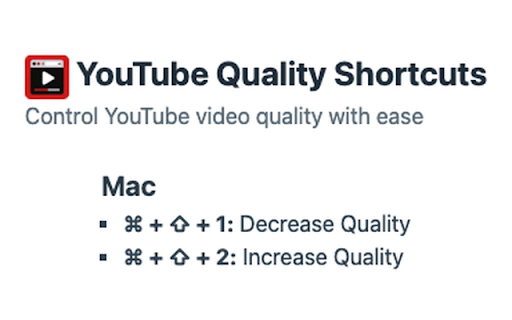
Command + Shift + 1: Decrease video quality.
Command + Shift + 2: Increase video quality.
Seamless Integration:
Our extension feels like a natural part of your YouTube experience. It’s unobtrusive, easy to use, and doesn't interfere with your browsing.
Privacy and Efficiency:
We know how important your online privacy is. Our extension respects that – no tracking, no data collection, just the functionality you need.
| 分类 | ⚙️功能性 |
| 插件标识 | idcemhhjdleodchiihagkfehahofmibc |
| 平台 | Chrome |
| 评分 |
★★★★☆
4.6
|
| 评分人数 | 2855 |
| 插件主页 | https://chromewebstore.google.com/detail/youtube-quality-shortcut/idcemhhjdleodchiihagkfehahofmibc |
| 版本号 | 1.3.1 |
| 大小 | 20.62KiB |
| 官网下载次数 | 307 |
| 下载地址 | |
| 更新时间 | 2024-08-09 00:00:00 |
CRX扩展文件安装方法
第1步: 打开Chrome浏览器的扩展程序
第2步:
在地址栏输入: chrome://extensions/
第3步: 开启右上角的【开发者模式】
第4步: 重启Chrome浏览器 (重要操作)
第5步: 重新打开扩展程序管理界面
第6步: 将下载的crx文件直接拖入页面完成安装
注意:请确保使用最新版本的Chrome浏览器
同类插件推荐
YouTube Quality ShortCut
Control You Tube video quality with keyboard short

Playback Controls
Skip YouTube ads / Control video playbacks using k

Controls for YouTube™ Shorts
Add controls for videos of YouTube™ shorts, includ
YouTube Speed Control
Control the speed of YouTube videos!The one-stop s