blurrit Chrome 插件, crx 扩展下载
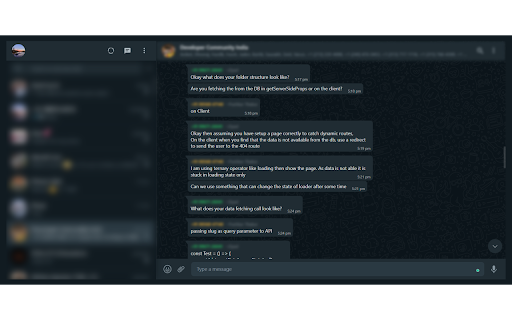
A web extension to make your WhatsApp safe and to make you feel safer.
A super-lightweight web extension that blurs your private data on WhatsApp Web.
0. Ever felt your privacy invaded when you are logged into WhatsApp Web when you are sharing your screen in a meet or on a projector?
1. Or are there times when someone is sitting beside you and sees your WhatsApp chats or who you have been texting?
2. Or are there times when you want to share a screenshot with the names hidden?
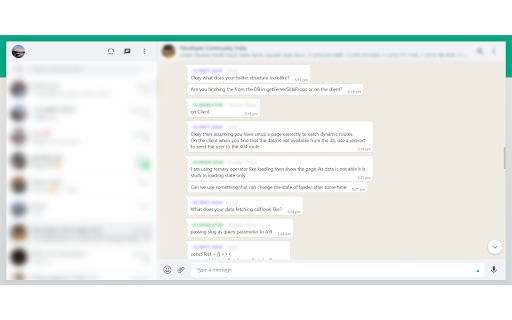
The extension blurs the WhatsApp Chat List, Author Name, Chat Name which unblurs on click and using a keyboard shortcut.
Features
0. Blurs the list of chats (Left side) of the WhatsApp Web view.
1. Blurs the WhatsApp Chat Name of the message.
2. Blurs the WhatsApp Author Name of the message.
3. Momentarily un-blurs on hovering the blurred regions. (UX 101)
4. Toggles blur on clicking the extension.
5. Has a Keyboard Shortcut (Ctrl/Command + Shift + Z) to blur/unblur. (A11Y 101)
| 分类 | 📝工作流程与规划 |
| 插件标识 | idknnkkejgomjlgbdpoblkfhhicekdjl |
| 平台 | Chrome |
| 评分 |
★★★★☆
4.6
|
| 评分人数 | 380 |
| 插件主页 | https://chromewebstore.google.com/detail/blurrit/idknnkkejgomjlgbdpoblkfhhicekdjl |
| 版本号 | 1.1 |
| 大小 | 701KiB |
| 官网下载次数 | 282 |
| 下载地址 | |
| 更新时间 | 2023-01-17 00:00:00 |
CRX扩展文件安装方法
第1步: 打开Chrome浏览器的扩展程序
第2步:
在地址栏输入: chrome://extensions/
第3步: 开启右上角的【开发者模式】
第4步: 重启Chrome浏览器 (重要操作)
第5步: 重新打开扩展程序管理界面
第6步: 将下载的crx文件直接拖入页面完成安装
注意:请确保使用最新版本的Chrome浏览器